

Last Updated

Overview
TimeStar helps organizations manage employee time and attendance with scheduling, mobile and kiosk clock-ins, PTO tracking, and labor allocation tools. While customization options might be limited, it provides accurate, automated time monitoring and payroll integration. The software is reliable for mid-sized to large businesses with deskless or distributed teams.

TimeStar Specifications
- Time And Attendance Tracking
- Leave And Absence Management
- Payroll Integration
- Alerts/Notifications
What Is TimeStar?
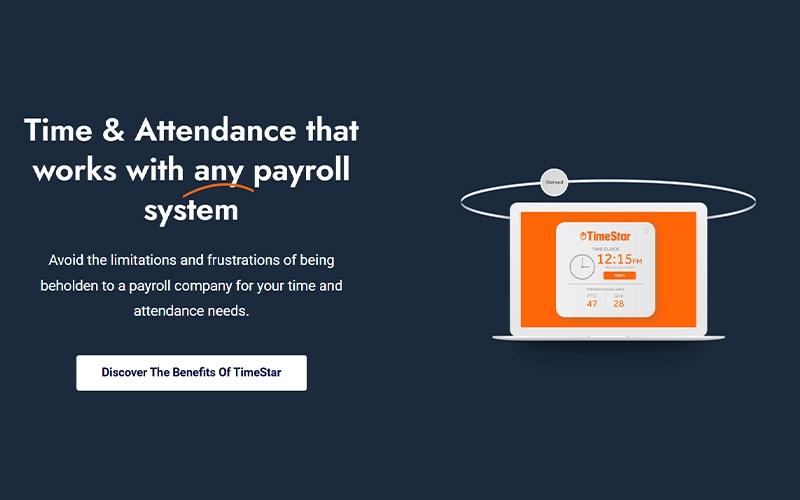
TimeStar is a time and attendance software designed for organizations seeking flexible workforce management. The platform offers scheduling, attendance tracking, time-off management, and labor allocation tools that work with any payroll system. Employees can record hours via web, mobile, kiosk, or telephony, while supervisors can monitor coverage, approve requests, and ensure compliance with labor laws.
TimeStar helps organizations control labor costs, maintain proper staffing, and streamline payroll preparation through accurate, secure, and automated time tracking.
TimeStar Pricing
The vendor offers flexible pricing plans starting at $99/month. According to market estimates, the implementation costs might fall around $500 and $10,000 for TimeStar. Total costs depend on the number of users, level of payroll or HR integrations, and custom workflow configurations.
Disclaimer: Pricing references are based on publicly available third-party information and industry benchmarks. Actual costs may vary.
TimeStar Integrations
The software supports integration with multiple systems and platforms, such as:
- Quickbooks
- Sage
- NetSuite
- TriNet
- PayMaxx
Who Is TimeStar For?
TimeStar is ideal for organizations across a wide range of industries and sectors, including:
- Hospitality
- Manufacturing
- Professional services
- Retail
- Healthcare
- Distribution
- Nonprofit organizations
Is TimeStar Right For You?
TimeStar is ideal for organizations seeking a secure, scalable, cloud-based time and attendance solution. Its flexible scheduling, mobile and kiosk clock-ins, and payroll integration make it well-suited for mid-sized to large businesses with distributed or deskless employees. Trusted by clients such as Bomgaars, Playhouse Square, and Nickles, TimeStar helps streamline workforce management, maintain compliance, and improve labor tracking while supporting multiple clocking methods and accurate payroll processing.
Still doubtful if TimeStar is the right fit for you? Connect with our customer support staff at (661) 384-7070 for further guidance.
TimeStar Features
Coverage And Labor Control
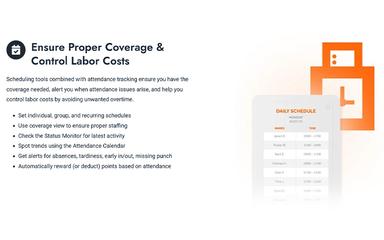
The platform provides comprehensive scheduling and attendance tracking to maintain adequate staffing levels. Managers can set up individual, group, or recurring schedules and monitor real-time activity with the Status Monitor. Alerts for absences, tardiness, and missing punches help control labor costs, while automated points reward or deduct attendance behavior efficiently.
Time Tracking
This feature allows employees to record time via web, mobile, kiosk, or telephony punch options, including biometric and badge-based clocks. Time allocation and monitoring ensure hours are captured correctly for payroll and job costing. Rules can be configured to comply with labor laws, offering both flexibility and reliability.
Time-Off Management
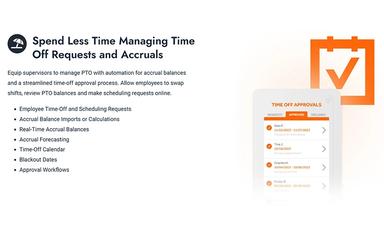
Supervisors benefit from automated PTO management and real-time accrual balance tracking. Employees can request time off, swap shifts, and view calendars online for better planning. The system supports accrual forecasting, blackout dates, and approval of workflows, simplifying leave management while reducing administrative effort.
Payroll Processing
TimeStar software simplifies payroll by calculating shift differentials, weighted overtime, and unit-based pay accurately. It tracks mileage and approvals before exporting data to any payroll system. Robust reporting ensures compliance and helps organizations minimize errors and administrative burdens.
Pros And Cons of TimeStar
Pros
Streamlined approval workflows lower admin work
Accurate tracking helps reduce payroll errors
Intuitive interface simplifies clock-ins and requests
Cons
Customer support responsiveness has inconsistencies
Limited customization options
TimeStar Reviews
Total 3 reviews
4.7
All reviews are from verified customers
Rating Distribution
5
Stars67%
4
Stars33%
3
Stars0%
2
Stars0%
1
Stars0%
Share your experience
Tracy A.
Mid Market, 51-100 employees
“customizable tool”
Pros
Getting around the platform is easy and it offers a lot of flexibility for customization. Submitting PTO requests through the system works well and the support team has been responsive, efficient and genuinely helpful whenever needed.
Cons
Over the past five years working here most of the issues we used to face have been resolved with their support team. At this point we're also using many of its features effectively so I honestly don't have any real complaints right now.
Rating Distribution
Ease of use
10
Value for money
9
Customer Support
9
Functionality
10
Matt G.
Mid Market, 51-100 employees
“reliable time tracking wins”
Pros
This has been a very efficient way to keep track of our hourly employees time and schedules. It's simple to monitor everything and make updates whenever needed. Another big advantage is being able to integrate it with our payroll system so employees get paid correctly. Getting everything set up at the beginning was smooth too which made the whole process even better for us.
Cons
Honestly I haven't run into anything I dislike about it.
Rating Distribution
Ease of use
10
Value for money
10
Customer Support
10
Functionality
10
Christopher R.
Mid Market, 51-100 employees
“Responsive support”
Pros
Right from the beginning I was part of creating the features we needed for our 400 employees. The team went out of their way to customize the system to our requirements and they were genuinely happy to help. Once you get familiar with the software using it is very easy. I've only needed customer support a handful of times and every time the process was simple and the response came quickly.
Cons
There's not much to complain about. Any issues I've run into have been very minor.
Rating Distribution
Ease of use
10
Value for money
10
Customer Support
10
Functionality
10
Frequently Asked Questions
What language does TimeStar support?
TimeStar primarily supports English.
Does TimeStar have a mobile app?
Yes, TimeStar offers a dedicated mobile app.
What other apps does TimeStar integrate with?
TimeStar supports integration with multiple platforms, such as Sage, NetSuite, TriNet, QuickBooks, and PayMaxx.
Does TimeStar offer an API?
No, TimeStar does not offer an API.
What level of support does TimeStar offer?
TimeStar offers support through contact form and resource hub.
What types of pricing plans does TimeStar offer?
TimeStar price starts at $99/month. Get a detailed TimeStar cost breakdown tailored to your specific requirements.
Who are the typical users of TimeStar?
TimeStar features are used by organizations across industries and sectors, including manufacturing, professional services, retail, healthcare, distribution, hospitality, and nonprofit organizations.