


Last Updated
Overview
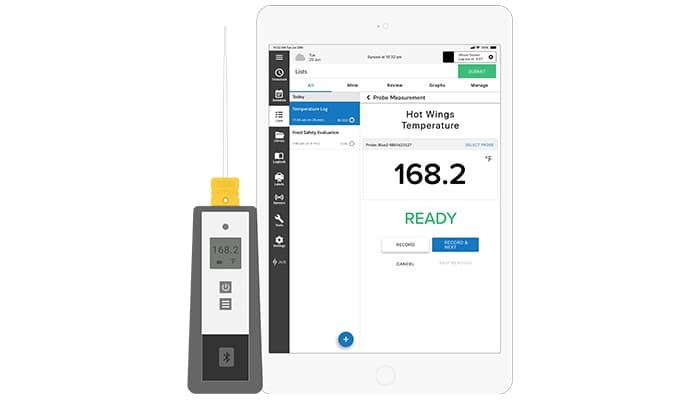
Jolt (by Intuiplan) simplifies daily operations by tracking tasks and keeping everyone in the loop. Although there is a slight learning curve, its effectiveness in monitoring assignments is undeniable. All in all, Jolt is a dependable tool for improving productivity and organization in the workplace.
Jolt Specifications
- Financial Reporting
- Invoice Management
- Expense Tracking
- Tax Management
Pros And Cons of Jolt
Pros
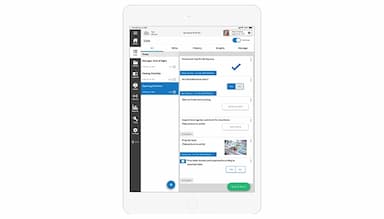
The checklist feature streamlines daily tasks and ensures consistency in operations
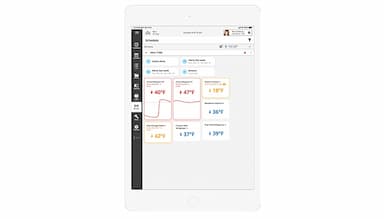
Real-time data capture and reporting capabilities to monitor operations
The communication tools facilitate better coordination and information sharing
Offers customizable templates for checklists and tasks
Cons
There are complaints about the platform's limited integration with other software systems
The mobile app version of Jolt has limitations compared to the desktop version
Jolt Reviews
Total 183 reviews
4.4
All reviews are from verified customers
Rating Distribution
5
Stars56%
4
Stars32%
3
Stars8%
2
Stars2%
1
Stars2%
Share your experience
Anonymous
Consumer Goods, 11-50 employees
Less than 6 months
“worst customer service I ever come across”
Pros
Once I get it set up properly for labels it works well okay. I use it for printing ingredient labels for my products and date codes for ingredients.
Cons
Their customer service is the worst I have come across anywhere. I keep emailing and calling but they never actually resolve anything or follow through on what they promise. Not a single problem has ever been fixed for me even though they have happily taken thousands of dollars from my business.
Rating Distribution
Ease of use
4
Value for money
6
Customer Support
2
Functionality
6
Mohamed
Airlines/Aviation, 51-100 employees
Less than 6 months
“digital checklists replace paper logs”
Pros
Jolt's digital checklist feature is very capable letting my team ditch paper logs and move to electronic workflows that keep full audit trails and clear accountability. This helps us cut down on errors and avoid missing steps.
Cons
One drawback I notice is that the auto-scheduling options are weak or missing so I or other managers end up having to manually adjust shifts and make changes instead of the system suggesting optimal schedules based on availability or demand.
Rating Distribution
Ease of use
9
Value for money
9
Customer Support
9
Functionality
8
Anonymous
Retail, 51-100 employees
Less than a year
“Team checklists work but app runs slowly”
Pros
I really liked the checklist feature. As being able to have several team members work on the same list at once made our daily store opening run much more smoothly and consistently.
Cons
Unfortunately I ran into persistent lag and frequent connection problems. Also the app itself works slowly which made working through the lists really difficult and time-consuming.
Rating Distribution
Ease of use
5
Value for money
7
Customer Support
10
Functionality
7
Frequently Asked Questions
Does Jolt offer an API?
Yes, Jolt offers an API.
What languages does Jolt support?
Jolt primarily supports English language.
What other apps does Jolt integrate with?
The software has not provided any details regarding its software’s specific integrations.
Does Jolt support mobile devices?
Yes, Jolt supports mobile devices.
What types of pricing plans does Jolt offer?
Information related to specific pricing plans is not provided by the vendor. However, you can get a personalized Jolt pricing that fits your budget and needs.
Who are the typical users of Jolt?
Typical users of Jolt include businesses in the hospitality, retail, and food service industries. It is especially popular among managers and staff who need to streamline operations, manage tasks, and enhance communication.
What level of support does Jolt offer?
Jolt offers customer services through phone, email, and live chat support.