Last Updated

Key Takeaways

Generated from the text of customer reviews

Brainscape uses flashcards and spaced repetition which let users review information at set intervals. The tool is used by educators and corporate training teams. Users have praised repetition system and pre-made flashcard sets as useful features. However, expert-created classes have more limited availability. Brainscape launched Brainscape Labs to support educators and researchers conducting learning science research in actual classroom settings.

Our Verdict

Brainscape suits students and professionals preparing for exams or structured learning programs who prefer ready-made study decks. Its spaced repetition system supports regular review without requiring users to set their own revision schedule. Users who regularly use premium content and study features may find the pricing reasonable. However, it may not be the right choice for people who prefer studying from their own notes or making their own materials. Brainscape is a better fit for learners who prefer ready-made content and a more organized approach to review.

Brainscape Specifications

  • Activity Dashboard
  • Asynchronous Learning
  • Activity Tracking
  • Access Controls/Permissions
View All Specifications

What Is Brainscape? 

Brainscape is a cloud-based learning system that uses digital flashcards and spaced repetition for study and review. Students, educators, and professionals can use it to learn and retain information over time. After reviewing a card, learners rate how well they remembered the answer. Brainscape uses these ratings to set the timing for the next review. 

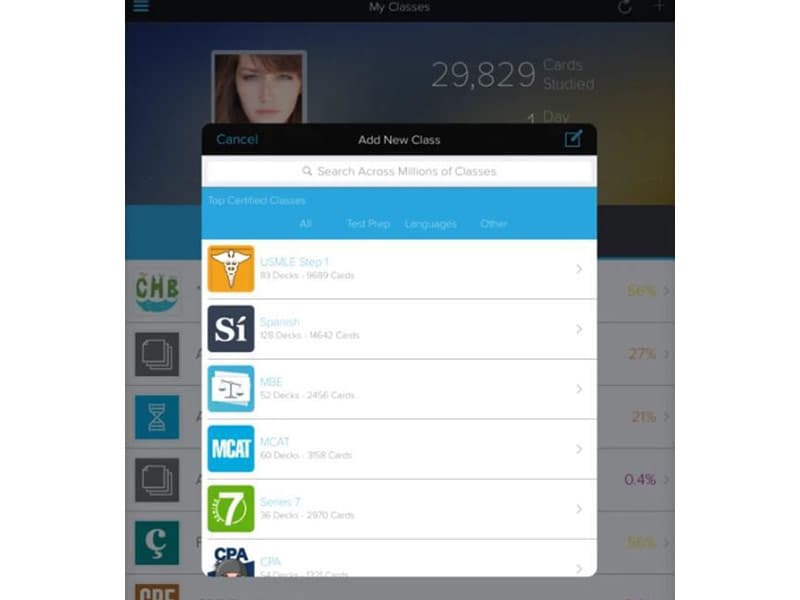
The software has access to expert-created certified decks, user-generated decks, and cards created by learners themselves. AI-assisted creation can also turn pasted text and supported files into flashcards. Brainscape can be accessed through both a web browser and mobile app. 

What Is Brainscape Best For? 

Brainscape is known for its Confidence-Based Repetition system. Learners rate how well they remember each flashcard after reviewing it. Based on these ratings, Brainscape chooses when each card should appear again. Cards that are harder to remember come up more often, helping learners spend more time on material they have not mastered yet. 

How Much Does Brainscape Cost? 

Brainscape pricing starts at its Pro plan, which costs $19.99/month. Enterprise pricing is customized based on group requirements and offers bulk discounts of up to 70% off consumer Pro pricing. Other plans are: 

  • Basic: Free forever 
  • Enterprise: Custom pricing 

For Pro plan different time duration affect pricing, such as: 

  • Semester: $9.99/month  
  • Year: $7.99/month  
  • Lifetime: $199.99 one-time payment 

Along with the pricing plans, the final price may depend on additional costs such as: 

  • Content Development Services: $500–$5,000+/course. This includes creating and formatting training materials as flashcard content  
  • Custom Distribution And Branding: $1,000–$10,000+/year. This includes branded learning pages and private content delivery for organizations  
  • Data And Reporting Services: $500–$3,000+/year. This includes custom learner reports, study data exports, and additional analytics  
  • Privacy And Compliance Documentation: $500–$5,000+ one-time. This includes privacy agreements, security reviews, and compliance documents for organizations  
  • Custom Training Content: $1,000–$10,000+/course. This includes flashcard libraries created for corporate training, certification programs, and academic courses 
Users can request for a custom Brainscape cost

Disclaimer: The pricing is subject to change. 

Brainscape Integrations 

The software has not disclosed its third-party integrations. 

How Does Brainscape Work? 

Here are the steps through which you can get started with the software: 

  • Log in to Brainscape using the credentials 
  • Browse the existing library of flashcard decks or create your own  
  • Find decks related to your desired subject or topic using the search function  
  • Select a flashcard to begin your studying process 
  • Review the flashcards and rate your confidence in each card's content  
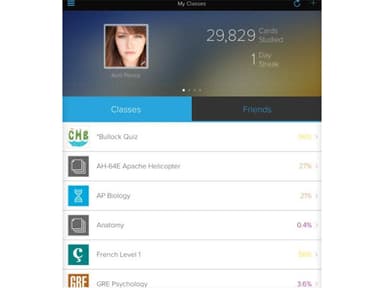
  • Monitor your progress through the progress tracking and analytics features  
  • Customize your study experience by exploring additional options 
Watch a free Brainscape demo and learn more about its capabilities. 

Who Is Brainscape For? 

The software is suitable for educational institutions and businesses of different sizes. It caters to several industries, such as: 

  • Education 
  • Food and beverage 
  • Healthcare 
  • Finance 
  • Engineering 
  • Information technology 

Brainscape Use Cases 

Based on Brainscape capabilities, it is valuable for the following use cases: 

1. Standardizing Product Knowledge Across Sales Teams 

Sales representatives may learn different product information from managers, documents, or training sessions. Sales enablement teams can create shared Brainscape decks with product specifications, service details, and common customer questions. Reps can review the same material during onboarding and later sales training. 

2. Reinforcing Compliance Knowledge After Mandatory Training 

Employees may forget some policies or procedures after completing required compliance training. Compliance and HR teams can add key training points to Brainscape for later review. These can cover regulatory terms, security requirements, workplace policies, and procedural rules. 

3. Preparing New Employees For Role-Specific Knowledge 

New hires need to learn company processes, product information, and role-specific procedures during onboarding. Training teams can create Brainscape for each position and assign them to new employees. Employees can review the material again after their initial training. 

4. Maintaining Consistent Knowledge Across Training Cohorts 

Organizations that onboard employees regularly may use different training content for each group. Training managers can create shared Brainscape decks for specific roles or programs and assign them to each new cohort. They can update the decks when policies, products, or procedures change. 

5. Supporting Employee Certification Preparation 

Employees preparing for professional certifications need to study terminology, concepts, and exam-related information while managing their regular work. Training teams can organize these subjects into Brainscape as part of professional development programs. Employees can review difficult topics throughout the preparation period. 

Is Brainscape Right For You?

Brainscape is a good fit for students and professionals who need to retain large amounts of information for exams or certifications. Its confidence-based spaced repetition approach suits learners who benefit from repeated review while its certified decks can save time when building study material from scratch. Instructors can also use it when they need to provide shared study material and monitor learner progress. Its focus remains on flashcard-based study rather than managing complete training programs. 

EdTech providers are increasingly combining AI with established learning methods such as active recall. This shift makes Brainscape relevant to learners who want AI-assisted study without completely relying on AI-generated content. 

Still not sure if it's the right choice for you? Contact us at (661) 384-7070 and let us assist you in making an informed decision. 

Brainscape Features

Adaptive Flashcards

Adaptive flashcards use a powerful learning technique called spaced repetition. The Brainscape learning management system adjusts the timing and frequency of reviewing flashcards based on each user's performance and mastery level, optimizing the learning process.

See How It Works
Progress Tracking and Analytics

Brainscape LMS provides comprehensive progress tracking and analytics tools. Users can monitor their learning journey, track their performance, and gain insights into their strengths and weaknesses. It allows for targeted study and a clear understanding of progress over time.

See How It Works
Collaboration Tools

Users can create and share flashcard decks, fostering a collaborative learning environment. That makes it easy for students, educators, and study groups to work together and exchange knowledge.

See How It Works
Analytics-Driven Content Creation

Brainscape assists users in creating effective flashcards. The system suggests content improvements based on aggregated data and user performance. It helps users create highly optimized flashcards for enhanced learning outcomes.

See How It Works

Pros And Cons of Brainscape

Pros

  • Audio and image support makes cards useful for language study

  • Shared decks help instructors distribute the same material to learners

  • Reverse cards provide another way to practice recall

  • Certified decks cover specialized subjects and professional exams

  • Study reminders encourage users to maintain regular review habits

Cons

  • Some decks contain errors or material that is not relevant to learners

  • Text formatting options limit how much cards can be customized

  • Some users want more testing formats beyond standard flashcards

Brainscape Pricing

Basic

eye

View Price

What's Included

  • Create and import unlimited flashcards

  • Generate hundreds of cards with AI

  • Share decks and manage editing access

  • Study personal, shared and 2,500 pre-loaded cards

  • Track progress and set study reminders

  • Use spaced repetition

Pro

eye

View Price

What's Included

  • Generate unlimited AI flashcards

  • Access unlimited Certified and user-created content

  • Add images and audio to cards

  • Use bookmarks and reverse-card study

  • Keep decks private and reset study stats

  • Includes Basic features

Enterprise

eye

View Price

What's Included

  • Control access to group study content

  • Provide branded private study pages

  • Access detailed learner data

  • Get content development and dedicated support

  • Use custom distribution options

  • Save up to 70% through bulk pricing

Disclaimer: The pricing details were last updated on Jul 21, 2026 from the vendor's website. Please contact us for a tailored pricing list.

Brainscape Reviews

Total 14 reviews

4.6

All reviews are from verified customers

Rating Distribution

5

Stars

64%

4

Stars

36%

3

Stars

0%

2

Stars

0%

1

Stars

0%

Share your experience

A

Anonymous

E-Learning, N/A employees

Less than a year

5.0
December 2025

Incredibly helpful for language learning

Pros

I recently watched a TED Talk about language learning. I have been struggling to learn French and really need to learn it now that I live in a French-speaking country. The presenter emphasized how helpful images are on flashcards. With Brainscape, I can make my own cards and add any pictures I want which has been incredibly helpful.

Cons

I really dislike paying for apps, so the price is the main drawback. Still, I think the investment is justified.

Rating Distribution

Ease of use

10

Value for money

8

Customer Support

10

Functionality

10

UU

Ugur U.

Small Business, 11-50 employees

4.0
December 2025

Enjoy working on pc and phone

Pros

I enjoy working on both my PC and my phone and I can tweak and edit content exactly how I want.

Cons

Using it on my PC can be a bit confusing and I sometimes struggle to get used to the interface.

Rating Distribution

Ease of use

9

Value for money

10

Customer Support

10

Functionality

9

G

Garrett

Small Business, 11-50 employees

5.0
December 2025

Study system built around repetition

Pros

Brainscape is a study system built around deliberate, meaningful repetition. With complex topics, it's often not just about knowing or not knowing something. I like that it uses a confidence scale to show flashcards at varying intervals. I also value the practical guides for certifications and exams, written by instructors who actually teach those subjects. Seriously, you don't need to look elsewhere as I am sure its simple study workflow will help me pass my upcoming WSET and CMS exams.

Cons

I'd love for Brainscape to offer more interactive options to actively engage with topics, content and terms over time.

Rating Distribution

Ease of use

10

Value for money

10

Customer Support

10

Functionality

9

Frequently Asked Questions

Does Brainscape offer an API?

Yes, Brainscape LMS has an API.

What language does Brainscape support?

Brainscape supports the English language.

What other apps does Brainscape integrate with?

Brainscape has not revealed its third-party applications.

What types of pricing plans does Brainscape offer?

The software offers these plans: Basic plan for free, Pro plan at $19.99/month, and Enterprise plan with custom pricing available on request. Request for a custom Brainscape price.

Who are the typical users of Brainscape?

Brainscape is ideal for healthcare, engineering, education, food and beverage, information technology, and finance industries.

What level of support does Brainscape offer?

Brainscape provides support through a knowledge base, email, a help desk, FAQs, and forums.

How does cognitive science research influence Brainscape?

Brainscape uses cognitive science research to apply spaced repetition in its flashcards.

Can multiple editors collaborate on Brainscape?

Yes, Brainscape allows collaboration with multiple editors for real-time content deployment, making it a versatile tool for the world’s smartest humans.

What is spaced repetition in Brainscape?

Spaced repetition is a study method used by Brainscape. It increases the time between reviews as learners become more familiar with the material. The method is based on the spacing effect which suggests that information is easier to retain when it is reviewed at intervals rather than all at once.