


Lessonly
Last Updated
Overview
Lessonly is an advanced learning platform designed to revolutionize employee training with its user-friendly interface, engaging multimedia lessons, and robust reporting capabilities. It features seamless integrations, collaborative learning, and a comprehensive content library. Despite occasional issues with lesson visibility, its customizable features make it a valuable asset for organizations.
Lessonly Specifications
- Activity Dashboard
- Asynchronous Learning
- Activity Tracking
- Access Controls/Permissions
What Is Lessonly?
Overview
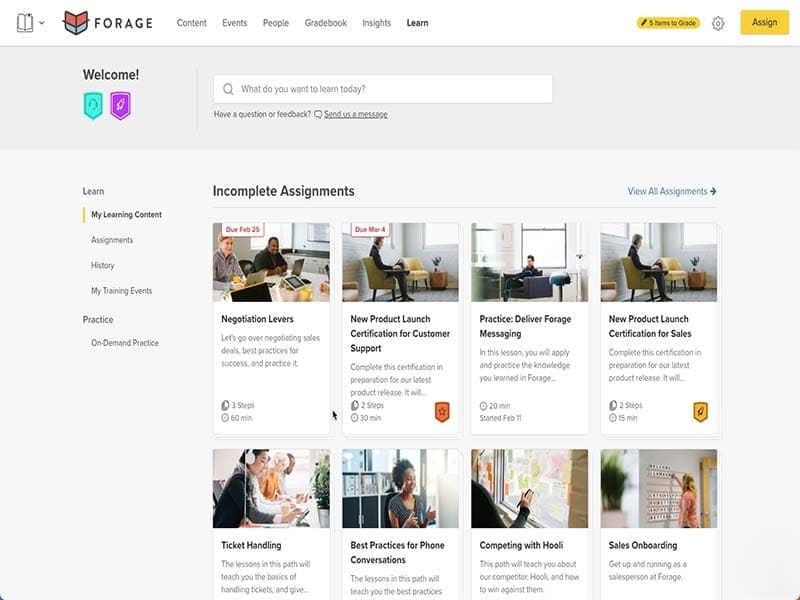
Lessonly is a cloud-based learning management system (LMS) that improves employee training. Its user-friendly interface is ideal for businesses seeking effective training software solutions. With this LMS, companies can create engaging training modules, track employee progress, and enhance learning experiences.
Lessonly software also helps tackle common training challenges, such as onboarding, skills development, and compliance training. The LMS caters to various industries and user types, making it a versatile and reliable choice for any organization.
What Is Lessonly Best For?
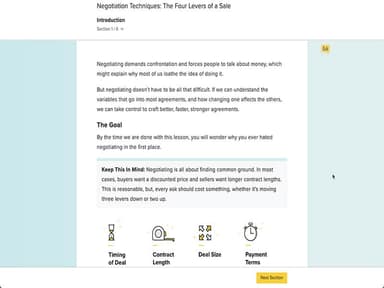
The standout feature of Lessonly LMS is its interactive lessons. The software allows users to create engaging training materials beyond traditional text-based content. With features like quizzes, videos, and multimedia elements, Lessonly enables businesses to deliver immersive learning experiences to their employees on mobile devices. This feature makes training more enjoyable, leading to better knowledge retention and improved performance among learners.
Lessonly Pricing
Lessonly Integrations
The software seamlessly integrates with the following third-party applications:
- Microsoft
- Salesforce
How Does Lessonly Work?
Here’s how to get started with Lessonly software after its successful installation:
- Log in using provided credentials and access the dashboard
- Access all features and functionalities
- Start crafting training content with the "New File" option
- Enhance lessons with images, videos, and audio
- Customize lesson settings by setting due dates and access permissions
- Invite learners by sending personalized invitations to join the training
- Gauge learners' understanding and knowledge retention
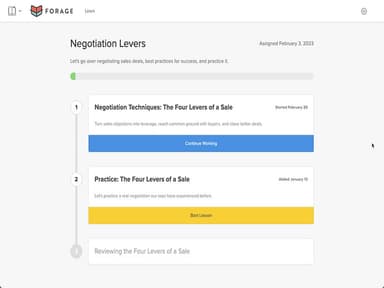
- Track progress and feedback by monitoring performance with reporting and analytics to offer personalized guidance
Who Is Lessonly For?
Lessonly software is a useful tool in the following industries:
- Asset Management
- Banking
- Healthcare & Life Sciences
- Insurance
- Investment Banking
- Manufacturing
- Media and Advertising
- Technology
Is Lessonly Right For You?
Ready to revolutionize your training program? Lessonly is the perfect fit for your team! It has earned awards for its user-friendly approach and has been trusted by numerous reputable clients. It emphasizes security and scalability, ensuring your data is safe and your training needs are met as your organization grows. The platform offers add-ons for further customization and efficiency. Lessonly is a reliable solution for addressing training pain points and improving employee performance.
Still not sure if it's the right choice for you? Contact us at (661) 384-7070 and let our experienced team assist you in making an informed decision.
Lessonly Features
Interactive Lessons
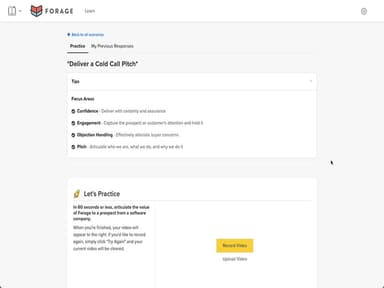
Lessonly provides resources to create interactive lessons with multimedia elements, quizzes, and assessments, enhancing the learning experience for your employees.
Reporting and Analytics
The platform provides reporting and analytics tools to track teams' progress, performance, and completion rates, gaining valuable insights into your training programs' effectiveness.
Content Library
Lessonly offers a content library tool to organize and store training materials for easy access and reuse, streamlining your organization and content management process.
Feedback and Collaboration
The learning management system lets users provide feedback on lessons and practices, fostering a collaborative learning environment. It also allows for discussions and peer-to-peer interactions, facilitating knowledge sharing among employees and teams.
Lessonly Reviews
Total 12 reviews
4.7
All reviews are from verified customers
Rating Distribution
5
Stars75%
4
Stars17%
3
Stars8%
2
Stars0%
1
Stars0%
Share your experience
Retail, 1-10 employees
More than a year
“makes providing lessons for new employees easy”
Pros
It is still a good tool for creating lessons for new trainees and employees.
Cons
Some features we want are still missing. The basics are solid but adding more interactive parts is where you run into limitations.
Rating Distribution
Ease of use
8
Value for money
8
Customer Support
10
Functionality
7
Computer Software, 500+ employees
More than a year
“good for progress tracking”
Pros
Courses are simple to follow, progress is easy to see and learning new skills and finding information from past training are simple.
Cons
Wish it was easier to skip certain lessons.
Rating Distribution
Ease of use
10
Value for money
9
Customer Support
10
Functionality
9
E-Learning, 500+ employees
Less than a year
“Great interface”
Pros
Using the platform feels simple and its interface is user friendly and pleasant to look at. It's clear considerable care and resources went into making the experience visually appealing.
Cons
Simplicity can also be a drawback though. We had very few ways to engage with fellow learners or the course creator and share feedback.
Rating Distribution
Ease of use
7
Value for money
7
Customer Support
8
Functionality
10