


Last Updated
Overview
QuickSchools provides a student information system that drives efficiency in academic management, record-keeping, and communication. Despite users sometimes noting that key configuration options are obscured, the platform’s dedicated customer support and quick response times make it a compelling choice for organizations seeking reliable administrative software.
QuickSchools Specifications
- Activity Dashboard
- Activity Tracking
- Access Controls/Permissions
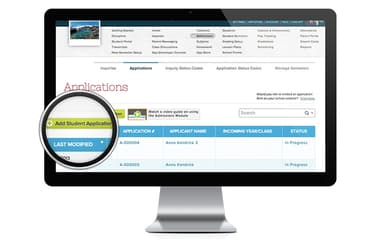
- Applicant Tracking
QuickSchools Features
Gradebook
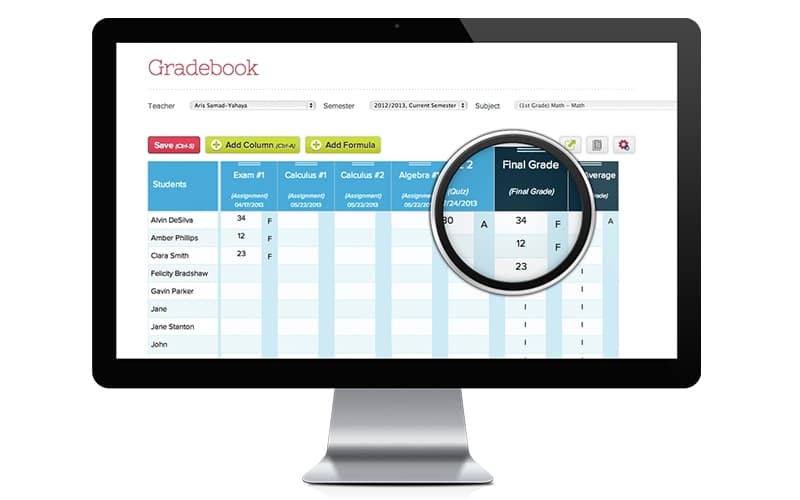
QuickSchools features an intuitive online gradebook assigned to each teacher, enabling continuous grade entry throughout the term. It supports complete customization, allowing staff to weight assignments and define multiple grading scales to match unique pedagogical requirements.
Report Card
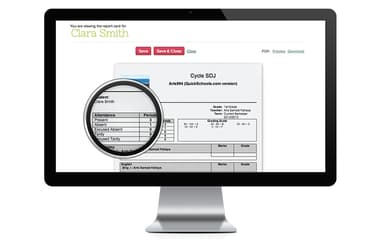
The system enables schools to generate professional-grade, totally customizable report cards that align with specific institutional standards. Using an interactive database, QuickSchools software automatically populates attendance and grades into a custom template.
Fee Tracking And Online Payments
This module streamlines the collection and tracking of all school fees, storing billing data centrally within the student’s file. It enables administrators to apply standard, recurring charges to groups of students using templates, ensuring consistent, error-free billing. The software facilitates online credit card payments via Stripe integration.
Transcripts
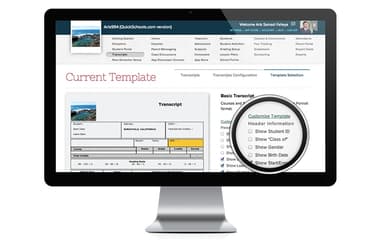
Users can generate professional, branded transcripts quickly and efficiently by clicking the student’s name using this functionality. The system instantly populates the document with comprehensive details, including attendance and SAT/ACT scores, using a custom-designed template.
Email Text and Voice Messaging
This messaging feature enables rapid communication of emergency alerts, reminders, and important school announcements via email, text, or recorded voice. Communications can be broadcast to the entire school community or targeted to specific groups using saved recipient lists. Teachers can also efficiently message parents of individual students or whole classes.
Pros And Cons of QuickSchools
Pros
Adapts easily to school needs
Simplifies tuition tracking
Speeds up grade reporting
Cons
Slows skill development
Overwhelms with choices
QuickSchools Reviews
Total 7 reviews
4.6
All reviews are from verified customers
Rating Distribution
5
Stars71%
4
Stars14%
3
Stars14%
2
Stars0%
1
Stars0%
Share your experience
Gina V.
Education Management, 1-10 employees
“Instant customer service”
Pros
The instant customer service chat box has been fantastic. Whenever I need help someone is there right away and they're always incredibly helpful.
Cons
I'd still like to have a wider selection of apps to choose from.
Rating Distribution
Ease of use
10
Value for money
10
Customer Support
10
Functionality
10
Susan
Primary/ Secondary Education, 11-50 employees
“Outstanding customer care”
Pros
Whenever I need help, the customer service team is outstanding. They're consistently friendly, quick to respond and really know the system well.
Cons
My biggest frustration is that certain features only come as paid add-ons and for a small school, that extra cost is just too expensive.
Rating Distribution
Ease of use
8
Value for money
7
Customer Support
9
Functionality
8
Tami S.
Education Management, 1-10 employees
“Affordable and professional”
Pros
After using several similar systems before launching Elevate Oklahoma, this one has been a much better experience. The others took too much time and were frustrating to work with and other teachers had plenty of complaints about them as well. When we were choosing a platform for our hybrid school program, QuickSchools stood out as the better product and was also more affordable. I've been extremely pleased with it. It gives our program a more professional and legitimate presence and I really appreciate that the admissions and registration form connects directly with our website page.
Cons
I still need help with the report card feature. I want the report card to show all four quarters along with the yearly average when printed. That option does appear to be there but whenever I click preview or download, the page size changes and shrinks to about two-thirds of the page which makes it look unprofessional. That is a pretty noticeable issue right now at the end of our first quarter.
Rating Distribution
Ease of use
10
Value for money
10
Customer Support
10
Functionality
10
Frequently Asked Questions
Who are the typical users of QuickSchools?
Typical users of QuickSchools software include people working in the education sector.
What other apps does QuickSchools integrate with?
QuickSchools integrates with Ignitia, Zapier, Google Calendar, Schoology, Microsoft Azure, QuickBooks, and Zoom.
Does QuickSchools offer an API?
Yes, QuickSchools offers the REST API.
What types of pricing plans does QuickSchools offer?
The software has three pricing plans: Gaia Plan ($0.99/student/month), Apollo Plan ($1.49/student/month), and Athena Plan ($2.99/student/month). Get a flexible QuickSchools price quotation today.
What language does QuickSchools support?
QuickSchools supports the English language.
What level of support does QuickSchools offer?
QuickSchool offers multiple support options, including form submission, email, and phone.
Does QuickSchools have a mobile app?
Yes, QuickSchools has a mobile app available on Android and iOS devices.