


Vector LMS
Last Updated
Overview
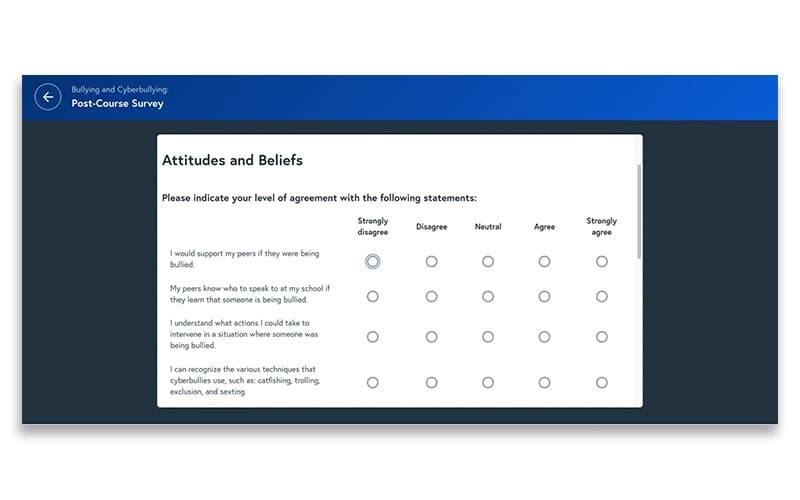
Vector LMS is a powerful and easy-to-use learning management system (LMS) that lets you design, launch, and track your courses. You can customize your learning portal, integrate it with other tools, and access analytics and reports.
Vector LMS Specifications
- Activity Dashboard
- Asynchronous Learning
- Activity Tracking
- Access Controls/Permissions
Vector LMS Features
Performance Tracking
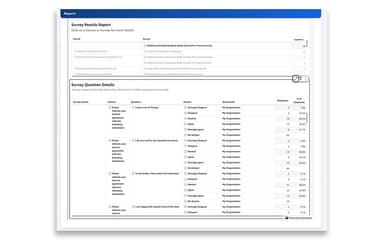
This feature provides valuable insights into learner progress, course completion rates, and assessment performance. Administrators can effectively track and analyze training data and measure the effectiveness of courses. It helps them take necessary actions to improve workforce performance.
Assign Courses
To streamline assigning, use the individual assignments tool and create individualized learning paths for learners. You can assign skills-based courses to each team member, ensuring their progress is in the right direction.
Risk Management
The software provides a comprehensive approach to risk management by equipping team members with the necessary knowledge to stay safe on the job. With targeted training initiatives, organizations can mitigate workplace risks and ensure compliance with safety protocols, promoting a safer work environment.
Compliance Management
Users can maintain adherence to regulatory standards and industry-specific requirements. A centralized platform helps monitor, track, and manage compliance-related activities, including certifications, licenses, credentials, human resources (HR) mandates, and training records.
Blended Learning
Combine asynchronous and synchronous training activities to create a dynamic learning experience. Learners can access online resources, such as self-paced modules and interactive multimedia content, at their convenience. This flexible approach accommodates individual learning preferences and increases knowledge retention.
Ready-To-Use Courses
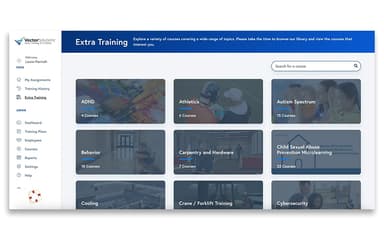
The platform enhances workforce performance and safety with its extensive library of ready-to-use courses. Organizations can choose from modern, interactive, and mobile-ready online content effortlessly deployed through the system. These courses address crucial learning and compliance priorities, empowering businesses to meet their training objectives effectively.
Pros And Cons of Vector LMS
Pros
User-friendly interface
Cloud-based accessibility
Online collaboration and sharing
Automatic formatting and translation
Cons
Mobile app limitations
Formatting issues
Minor bugs and glitches, according to some reviews
Vector LMS Reviews
Total 25 reviews
4.6
All reviews are from verified customers
Rating Distribution
5
Stars76%
4
Stars16%
3
Stars4%
2
Stars4%
1
Stars0%
Share your experience
Manufacturing, 500+ employees
More than a year
“Convergence gets an A+!”
Pros
I have to say, the service and support here are top-notch. It is incredibly user-friendly and intuitive.
Cons
I'd appreciate more flexibility for customization to add a creative touch.
Rating Distribution
Ease of use
10
Value for money
10
Customer Support
10
Functionality
10
Manufacturing, 500+ employees
More than a year
“Food Production Manufacturer in Grand Rapids”
Pros
In my opinion, the biggest advantage of Convergence is their outstanding customer attention and responsiveness. From the initial training to ongoing support, even with a time difference, they are always available and helpful. We never feel neglected or left to figure things out on our own.
Cons
There are a couple of minor issues that could use improvement, like the system slowing down after a certain number of entries. Also, it would be helpful if the selected activity in Credit Wizard would stay put instead of needing to be searched for again. These are minor inconveniences, though, not deal-breakers.
Rating Distribution
Ease of use
8
Value for money
10
Customer Support
8
Functionality
10
Manufacturing, 51-100 employees
Less than 6 months
“Building a safety program”
Pros
Being able to upload and customize content based on specific job requirements, along with integrating it with our HR system, is a huge plus.
Cons
My biggest regret was opting for self-paced learning to operate the system. I realize now that face-to-face training would ensure I get the most out of it.
Rating Distribution
Ease of use
8
Value for money
8
Customer Support
8
Functionality
8
Frequently Asked Questions
Does Vector LMS offer an API?
Yes, API access is available.
What languages does Vector LMS support?
The software supports the English language.
What other apps does Vector LMS integrate with?
The vendor has not indicated any third-party integrations.
Does Vector LMS support mobile devices?
It is compatible with mobile devices.
What types of pricing plans does Vector LMS offer?
Several factors may impact the Vector LMS price. These can include the size of your organization/team, required features, customizations, etc.
Who are the typical users of Vector LMS?
Vector LMS is well-suited for manufacturing and industrial businesses.
What level of support does Vector LMS offer?
Support is provided through various channels, including round-the-clock live representatives, phone assistance, a comprehensive knowledge base, email/help desk, and chat services.
What is Vector Solutions?
Vector Solutions provides intelligent software as a service (SaaS) solutions, including learning management systems.
How does Vector Solutions benefit employee training?
For employee training, Vector Solutions provides Vector LMS, which is a modern learning management system. It offers online training courses and learning management. It helps organizations train employees, improve compliance, and manage professional development.