



Last Updated
Overview
Interpreting user testing data can be complex and time-consuming. Centercode, with its delta testing capabilities, offers a streamlined platform with comprehensive scores and reports, making data understandable and fostering effective decision-making. Explore Centercode functionalities to simplify the intricacies of user testing data analysis and enhance your testing process.
Overall Rating
Based on 49 users reviews
4.1
Rating Distribution
Positive
80%
Neutral
14%
Negative
6%
Starting Price
$0
per builder per month
Centercode Specifications
- Time Tracking
- Task Management
- Reporting
- Budget Management
Centercode Features
Automated User Engagement
Keeping testers active and engaged is crucial for obtaining reliable and useful results. The automated user engagement functionality uses fine-grained profiling and community-building tools to achieve this. The software is a personal assistant dedicated to maintaining tester activity, ensuring that every test is as effective as possible.
Feedback Automation
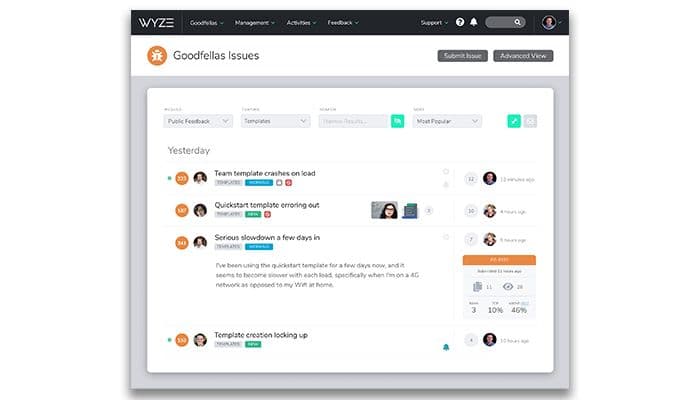
Centercode’s feedback automation feature streamlines the testing process, using structured feedback forms, smart scoring, and workflows. In addition, it helps you manage the entire feedback workflow, letting you prioritize and route issues to engineering and following up with testers to get more context.
Reporting
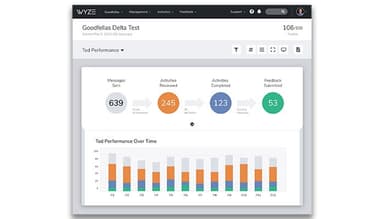
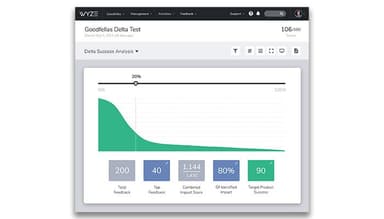
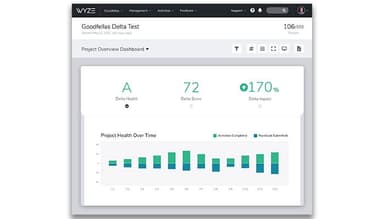
Interpreting and conveying the outcomes of real-world user tests often presents a formidable task. This functionality offers a solution by providing comprehensive scores, reports, and dashboards. It serves as an interpreter, simplifying the intricate language of user testing data and rendering it comprehensible to all members of your team.
Project Automation
You can also automate tedious testing tasks so you can focus on what matters most using Centercode. It includes turn-key project creation, where you import your plan and sit back as the software completes project planning. This includes scheduled phases and activities, covering all of the features you need to be tested.
Pros And Cons of Centercode
Pros
Comprehensive user testing automation platform
Powerful automation capabilities
Intelligent technology for rapid results
Structured test planning feature
Automated user engagement
Cons
The platform might be overwhelming due to its breadth of features
Navigation can be challenging, according to some reviews
The visual appeal of the platform can be improved
Centercode Pricing
Beta | Delta | Pro | Team |
|---|---|---|---|
$0per month | $39per month | Custom Pricing | Custom Pricing |
|
|
|
|
Disclaimer: The pricing details were last updated on Sep 14, 2026 from the vendor's website. Please contact us for a tailored pricing list.
Centercode Reviews
Total 49 reviews
4.1
All reviews are from verified customers
Rating Distribution
5
Stars39%
4
Stars41%
3
Stars14%
2
Stars0%
1
Stars6%
Share your experience
IT, 1-10 employees
More than a year
“Customer service is rude”
Pros
I think they are rude, so I would not recommend it.
Cons
The customer service here can be quite rude. If I don't give positive feedback, they get upset and sometimes even insult me. It seems they prefer lies over the truth.
Rating Distribution
Ease of use
7
Value for money
2
Customer Support
2
Functionality
2
IT, 500+ employees
Less than 6 months
“Help motivate testers”
Pros
I admire that I frequently get notified by mail that something can be done.
Cons
I'm having some trouble navigating and finding what I've reported, but I suppose I'll get the hang of it eventually.
Rating Distribution
Ease of use
8
Value for money
8
Customer Support
8
Functionality
8
IT, 101-500 employees
Less than a year
“Pretty good”
Pros
It organizes my issues, feedback, surveys, support, and discussions. The survey creation and reports are good.
Cons
The UI is a bit odd. For instance, to edit surveys, I have to go to a different section than where I initially view them. It would be much simpler if there was just an edit button on the original page. Plus, generating reports has to be done manually since the auto-generated one doesn't work properly.
Rating Distribution
Ease of use
7
Value for money
10
Customer Support
10
Functionality
9
Frequently Asked Questions
Does Centercode offer an API?
No, Centercode does not have an API for its users.
What language does Centercode support?
Centercode supports various languages, including Czech, Danish, Dutch, English, Finnish, French, German, Hungarian, Irish, Norwegian, and Swedish.
What other apps does Centercode integrate with?
Centercode integrates with several third-party systems, including Salesforce, Tableau, Hubspot, Slack, ProductBoard, Unbounce, and Zapier.
Does Centercode support mobile devices?
Yes, Centercode supports iOS and Android mobile devices.
What types of pricing plans does Centercode offer?
Centercode offers two pricing plans: Beta ($0/month), Delta ($39/month), Pro (custom pricing), and Team (custom pricing). Get a personalized Centercode pricing plan according to your company’s requirements.
Who are the typical users of Centercode?
Centercode is utilized in the transportation, telecommunications, electronics, media, and information technology industries.
What level of support does Centercode offer?
Centercode offers email, a help desk, a knowledge base, chat, 24/7 customer representative, FAQs, forums, and phone support options.