



Last Updated
Overview
Project management, resource allocation, and collaboration issues can disrupt efficiency in various industries. Inadequate support aggravates these problems, leading to frustration and delays. With its plugin-rich cloud-based system, Easy Redmine streamlines project planning, resource management, and teamwork. It's adaptable dashboards and task automation enhance agility, catering to expanding organizations.
Overall Rating
Based on 18 users reviews
3.9
Rating Distribution
Positive
67%
Neutral
33%
Negative
0%
Starting Price
€5.90
per user per month
Easy Redmine Specifications
- Time Tracking
- Task Management
- Reporting
- Budget Management
What Is Easy Redmine?
Easy8 is the WorkOps platform for technology teams to deliver projects through a secure, integrated ecosystem that simplifies collaboration and provides expert support. The platform helps to build an ecosystem where your people, tools, and AI connect seamlessly. Easy8 offers both Agile and Waterfall approaches, as well as a HelpDesk, a knowledge base, and CSM. It also guarantees privacy and data sovereignty.
What Is Easy Redmine Best For?
Easy8 software is best known for its knowledgeable customer support. The software’s customer success team is highly praised for its expertise and responsiveness. They provide timely assistance and ensure that users can make the most of the software’s features.
Easy Redmine Pricing
The vendor offers the following four pricing plans for its cloud-based solutions:
- Essentials – €6.90/user/month
- Business – €13.90/user/month
- Platform – €25.90/user/month
- Enterprise – Custom Pricing
Disclaimer: The pricing is subject to change.
Easy Redmine Integrations
Easy8 integrates with the following third-party applications:
- Microsoft Project
- Microsoft Excel
- Jira
- Asana
- Zapier
- Microsoft Outlook
How Does Easy Redmine Work?
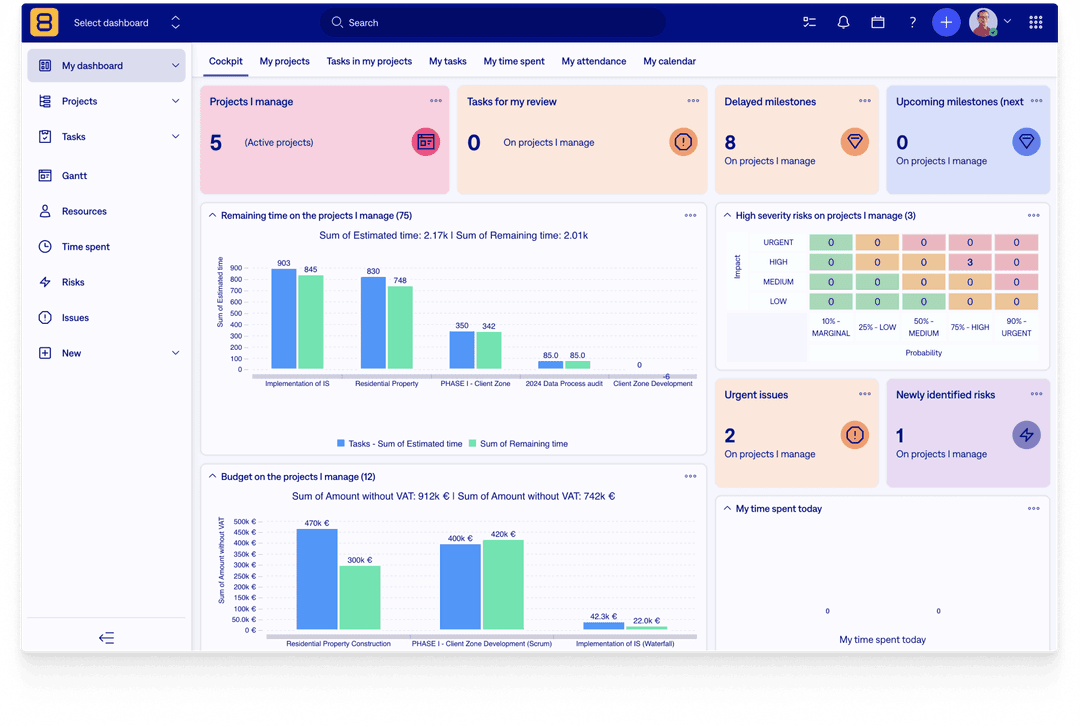
Here's how you can navigate the dashboard after logging in:
- Create new projects or manage existing ones
- Assign projects and set deadlines for team members
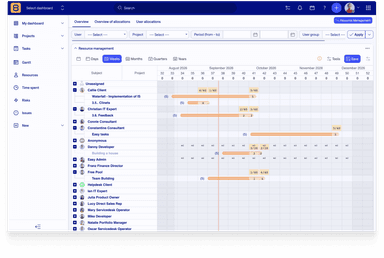
- Utilize Gantt charts for project visualization
- Collaborate using comments and file-sharing
- Monitor progress with time tracking and reports
- Customize dashboards to fit your project needs
Who Is Easy Redmine For?
Easy8 is highly scalable and can meet the needs of growing organizations. It is used in the following industries:
- Computer science
- Software development
- Information technology
- Advertisement
- E-commerce
Is Easy Redmine Right For You?
Looking for a cloud-based project management platform that offers flexibility, efficiency, and a wide range of functionalities? If so, Easy8 might be the perfect fit for you. It is trusted by many clients, including the IT Department of Monaco Paradigm, Belo Solutions, Gita Technologies, People and Solutions AB, and Cherrypicks.
Additionally, the software offers features such as password policy enforcement, session time-out configuration, automatic sign-off, and two-factor authentication. It also provides various deployment options to meet the needs of organizations of all sizes.
Do you still have queries about the Easy8 software? Contact us at (661) 384-7070, and our customer support team will help you make an informed decision.
Easy Redmine Features
Action Buttons
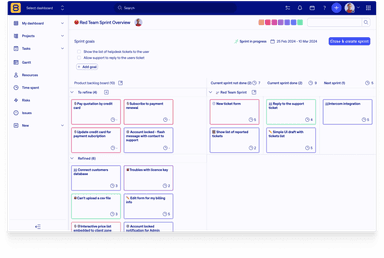
Action buttons in Easy8 are designed to expedite the process of updating tasks or assigning Help Desk tickets to a specific worker. Automating repetitive activities helps project managers oversee multiple tasks and ensures they progress as planned. This feature saves time and reduces errors, leading to more accurate and efficient task management.
Activity Reports
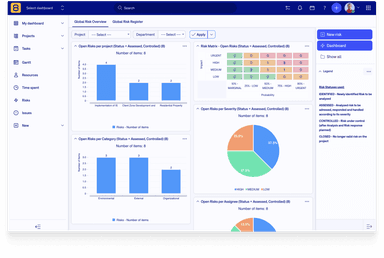
This functionality provides a detailed account of changes made to tasks by a specific person. By providing a clear overview of today’s activities on selected projects, the software assists users in keeping track of task progress and individual contributions. Easy8 enhances transparency and accountability within the team, fostering a culture of open communication and collaboration.
Dashboards
Easy8 offers customizable dashboards as a central hub for managing daily work. The dashboards can be tailored to meet the needs of every user, project, or working team, providing a personalized workspace that enhances productivity. Moreover, the pre-prepared templates for common roles simplify the process of monitoring and managing projects, enabling teams to focus on their tasks.
Global Roles By User Types
The software enables each user type to have a predefined default role, simplifying the user management process. It ensures that each user has the appropriate permissions based on their role, promoting efficient collaboration within the team. By automating role assignments for newly created users of specific user types, Easy8 reduces administrative workload and helps maintain a consistent organizational permission structure.
Pros And Cons of Easy Redmine
Pros
Highly responsive customer support team
Scalable to meet the needs of growing organizations
Seamlessly integrates with popular third-party applications
Detailed activity reports to optimize productivity
Task automation to avoid doing repetitive tasks
Cons
Delayed customer support response time
Resource intensive, according to some reviews
Might be complex for simple projects
Easy Redmine Pricing
Essentials | Business | Platform | Enterprise |
|---|---|---|---|
€5.90/month | €11.90/month | €23.90/month | Custom Pricing |
|
|
|
|
Disclaimer: The pricing details were last updated on Sep 25, 2026 from the vendor's website. Please contact us for a tailored pricing list.
Easy Redmine Reviews
Total 18 reviews
3.9
All reviews are from verified customers
Rating Distribution
5
Stars28%
4
Stars39%
3
Stars33%
2
Stars0%
1
Stars0%
Share your experience
Marketing, 51-100 employees
More than a year
“Overall good”
Pros
Managing tasks, prioritizing and checking workflow is very simple.
Cons
Reporting hours takes a bit of time and can be a bit disorganized.
Rating Distribution
Ease of use
6
Value for money
6
Customer Support
6
Functionality
6
Healthcare, 1-10 employees
Less than 6 months
“Good software but.....”
Pros
It provides all the functionalities necessary for proper project management. I can create email templates to use when needed.
Cons
The graphical interface is straightforward, but some processes are difficult to understand or learn.
Rating Distribution
Ease of use
6
Value for money
6
Customer Support
6
Functionality
10
E-learning, 1-10 employees
Less than a year
“Easy Redmine, sometimes not so easy”
Pros
Easy Redmine is an excellent ticketing system, and I was able to set up various projects where our customers can submit their tickets. It is quite straightforward and functional when it comes to assigning tasks, setting priorities and reporting or tracking time.
Cons
Implementing it as a self-hosted solution has been quite challenging. I'm not happy with the lack of an easy overall view, and when responding to tickets with long threads, it quotes the first email instead of the last one in my response.
Rating Distribution
Ease of use
6
Value for money
8
Customer Support
5
Functionality
8
Frequently Asked Questions
Can Easy integrate with other tools and platforms for seamless collaboration and data exchange?
Easy8 integrates with Zapier, Microsoft Outlook, Jira, Microsoft Excel, Asana, and Microsoft Project to enhance collaboration and streamline data exchange.
What language does Easy8 support?
Easy8 supports multiple languages, including English, German, French, and Czech.
Does Easy8 support mobile devices?
Yes, Easy8 supports mobile devices and offers a mobile app for iOS and Android.
Does Easy8 offer an API?
Yes, Easy8 offers a complex REST API that enables easy integration with other systems.
What types of pricing plans does Easy8 offer?
The Easy8 cost of its cloud-based solutions is as follows: Essentials (€6.90/month), Business €13.90/month), Platform (€25.90/month), and Enterprise (custom pricing). Get a personalized Easy Redmine pricing per your company's needs.
What level of support does Easy8 offer?
Easy8 offers a free Basic support plan and a paid Priority support plan, which includes chat, email, a help desk, FAQs, forums, a knowledge base, phone support, and a 24/7 live customer representative.
Who are the typical users of Easy8?
Typical users of Easy8 include software development, computer science, information technology, e-commerce, and advertisement industries.
How can I set a start date for tasks and projects in Easy8 software?
Setting a start date for tasks and projects in Easy8 is simple. You can specify the desired start date during the task/project creation or editing process.