


Last Updated
Overview
Enhance efficiency with OnePlan, a resource management solution. Simplify your workflow with seamless integration with Microsoft Project and other tools. Access real-time data and optimize resource allocation for agile project portfolio management. Explore OnePlan features today to achieve greater business agility!
Overall Rating
Based on 1 users reviews
5
Rating Distribution
Positive
100%
Neutral
0%
Negative
0%
Starting Price
$0
per month
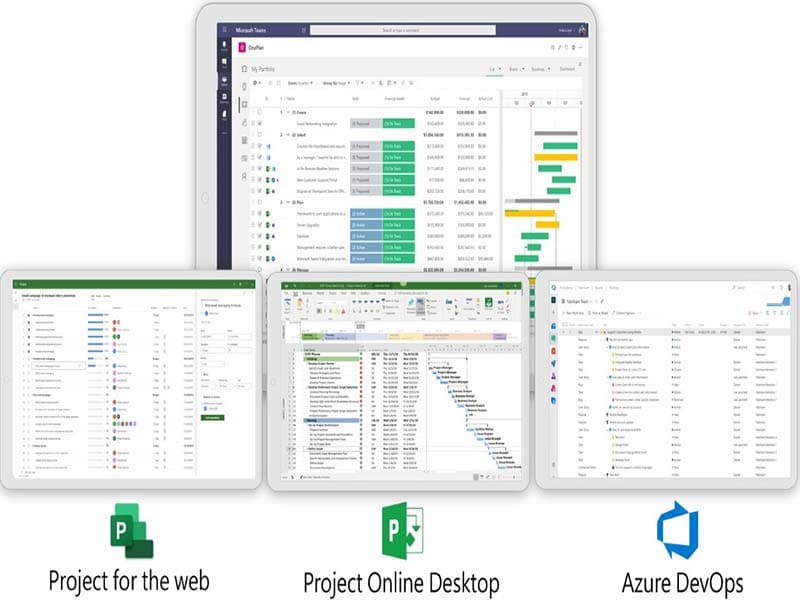
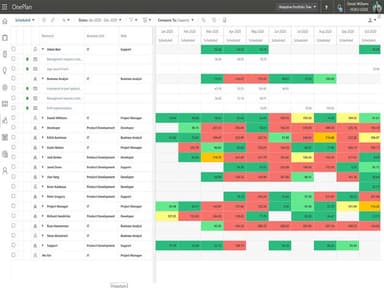
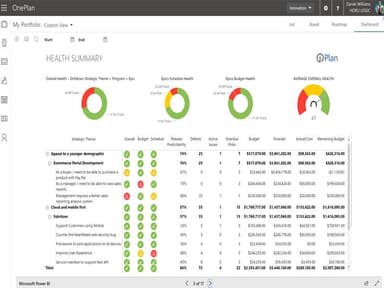
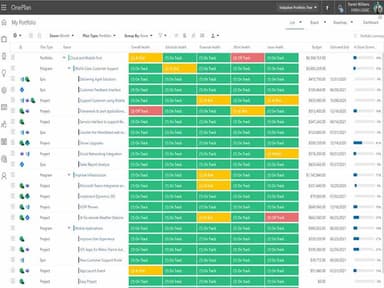
OnePlan Specifications
- Time Tracking
- Task Management
- Reporting
- Budget Management
OnePlan Features
Strategic Portfolio Management
The software aligns work with business objectives and outcomes. It provides a platform for organizations to sequence their portfolio of work based on metrics of business value and key results. OnePlan ensures alignment with strategic goals and facilitates the tracking of real-time performance.
Financial Management
This functionality combines top-down project financials to provide powerful insights. It simplifies budgeting, improves estimating, and tracks the performance of your investments across portfolios and programs. The platform gives you full control over your project finances. It helps businesses manage project finances, ensuring transparency and facilitating informed decision-making.
Resource Management
The resource management feature improves strategic planning, finance, and resource management processes. It automates these processes, thereby saving time and improving efficiency. The platform ensures optimal utilization of resources by providing a clear view of resource allocation and availability. It is beneficial for organizations looking to maximize their resource efficiency and productivity.
Work Management
OnePlan provides a detailed view of all work across the enterprise. It consolidates all your data in one place and improves visibility and decision-making across all teams. The software allows users to manage work across various platforms, ensuring seamless workflows and efficient operations.
Real-Time Data Updates
The platform keeps updating data in real-time, allowing you to acquire the latest information about projects across teams. It lets you continually make smarter decisions based on the most recent data. Moreover, OnePlan ensures that you are always up to date with the latest developments in your projects.
Pros And Cons of OnePlan
Pros
Comprehensive work management across platforms
Real-time data updates for informed decisions
Award-winning strategic portfolio management
Excellent resource allocation and availability
Powerful insights through financial management
Cons
Limited customization options, according to some reviews
Initial setup and configuration can be time-consuming
Software performance can be improved
OnePlan Pricing
FreeMax 1 user | BasicMax of 25 users | ProfessionalMin 3 users | EnterpriseMin 3 users |
|---|---|---|---|
$0per month | $7per month | $30per month | Custom pricing |
|
|
|
|
Disclaimer: The pricing details were last updated on Sep 07, 2026 from the vendor's website. Please contact us for a tailored pricing list.
OnePlan Reviews
Total 1 reviews
5
All reviews are from verified customers
Rating Distribution
5
Stars100%
4
Stars0%
3
Stars0%
2
Stars0%
1
Stars0%
Share your experience
Kim
Small Business, 500+ employees
Less than a year
“Misleading pricing - $3K turns out to be $52K!”
Pros
The tool is amazing, but we encountered an issue with the pricing. The actual price was only disclosed after we had tried and demoed it, and it turned out to be significantly higher than what was initially stated on the OnePlan Website or during our phone conversation with the sales team.
Cons
We had no issues except for concerns about pricing and business practices.
Rating Distribution
Ease of use
10
Value for money
2
Customer Support
10
Functionality
10
Frequently Asked Questions
What types of pricing plans does OnePlan offer?
The software has two pricing plans: Team Member + ($5/month) and Enterprise ($30/month). Get a personalized OnePlan price according to your organization’s requirements.
Who are the typical users of OnePlan?
Typical users of OnePlan include manufacturing, food and beverages, logistics, information technology, media, marketing, and entertainment industries.
What language does OnePlan support?
OnePlan supports the English language.
Does Software OnePlan support mobile devices?
Yes, OnePlan supports mobile devices and has a mobile app available in the Apple App Store And Google Play.
Does OnePlan offer an API?
Yes, OnePlan does offer an API.
What other apps does OnePlan integrate with?
OnePlan integrates with Jira, Microsoft Dynamics 365, Oracle, SAP, Asana, Aha!, and Salesforce applications.
What level of support does OnePlan offer?
OnePlan provides phone and email support options.
How does OnePlan use Planner, Azure DevOps, Jira for resource planning?
OnePlan integrates with Planner, Azure DevOps, and Jira to provide a comprehensive view of resource allocation across all projects. This integration allows for efficient resource planning, helping teams optimize resources, identify constraints, and ensure projects are completed on time and within budget.