


ClinicMind
Last Updated
Overview
ClinicMind offers mental health and chiropractors an all-in-one solution, streamlining operations from patient scheduling to billing and analytics. While specific specialty workflows may require customization, intuitive features help users navigate the learning curve. Furthermore, the scalable system grows with practices as their needs expand. The software also offers a free trial.
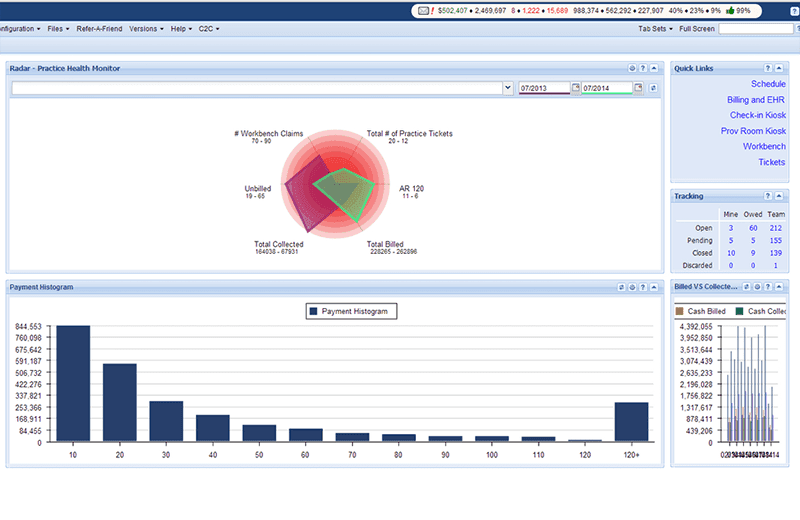
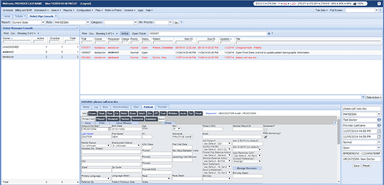
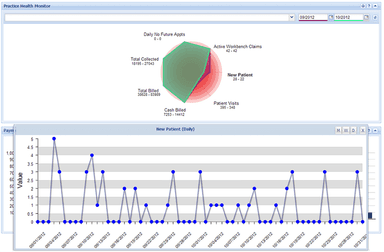
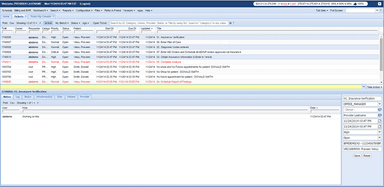
ClinicMind Specifications
- Appointment Management/Scheduling
- e-Prescriptions
- Lab Integration
- Patient Portal
What Is ClinicMind?
ClinicMind is a cloud-based healthcare practice management software that offers chiropractors and mental health professionals an integrated platform.
As a single-vendor solution, it provides solutions for electronic health records (EHR), billing, practice management, credentialing, coding, and more.
ClinicMind aims to streamline operations and help providers manage patient care with an all-in-one platform.
What Is ClinicMind Best For?
A standout feature of ClinicMind is the ability to customize workflows to suit one's unique practice needs. Users can configure task lists, templates, and workflows within the software to map out their exact processes.
This could include setting follow-up reminders, customizing note templates by specialty or provider, automated task assignments based on rules, and more.
How Much Does ClinicMind Cost?
ClinicMind pricing starts at $69/month, specifically catering to Chiropractors and Mental Health clinics. The plans are as follows:
Mental Health:
- Startup Plan: Starts at $69/month for small teams.
- Growth Plan: Starts at $119/month, adding features like advanced analytics and billing.
- Scale Plan: Starts at $169/month for multi-site practices, with expanded integrations and permissions.
Chiropractors:
- Cash Plan: Around $177/month for non-insurance practices, offering unlimited visits, scheduling, check-in, and reminders.
- Self-Service Plan: About $327/month, adding automated claim submission and scrubbing.
- Full-Service Plan: Also around $327/month, including hands-on billing support from ClinicMind's team.
ClinicMind Integrations
The software seamlessly integrates with the following third-party software:
- Epic
- Cedaron
- Zus
- SimplePractice
- Netsmart
- WebPT
How Does ClinicMind Work?
Here’s how you can get started with the software after its successful installation:
- Create user profiles for practice staff with customized access permissions
- Set up patient demographics forms to input basic information
- Build clinical note templates by specialty/provider preference
- Configure default scheduling settings like time slots and resources
- Customize and automate workflows, queues, and task assignment
- Establish billing profiles for insurance payers and payment methods
- Ensure interfaces with referring organizations and labs are set up
Who Is ClinicMind For?
The software is helpful in the following medical specialties:
- Primary care
- Chiropractic
- Physical therapy
- Internal medicine
Is ClinicMind Right For You?
Is Your Software Secure And Scalable Enough For The Future?
As a medical practice owner, you need software that protects sensitive patient data and supports your growth. Can your current solution handle it? ClinicMind is designed and built with security and scalability at the forefront of mind.
The software meets the most stringent security and compliance standards like HIPAA so you can be assured patient information is safely stored and transmitted. They leverage industry-leading cloud infrastructure and undergo regular third-party security audits and vulnerability testing. The system is also highly scalable to additional providers, specialties or locations without performance issues.
With ClinicMind, you won't have to worry about your software becoming outdated or unable to scale as your needs change. Their solutions seamlessly expand to accommodate more users, patients, or complex workflows.
Still not sure if it's the right choice for you? Contact us at (661) 384-7070 and let our experienced team assist you in making an informed decision.
ClinicMind Features
Multi-Specialty EHR
FlexNote is ClinicMind's electronic health records solution that can be used by various specialties. It streamlines provider documentation by up to 75% through features like customizable templates, auto-population of demographic data, and smart text. Templates can be set up specifically for each provider or specialty to match their unique workflow.
Billing Depot Billing And Practice Management System
Billing Depot is a comprehensive billing and practice management solution by ClinicMind. It manages the end-to-end revenue cycle process from appointment scheduling and insurance verification to claim submission and payment posting. It also provides real-time reporting on key metrics like accounts receivable, accounts payable, and production.
Mobile Portal
CredEdge by ClinicMind is a mobile physician credentialing portal that simplifies the tedious credentialing process. It allows the uploading of documents, tracking of credentialing status, and maintenance of records. Credentials can be verified with payers directly through the app to streamline hospital privileging and insurance paneling.
Patient Portal
MyClinicMind is a HIPAA-compliant patient engagement app. Patients can view test results, complete intake forms, send messages to the clinic, and make or cancel appointments using the app. It aims to foster better communication and improve patient experience through enhanced access.
Pros And Cons of ClinicMind
Pros
Consolidates EHR, PM, billing, and other functions into one seamless workflow
Users can create customizable templates, macros, and task sets tailored to their specialty and processes
The cloud-based system is engineered to scale affordably with practice growth over time
Cons
There is a time investment required to fully learn the system
The system requires consistent internet access and is not available as an on-premise option
ClinicMind Reviews
Total 41 reviews
4.8
All reviews are from verified customers
Rating Distribution
5
Stars83%
4
Stars15%
3
Stars0%
2
Stars0%
1
Stars2%
Share your experience
Health, Wellness and Fitness, 1-10 employees
Less than a year
“Guided support assistance”
Pros
Whenever I've needed help, the people on the team have been incredibly supportive and willing to walk me through the system. They take the time to explain things clearly and make sure I feel fully comfortable using it.
Cons
One frustrating part is the automatic system since it allocates money without considering the fee schedule. Because of that, we end up having to reverse the entries and repost them.
Rating Distribution
Ease of use
9
Value for money
9
Customer Support
10
Functionality
9
Hospital & Health Care, 1-10 employees
Less than 6 months
“Learning resources materials”
Pros
Having access to all the training I need really helps me do better in the office and makes learning much more manageable.
Cons
I only started using it recently but clinic has been working well and I haven't run into any problems so far. There's still a lot left to learn though.
Rating Distribution
Ease of use
10
Value for money
10
Customer Support
9
Functionality
10
Health, Wellness and Fitness, 1-10 employees
Less than 6 months
“Guided workflows assistance”
Pros
Really appreciate the way the tasks and step-by-step process for PI and the team are explained especially since that kind of activity is less common than the usual cases.
Cons
Getting started can feel overwhelming because there's a lot of material to remember and there isn't a printed PDF manual I can keep on hand to refer to whenever I need help.
Rating Distribution
Ease of use
10
Value for money
10
Customer Support
8
Functionality
10
Frequently Asked Questions
Who are the typical users of ClinicMind EHR?
The typical users are healthcare practice owners, physicians, chiropractors, physical therapists, and other medical professionals seeking an all-in-one software and services platform.
What languages does ClinicMind EMR support?
The ClinicMind software is currently available in English.
Does ClinicMind software support mobile devices?
Yes, ClinicMind offers mobile apps like the MyClinicMind patient portal that allows access on smartphones and tablets.
Does ClinicMind have an app?
Yes, key features like the MyClinicMind patient portal and CredEdge credentialing app are available as mobile applications.
How much does ClinicMind cost?
ClinicMind pricing is based on user needs and demands. You can contact us for more details.
Is ClinicMind free?
No, ClinicMind is not a free software. It requires a monthly or annual subscription payment to access all features.
How can ClinicMind EMR software help streamline my practice workflow?
ClinicMind's integrated EHR, billing module, and patient scheduling tools work seamlessly together to automate repetitive tasks and streamline workflow.
As a healthcare practice owner, how can ClinicMind help me face patient retention challenges?
With easy online access to the patient portal, ClinicMind EHR helps reduce patient misses and improves retention. The billing module ensures on-time reimbursements for a more profitable practice.
What makes Affinity Billing a good medical billing solution for healthcare practice owners?
Affinity Billing simplifies the end-to-end billing process to maximize payments. Their support helps specialist get paid accurately and on-time so they can focus on patients.