

Assignar
Last Updated

Overview
Assignar lets you streamline construction field operations. It offers a mobile-first platform and lets the user manage crews, track progress and boost communication. While there is a steep learning curve, the software empowers contractors to improve efficiency and jobsite visibility.
Assignar Specifications
- Accounting
- Project Scheduling
- Project Tracking
- Document Management
What is Assignar Software?
Assignar is a cloud-based construction management tool for general contractors and subcontractors. The essential features are scheduling, managing assets, timesheets, custom forms, compliance, billing, and payroll.
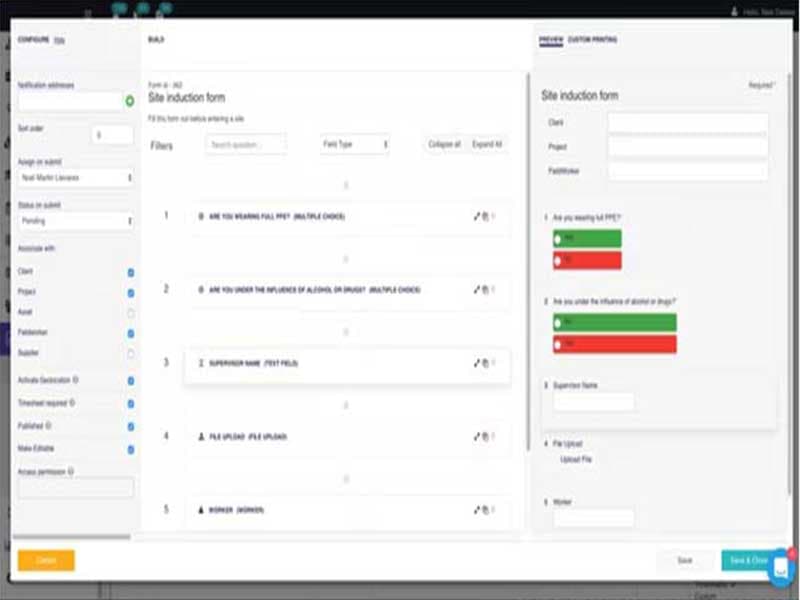
Workers can use the Field Worker App to check in to the system and fill out and send in timesheets and forms, which are sent directly to the office. You can easily integrate these forms into accounting software. In addition, you can cut up and show all the data collected in the field in different ways to give a clear picture of operations.
Assignar Software Cost
Assignar Software Demo
Assignar Software Review
Users are generally happy with Assignar, based on the number of positive reviews. The user-friendly interface and attentive customer care are a big hit with customers. See what others say about the software by checking out the Assignar reviews below.
Our Thoughts
Assignar is a cloud-based platform for managing compliance, assets, and workers in industries with many rules. Assignar was made based on real-world experience and the need to solve problems in a fast-growing construction service provider. As a result, Assignar's customers get more efficiency, transparency, and significant savings on management costs. To get a free consultation on Assignar, feel free to contact our support team at (661) 384-7070.
Assignar Features
Crew Scheduling & Assigning
With Assignar software, there will no longer be a need to wait on compliance information or use messy whiteboards or spreadsheets. The program makes it easier to schedule tasks and improves the flow of communication among your team, contractors, and subcontractors. Additionally, it provides an overview of your project's planning process. Put it another way; you can simplify the work so that you have more time to devote to expanding the company.
Crew & Equipment Management
Assignar software lets you match the right people, jobs, and equipment to keep your equipment running and your crews busy. You can also learn how to predict the future better, knowing exactly how many jobs you can take on. In addition, the software makes you more productive by ensuring your equipment works and your workers are ready to go to work. You can also use the cloud-based app for easy accessibility.
Reporting and Analytics
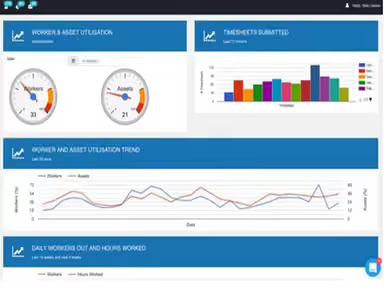
The Assignar software offers up-to-date, high-level dashboards that you may customize to display the most critical metrics. You can see the essential metrics for effectively running your company in a visual representation. In addition, the program enables you to improve the quality of your judgments regarding your organization, ultimately increasing your profits.
Assignar Reviews
Total 25 reviews
4.1
All reviews are from verified customers
Rating Distribution
5
Stars48%
4
Stars40%
3
Stars0%
2
Stars0%
1
Stars12%
Share your experience
Construction, 11-50 employees
Less than a year
“Choose wisely with your money”
Pros
The machine maintenance and prestart checks went fine, but there were no service reminders, so I had to enter all the hours myself. It gets a bit tiring to do this manually in a workshop program.
Cons
Everything lacked a free trial, so I had to pay the full amount upfront. Timesheets had numerous issues that are too many to list. I received constant complaints from employees daily. The app had so many glitches, and these complaints came from tech-savvy users. I couldn't view site plans or any paperwork from the app on-site. Once the annual fee was paid, the promised support never materialized. I was able to create necessary forms like SMWS but switched to another program where I made all our forms, which can be edited and filled out on-site, all for a third of the price.
Rating Distribution
Ease of use
2
Value for money
2
Customer Support
2
Functionality
2
Construction, 51-100 employees
Less than a year
“Helpful and responsive”
Pros
It has a lot of features and is really flexible. The support team is always quick to respond and super helpful, resolving problems fast and escalating when needed. I really like the Insights feature and how admin users can customize and explore it.
Cons
Sometimes, mobile apps glitch, whether due to mobile reception issues or form completion problems. This seems to be a common issue with apps or technology in general. I would appreciate push notifications for specific aspects of the app, perhaps a user profile on the Dashboard so that notifications like Service updates or Document alerts can be sent directly to phones.
Rating Distribution
Ease of use
8
Value for money
8
Customer Support
8
Functionality
7
Not Specified, 1-10 employees
Less than 6 months
“Cloud-based support for construction”
Pros
The system has really improved my efficiency, organization and how I optimize processes. It streamlines operations, so every task gets managed effectively and everything stays organized. This makes everything more efficient and simplifies complex workflows, helping me keep things running smoothly and coordinated.
Cons
The lack of updates and ongoing improvements is an issue.
Rating Distribution
Ease of use
8
Value for money
8
Customer Support
8
Functionality
8