


Contractors Cloud
Last Updated

Overview
Contractors Cloud construction software offers tools for project management, bidding, and estimates. Although users may find a steep learning curve, the customization and ease of use make it a robust tool. With free lifetime training and only active user billing per month, Contractors Cloud is an attractive option to consider.
Contractors Cloud Specifications
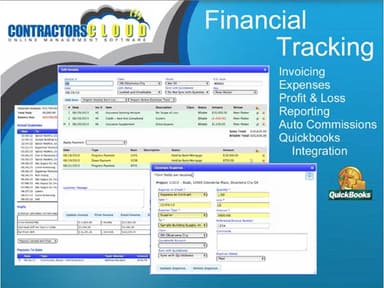
- Accounting
- Project Scheduling
- Project Tracking
- Document Management
Contractors Cloud Features
Vendor and Customer Portals
Contractors Cloud provides separate portals for vendors and customers to manage their critical tasks. Vendors can upload images and files, send invoices, locate work orders, and send notifications as needed. In addition, customers can view invoices, track project progress, view photos, and more.
Custom Commissions
Contractors Cloud lead management solution provides tools for creating adaptable commission structures by taking specific requirements into account. Employees can be notified when the commission payout requirements are met using notifications that you can create and configure.
Materials Orders and Production Schedules
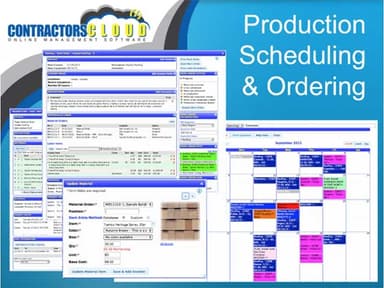
As projects progress, users can create material orders and track production. Scheduling tools ensure that the right teams are in the right place at the right time to complete assigned tasks.
Contractors Cloud Reviews
Total 25 reviews
4.4
All reviews are from verified customers
Rating Distribution
5
Stars48%
4
Stars44%
3
Stars8%
2
Stars0%
1
Stars0%
Share your experience
Construction, 11-50 employees
“Review”
Pros
I appreciate the numerous features it brings to the industry.
Cons
I found it somewhat challenging to navigate.
Rating Distribution
Ease of use
9
Value for money
9
Customer Support
9
Functionality
5
Construction, 1-10 employees
More than a year
“Moved off of this product”
Pros
It served as a platform where I could handle both prospective and current clients, and it really helped me organize my schedule.
Cons
It was quite awkward to use. It felt almost like operating an old DOS machine compared to a Windows computer. It didn't have a modern appearance or interface.
Rating Distribution
Ease of use
4
Value for money
6
Customer Support
6
Functionality
6
Construction, 1-10 employees
Less than a year
“Not the most user friendly”
Pros
It has some impressive features that I haven't seen in other roofing software, such as a customer portal and integration with top companies like EagleView, ABC, and CompanyCam.
Cons
Contractor's Cloud isn't well organized. It's confusing and not easy to work with at all. The flow was off, and even though it had some decent features like a whiteboard or messaging, they were not set up well, so we didn't use them. With the high cost per user, you're paying for all the extras, which made it seem pricey if you were not using the software to its full potential. I looked into at least 10 different CRMs and tried 3. A friend in the same industry recommended this one, but it was far from perfect, and I really wanted to like it. I used it for a solid 6 months, but never managed to get it running smoothly or being truly beneficial for our company.
Rating Distribution
Ease of use
7
Value for money
5
Customer Support
7
Functionality
7