


Field Complete
Last Updated

Overview
Field Complete software is a service management solution tailored for commercial and residential businesses. It streamlines tasks like estimations, schedule management, and payment processing in a centralized platform. However, it has limited integrations. Nevertheless, Field Complete software supports a user-friendly interface and easy billing through its Android and iOS apps.
Field Complete Specifications
- Accounting
- Project Scheduling
- Project Tracking
- Document Management
Field Complete Features
Customer Management
Create and edit customer information right on a phone call. It takes less than 10 seconds! Maintaining a customer database is a daunting task. Updating, actualizing, eliminating double data, all these cause nothing but a headache. Consider the customer management feature as your magic pill.; Keep your records accurately organized; Eliminate double entries; Use smart search to quickly access records; View customers by address, service history, billing and many more.
Estimation & Quotes
Create accurate estimates on the fly. Quoting customers has never been easier. Turn the painful and time-consuming estimating process into a highly efficient one.; Create accurate estimates on the fly; Receive customer approval alerts; Access for reporting when needed; Work on a PC or mobile device; Customize templates according to your brand identites.
Scheduling & Dispatching
Assign tasks in an effortless way. Match the right job with the right tech in one single click. Managing the field service team is not easy. The lack of details and in-time control can end up damaging your budget and reputation. Stop trying to manage chaos, start scheduling and dispatching technicians smartly and effortlessly:; Always know who’s available; Quickly dispatch and schedule technicians; Track team’s location in real-time to make sure they arrived on site; Plan routes to save time for travel and delight your customers; Set priorities and emergency status; Browse order and customer details; Eliminate overbooking.
Job Management
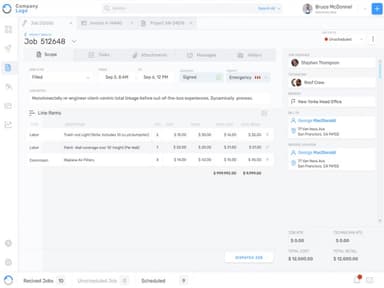
Quickly create, edit, and schedule jobs from any device. Get rid of the needless paperwork! Always stay informed about the jobs, statuses, deadlines, and assigned techs. We’ll keep everything organized so you can finally get rid of the paperwork!; Quickly create and change orders; Convert estimates into jobs; Set priority and emergency status; Attach photos and technical documentation; Learn more arrow.
Invoicing
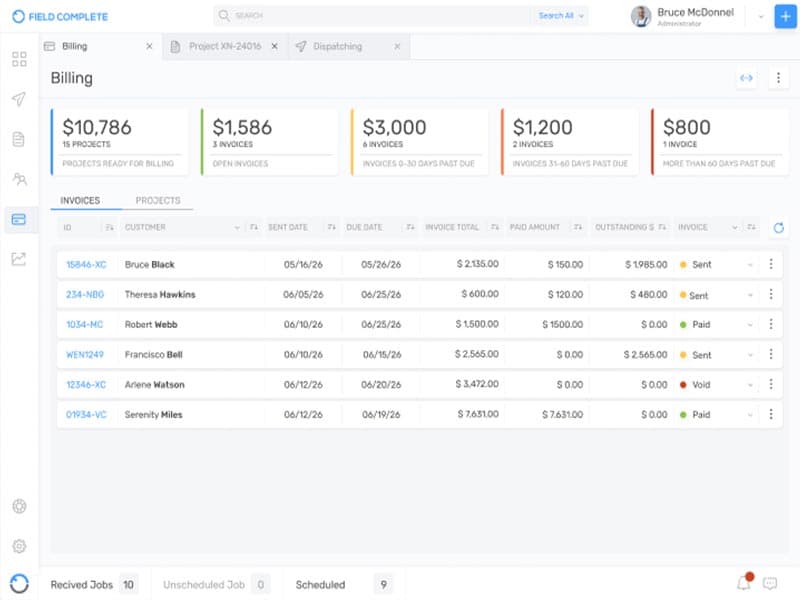
Take prepayments, create single and bulk invoicing. Save time and get paid faster. Create professional-looking invoices in the office or in the field. Wherever you are, you can always generate accurate custom invoice in one click.; Convert estimates into invoices; Instantly sync data; Create single and bulk invoices; Enable invoice scheduling; Work from any device.
Messenger
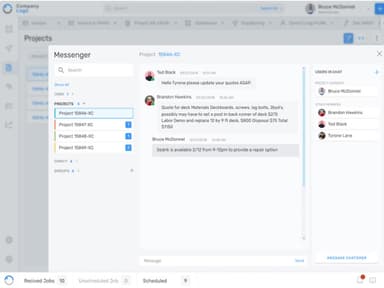
Make your dispatching more efficient by staying in touch with the field service team 24/7. Alert on the change orders; Provide 24/7 employee support; Use an embedded chatbot to resolve frequent issues faster; Eliminate miscommunication to speed up the job.
Job Sharing
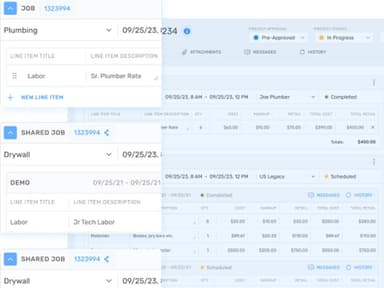
Share jobs with contractors and vendors. Turn complex collaboration into a piece of cake! Wondering how to scale up your business faster? Become a part of a field service network, get more jobs, and multiply your profits.; Receive alerts on the jobs available; Collaborate on complex projects; View customer and job details; Receive updates on change orders; Create and maintain invoices neatly organized; Keep track of what’s been paid and what’s outstanding.
Business Rules
Set permissions to control your workflow. Only you decide who can access confidential information. Every business has its mandatory rules and procedures. With Business rules feature, you can easily control your workflows, measure performance, and protect internal data from frauds.; Assign roles and permissions; Create workflow rules; Restrict customers from viewing internal information; Protect data from frauds; Improve business efficiency with customized views.
Reporting
Create easy-to-read, customized reports to see what you desire from your data. Make better decisions faster! Generate flawless, easy-to-skim reports to make effective strategic decisions.; Create financial reports to keep an eye on the company’s most critical numbers; Create team productivity reports to see what holds you back from hitting the established KPIs; Create customers reports to see the share of regular and one-time customers.
Pros And Cons of Field Complete
Pros
Simple billing via iOS and Android apps
Efficient schedule and route tracking
Tracks work order history
Cons
Limited software integration options
Significant training might be required for new users
Field Complete Reviews
Total 21 reviews
5
All reviews are from verified customers
Rating Distribution
5
Stars95%
4
Stars5%
3
Stars0%
2
Stars0%
1
Stars0%
Share your experience
Product, 51-100 employees
Less than a year
“Happy consumer”
Pros
The platform is highly intuitive and offers outstanding capabilities for organizing various tasks and meticulously tracking work orders. Its design makes it incredibly easy to manage workflows efficiently, ensuring that all tasks are systematically arranged and monitored with precision.
Cons
There's a lack of integration for linking to other software beyond QuickBooks.
Rating Distribution
Ease of use
10
Value for money
10
Customer Support
10
Functionality
10
IT, 1-10 employees
Less than a year
“Made us more productive overnight”
Pros
I got through the learning curve almost immediately. I was amazed at how quickly we started using it on a large scale.
Cons
I would have appreciated another integration, maybe with accounting software.
Rating Distribution
Ease of use
10
Value for money
10
Customer Support
10
Functionality
10
Insurance, 1-10 employees
“Recomendation”
Pros
The product is easy to operate, and their support team is fantastic at helping customers.
Cons
It was a bit challenging to use at first, but I received support.
Rating Distribution
Ease of use
10
Value for money
10
Customer Support
10
Functionality
10
Frequently Asked Questions
Does Field Complete software offer an API?
Yes, API is available in Field Complete Software.
What language does Field Complete support?
The software supports the English language.
What other apps does Field Complete integrate with?
The software integrates with QuickBooks and Stripe.
Does Field Complete support mobile devices?
Yes, it does. The platform is designed to be compatible with iOS and Android.
What types of pricing plans does Field Complete offer?
Field Complete Software offers four flexible pricing plans to suit your needs. The plan starts with Bronze for $19.99/month, Silver for $99.99/month, Gold for $199.99/month, and Platinum offers custom pricing. The software also has a free trial available. Reach out to us for a personalized Field Complete pricing quote.
Who are the typical users of Field Complete?
The users of Field Complete are individuals in commercial and residential businesses and industries like construction, electrical, and property maintenance.
What level of support does Field Complete offer?
The software offers a knowledge base, FAQs and phone support.