


Flashtract
Last Updated

Overview
Flashtrack project management software centralizes all your projects, teams, and communication into one intuitive platform. Although the software offers a robust feature set, it can have a bit of a learning curve for new users. Nevertheless, the perks of unlimited users and projects give it a competitive edge.
Flashtract Specifications
- Accounting
- Project Scheduling
- Project Tracking
- Document Management
What is Flashtract Software?
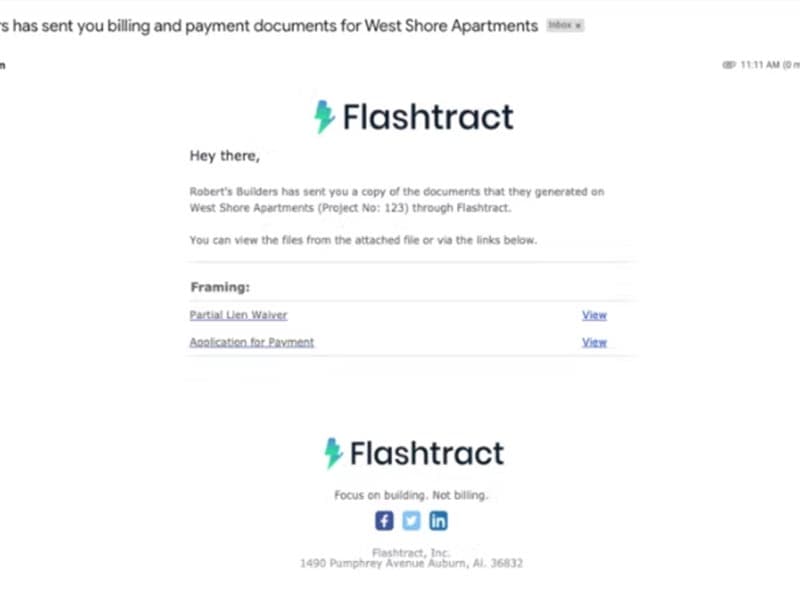
Flashtract is web-based construction billing software that helps general contractors and subcontractors automate approval workflows, lien waiver document creation, and payment calculations. Some essential features include document management, file sharing, job management, project tracking, change orders, and accounting integration.
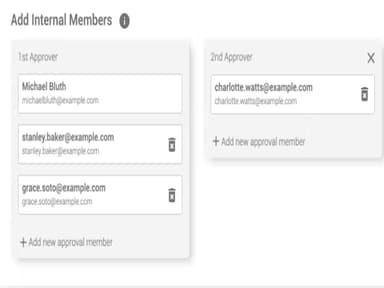
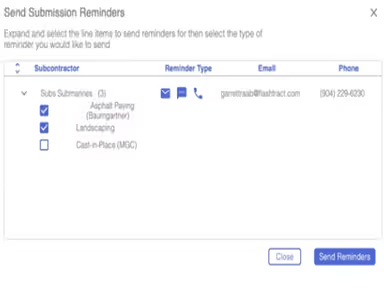
Teams using Flashtract file sharing software can quickly put project information into the system. In addition, they can get documents that look like the official forms and other payment apps used by the American Institute of Architects (AIA). In addition, managers can get reminders to send in bills and can send payment requests to the right person on the team. Also, built-in compliance controls allow companies to streamline and improve their billing processes while still meeting industry standards.
Flashtract Software Cost
Flashtract Software Demo
Flashtract Reviews
Flashtract file sharing software has received a lot of praise, indicating that users appreciate its functionality. The Flashtract software users like how user-friendly it is and how it helps speed up billing tasks. Check out the pros and cons of Flashtract web-based construction billing software below.
Our Thoughts
Flashtract construction software makes it possible for general contractors and subcontractors to transmit and receive paperwork and payments in an easy and streamlined manner. As a result, the payment process for subcontractors is sped up, and they spend less time on payment apps. In addition, general contractors may quickly gather, review, and approve subcontractor pay applications, lien waivers, and other required billing paperwork inside the same app. For a free guide and consultation on which software is the best for you, reach out to our team (661) 384-7070.
Flashtract Features
Accurate Pay Apps
The Flashtract web-based construction billing software does calculations in real-time and flags any mathematical mistakes before they are submitted. With just a few clicks, subcontractors may quickly and correctly submit invoices for work that has been finished.
Fast Payments
Tracking retainage, rolling from initial values, and issuing proper lien waivers are some of the frequent billing problems you can avoid with the help of Flashtract project tracking software. Flashtract also computes, automatically checks for mathematical errors, and prevents other common billing blunders. In addition, Flashtract tells you all at once when, where, and what you need to submit. As a result, you can get paid more quickly by preventing problems from occurring before they are reported.
Integrations
Flashtract, the market's fastest-growing construction billing software, integrates with Sage 300, Procore, and Vista. As a result, you can quickly move jobs, commitments, AP invoices, and other data types between Sage 300 and Flashtract. In addition, with Procore integration, you can transfer information between the Procore financial module and Flashtract quickly and easily. You can also send your data between Flashtract and your Vista account with a single click.
Flashtract Reviews
Total 15 reviews
4.8
All reviews are from verified customers
Rating Distribution
5
Stars80%
4
Stars20%
3
Stars0%
2
Stars0%
1
Stars0%
Share your experience
Information Technology and Services, 1-10 employees
Less than 6 months
“Works well”
Pros
It has been really helpful when it comes to email verification.
Cons
The free trial is quite limited and comes with fewer features and functions.
Rating Distribution
Ease of use
10
Value for money
10
Customer Support
10
Functionality
9
Not Specified, 51-100 employees
Less than 6 months
“Simplifying PayApp Processing”
Pros
Even though I've only used it for a short time, I'm very impressed with the Flashtract team's willingness to address any issues, questions, or suggestions for minor changes. Their support team have been outstanding. I look forward to learning more to teach and train our staff and vendors.
Cons
There are minor adjustments that could improve the document delivery (drag and drop pdf). Some documents in the combined file have formatting issues, but I know those are currently being addressed.
Rating Distribution
Ease of use
9
Value for money
9
Customer Support
10
Functionality
9
Not Specified, 51-100 employees
Less than a year
“Game Changer”
Pros
No more missing documents! No more indecipherable figures! No more illegible print! No more miscalculations or unauthorized billings! From project setup to subcontractor submission to Project Managers' approval, Flashtract has streamlined the Pay Application billing process for everyone involved. Customer service is excellent, and technical support is prompt and efficient.
Cons
I haven't found any areas that need enhancements.
Rating Distribution
Ease of use
10
Value for money
10
Customer Support
10
Functionality
9