


Foundation Software
Last Updated

Overview
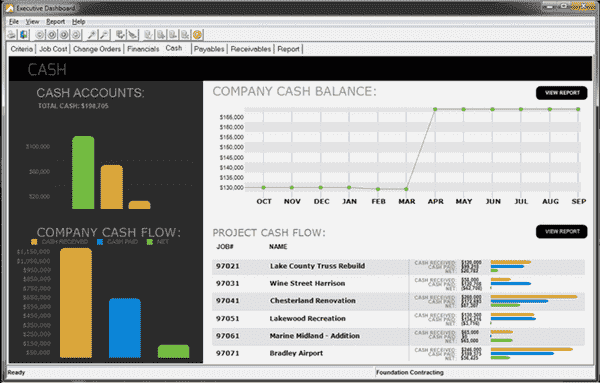
Foundation Construction Software offers data management, analysis, and project management. Although there may be some minor glitches, the software’s user-friendly interface with built-in design codes and standards ensures compliance. Overall, Foundation is a solid construction software that helps user organize their projects in a better way.
Foundation Software Specifications
- Accounting
- Project Scheduling
- Project Tracking
- Document Management
Foundation Software Features
Job Posting
Foundation ERP generates detailed budgets and cost reports. It aids in the accurate estimation of job costs and project profitability.
Payroll
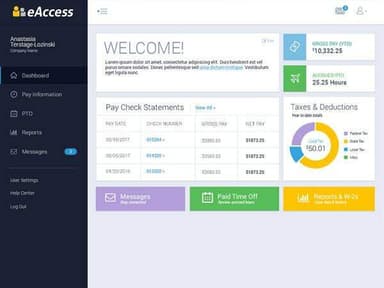
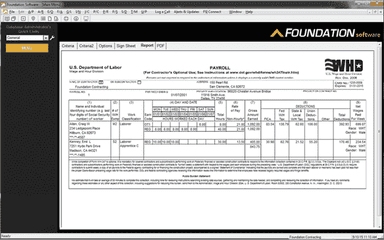
Payroll in the construction industry is a complicated process. Foundation ERP has you covered: it takes into account prevailing wage rates, many states' jurisdictions, and taxes, as well as union fringe benefits. You can automatically calculate deductions or fringe based on overtime, regular, or special rates. In addition, you can create, print, and email electronic payroll reports to federal, state, and local agencies.
Accounts Payable/ Receivable
With user-friendly tools that automate routine accounts payable tasks, Foundation estimating software simplifies managing accounts payable. In addition, Foundation software provides a variety of billing formats to make the billing process as simple as possible. As a result, the billing workflow streamlines entering and checking out receivables.
Foundation Software Reviews
Total 104 reviews
4.3
All reviews are from verified customers
Rating Distribution
5
Stars62%
4
Stars23%
3
Stars6%
2
Stars5%
1
Stars5%
Share your experience
Construction, 51-100 employees
More than a year
“Clunky, antiquated, not user friendly”
Pros
There are a lot of different reporting options if you're willing to dig.
Cons
This program isn't intuitive at. all. Which takes away from any efficiency efforts. You have to drill down to find any reports or functionality you might be looking for. Every step requires 3 other steps and a box checked to get the desired reports or information. And least importantly, but doesn't help with anything but the narrative that the system is antiquated - the interface is stuck in like Windows 2000. Please, Foundation Software - HIRE A UX Designer!
Rating Distribution
Ease of use
2
Value for money
5
Customer Support
7
Functionality
6
Construction, 101-500 employees
“wide range of functions”
Pros
Getting around the system is pretty simple. It handles a wide range of tasks, captures the key information I need and the overall layout works well enough.
Cons
Not being able to cut and paste information is frustrating. When entering PO numbers, it would really help if I didn't have to type the same details again and again.
Rating Distribution
Ease of use
9
Value for money
8
Customer Support
8
Functionality
8
Construction, 11-50 employees
“user-friendly and simple to handle”
Pros
This software has been very user friendly and simple to manage. Out of all the programs I've worked with, it's also one of the most forgiving.
Cons
while I'm in the middle of entering an invoice, the system will sometimes freeze for about a minute. During that time, I can't type or click anywhere in the software.
Rating Distribution
Ease of use
9
Value for money
8
Customer Support
8
Functionality
8
Frequently Asked Questions
What are the main features of Foundation Software?
API, Accounting, Accounting Integration, Accounts Payable, Accounts Receivable, Activity Dashboard, Audit Trail, Billing And Invoicing.
Who are the typical users of Foundation?
Large Enterprises, Mid-Size Business, Small Business.
Which mobile platforms does Foundation support?
Android, iPad, iPhone.
Which operating system does Foundation support?
Web App, Windows.
What payment method does Foundation support?
Monthly, Yearly.
What is the deployment type?
Cloud-Based.