


Last Updated

Overview
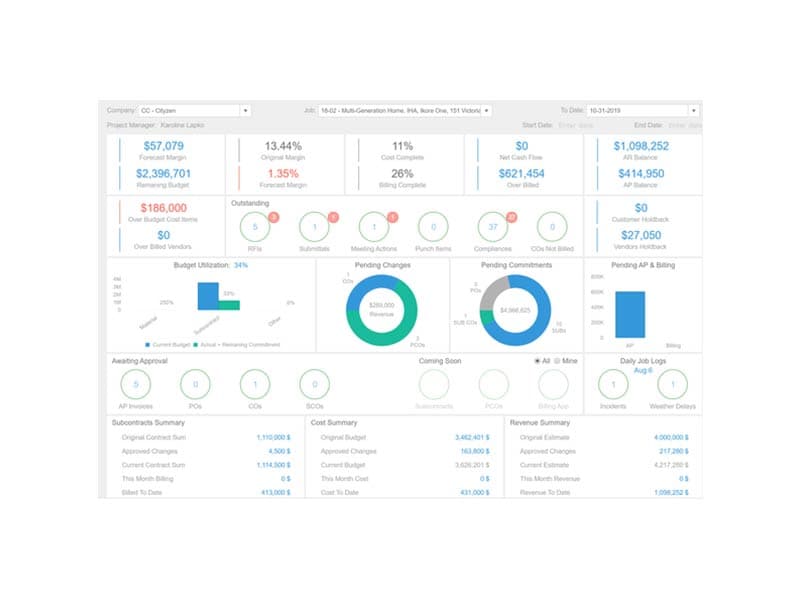
Premier is an advanced, systematic, and highly effective construction management software that completely transforms operations. While some users find reporting and payroll features dated, its analytical capabilities make the effort worthwhile. Overall, Premier is acknowledged for its versatile benefits that help construction professionals achieve financial control and operational excellence.
Premier Construction Software Specifications
- Accounting
- Project Scheduling
- Project Tracking
- Document Management
Premier Construction Software Features
Accounts Payable
Managing supplier and subcontract bills to better control cash flow couldn't be easier using the Accounts Payable (AP) module. For example, you can instruct the system to pay particular invoices based on the due date and potentially lost discounts. You can also use the software to automate tasks such as lien waivers, holdback/retainage release, direct deposit payments, and recurring payables. In addition, flexible purchasing categories, discount periods, and payment terms are available.
Billing System
Premier Construction Software is a powerful tool for works that require T&M billing. You have an infinite number of mark-ups and charge calculations available to you. There are many reports and applications available for occupations that require progress billing/AIA. A powerful and straightforward drag-and-drop form designer that works with Microsoft Word allows you to develop alternatives to ordinary forms. Each customer can have their own set of default forms.
Ad-Hoc Reporting
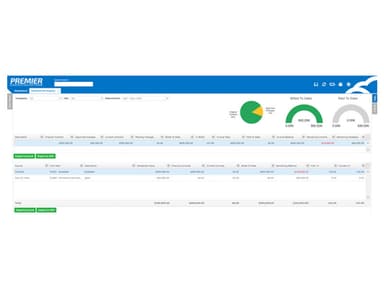
Ad-hoc reporting takes advantage of Microsoft SQL Azure's capability and your own Microsoft Excel. The data is downloaded from the cloud and shown in Excel.
Premier Construction Software Reviews
Total 17 reviews
5
All reviews are from verified customers
Rating Distribution
5
Stars100%
4
Stars0%
3
Stars0%
2
Stars0%
1
Stars0%
Share your experience
Taylor
Construction, 51-100 employees
More than a year
“Makes projects and accounting simple”
Pros
Premier has really connected accounting, project management and field operations into one streamlined platform. We can track all the major buckets through a single interface which has become essential for our operations. It simplifies even complex processes. Progress billing is also simple now and I can quickly review AP invoices whether they are pending, approved or on hold. So I know our end of month billing reflects what truly happened in the field. Previously, with outdated systems, costs, time, and change orders could easily spiral out of control. Now, it provides us with a reliable way to keep everything in check
Cons
As with most implementations there were a few bumps in the road, but overall the transition was smooth once setup was finished. The support team has been excellent with training modules, quick responses, tutorials and a solid knowledge base.
Rating Distribution
Ease of use
10
Value for money
10
Customer Support
10
Functionality
9
Shelby
Construction, 11-50 employees
Less than a year
“Simplifies Invoicing and Budget Tracking”
Pros
It has saved us a lot of time. Previously, we logged lump sums in Excel without knowing which invoice they belonged to and then had to dig through QuickBooks to figure it out. Now with one click in Premier and all related invoices appear. It is easy to drill down and spot discrepancies right away which has been a game changer. Our project managers have way more visibility into budgets, spending, and cost allocations now. Without it, they'd be clueless about charges, subcontract statuses, and invoices, which used to get misallocated.
Cons
The rollout took a little longer than we expected. We had some major discrepancies between Premier and QuickBooks in our opening balances but once those were fixed, everything has been running smoothly.
Rating Distribution
Ease of use
10
Value for money
10
Customer Support
9
Functionality
9
Niki
Construction, 51-100 employees
More than a year
“Automation That Actually Saves Time”
Pros
In the past few years we have really taken advantage of Premier's automation. The expense app has been a huge time saver as now employees can upload expenses in real time and allocate them themselves which cut down the workload for accounting. We have also rolled out the Smart UI with AI integration, which has made AP entry much faster and I know that's just the beginning. On top of that the customer support has been fantastic. I also have monthly check ins with a support team member and I always walk away with new ideas to explore for saving more time.
Cons
I don't have any major complaints about it. Whenever something comes up the team is quick to jump in and provide support.
Rating Distribution
Ease of use
10
Value for money
10
Customer Support
10
Functionality
10