


RazorSync
Last Updated

Overview
RazorSync streamlines field service management with easy scheduling, invoicing, and worker tracking. While some users find the presentation format unprofessional, its robust functionality and user-friendly interface make it a valuable asset for small and medium-sized companies. Overall, RazorSync enhances efficiency and communication across field operations.
RazorSync Specifications
- Accounting
- Project Scheduling
- Project Tracking
- Document Management
What is RazorSync Software?
Overview
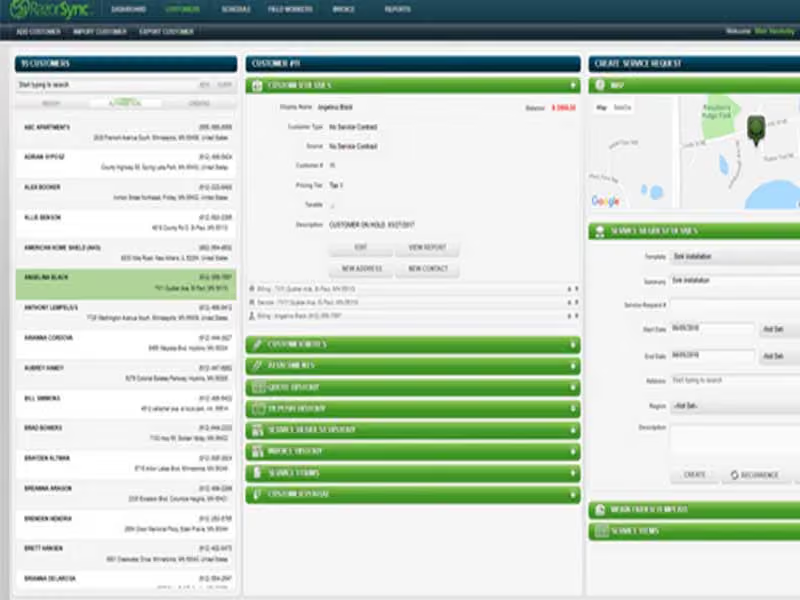
RazorSync is a field service management solution that works in the cloud and can be used on mobile and desktop devices. It works on Android and iOS and is suitable for small and medium-sized field service companies. Some of the essential parts of this solution are managing customers, scheduling and sending out workers, managing field workers, and estimating and billing for jobs.
RazorSync sends field technicians email alerts and text messages to remind them of their jobs and work schedules. In addition, the solution lets you bill customers on-site and automatically update customer records. It also has GPS tracking so that the office can keep an eye on field workers' schedules and routes and change them on the fly.
RazorSync Pricing
The RazorSync field service management software offers three different pricing tiers.
Up to 15 users can access the third tier, Pro, which costs $350 per month. Lastly, the Enterprise plan is accessible to unlimited users, and its cost is not shared publicly.
Disclaimer: Prices are subject to change.
RazorSync Software Demo
RazorSync Reviews
Users are generally very impressed with the software. The RazorSync software reviews prove that users like the powerful but easy-to-use scheduling, estimating, and invoicing features. Customer support is also worth appreciation. You can read the RazorSync reviews below.
Our Thoughts
RazorSync is mobile field service software that lets you schedule jobs, process payments, and manage workers from anywhere. This software makes business processes more efficient to shorten billing cycles, cut operational costs, and waste less time. In addition, you can schedule a demo to make the final decision.
RazorSync Features
Improved team efficiency
With RazorSync software, you can use your preferred color-coded worker and work order tagging system to immediately understand the jobs' status. In addition, the software offers built-in templates that enable you to send text messages and emails to your staff without leaving your workspace. You can also reduce the time it takes to get paid by automating billing for one-time and recurring jobs.
Automated Billing
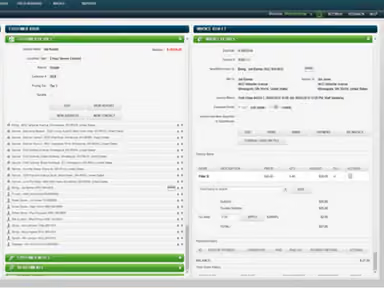
RazorSync field service management software allows you to create professional invoices quickly, including parts, labor, and taxes, whether in the office or out in the field. In addition, Razorsync has features that can help your front office staff and customers pay their bills more quickly. You can sync everything, including customer information, estimates, invoices, payments, and time cards. Then, your customers can send payment through email with just one click.
Organized Schedule
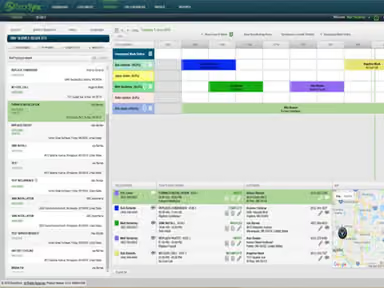
Razorsync makes scheduling and planning routes easy, so your team can focus on customer service instead of logistics. With one window, you can see where each worker is concerning each job or task. You can also route-optimize your team's days to reduce driving time, gas use, and vehicle wear and tear. Lastly, you can look at work orders and field tech schedules for the day, week, or month to make sense of your busy schedule.
Pros And Cons of RazorSync
Pros
Advanced reporting provides insights into the overall business performance
On-site invoicing and automatic updates to customer records streamline operations
GPS tracking capabilities allow for real-time monitoring
Provides offline capabilities crucial for field services
Mobile compatibility for iOS and Android devices
Cons
Customization options are limited
The RazorSync mobile app is battery intensive, as per user reviews
The user interface may be difficult to navigate
RazorSync Reviews
Total 25 reviews
3.9
All reviews are from verified customers
Rating Distribution
5
Stars40%
4
Stars16%
3
Stars40%
2
Stars4%
1
Stars0%
Share your experience
Product, 1-10 employees
More than a year
“Prices keep rising”
Pros
I needed a system to remotely access our customers' information and scheduling, and this accomplished that.
Cons
The prices keep rising. I've been using RazorSync for about three years now and am paying more than double what I initially did without any changes in my usage or improvements that benefit my company.
Rating Distribution
Ease of use
8
Value for money
5
Customer Support
8
Functionality
8
Product, 11-50 employees
Less than 6 months
“RazorSync Review”
Pros
I appreciate the layout being easy to read because it is not overcrowded. Information is accessible and well-labeled.
Cons
There are far too many steps to creating invoices. The county never matches the town. When setting up recurring payments, I have to manually input the amount for each work order, even when all the correct information is already set.
Rating Distribution
Ease of use
6
Value for money
8
Customer Support
8
Functionality
6
Construction, 1-10 employees
Less than 6 months
“I wear all the hats”
Pros
I enjoy the flexibility of the invoice entries, allowing me to edit as needed.
Cons
I'd like to see an option to automate discounting and service charges for credit card payments when invoicing services.
Rating Distribution
Ease of use
10
Value for money
10
Customer Support
10
Functionality
8
Frequently Asked Questions
Is RazorSync free?
No, RazorSync is not free. However, the software offers a 14-day free trial.
Is RazorSync cloud-based?
Yes, RazorSync offers cloud-based services.
Does RazorSync offer an API?
Yes, RazorSync offers an API.
What types of pricing plans does Razorsync offer?
The software offers various pricing plans, including Solo at $90 per month for up to 2 users, Team at $205 per month for up to 7 users, and Pro at $420 per month for up to 15 users. To get tailored RazorSync pricing, contact us now!
Who are the typical users of RazorSync?
The typical users of RazorSync are small and medium-sized field service companies.
Is RazorSync available offline?
Yes, RazorSync has offline capabilities.
Is RazorSync compatible with mobile devices?
Yes, RazorSync is compatible with both iOS and Android mobile devices.