


Sage Estimating
Last Updated

Overview
Sage Estimating software simplifies construction bidding, offering powerful takeoff tools, flexible cost databases, and streamlined project management integration. While its comprehensive features may take some time to master, Sage Estimating ultimately enhances accuracy, saves time, and promotes informed bidding.
Sage Estimating Specifications
- Accounting
- Project Scheduling
- Project Tracking
- Document Management
Sage Estimating Features
Excellent Estimates
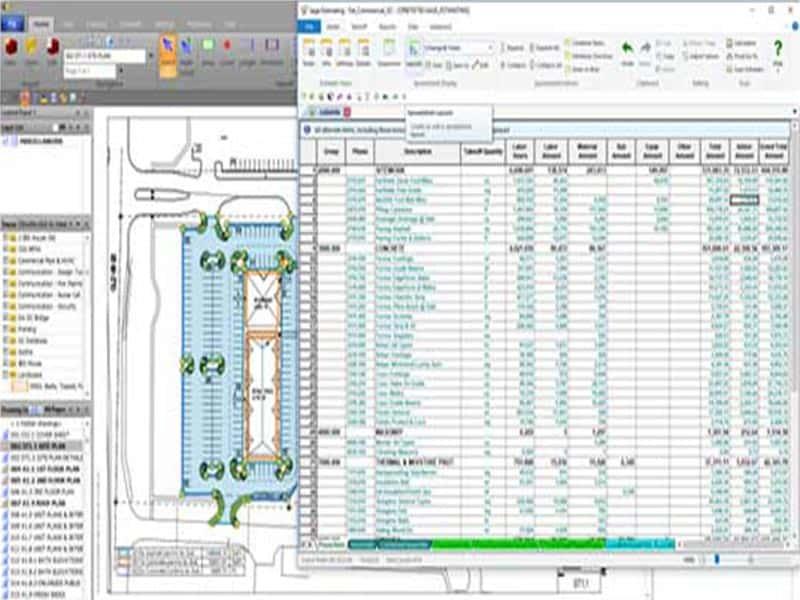
Sage Estimating Software offers construction companies of all sizes with adaptability. It enables you to rapidly generate base estimates for any task, which may then be adjusted to account for a shortage of available resources, revisions, and rush jobs. The application can also be used to track the position's technical budget information. This reduces errors and duplications caused by manual data entering.
Databases with Multiple Cost
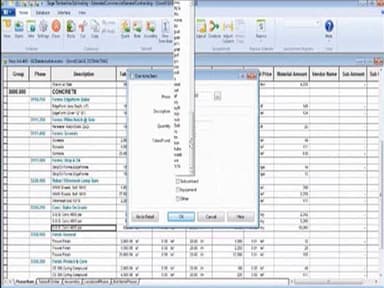
Sage Estimating is construction estimating software packed with features that allow you to generate estimates from a variety of cost databases tailored to the type of work performed by the firm. It also features an advanced assembly database with pricing information for thousands of manufacturers and components. All of these pricing databases are up-to-date, so you can always obtain the most recent information and industry trends.
Compatibility
Sage Estimating offers maximum organisational flexibility by integrating smoothly with automated takeoff tools like PlanSwift, eTakeoff, and On-Screen Takeoff. This is vital for assisting construction companies in preparing a takeoff budget and estimating the required materials for a project.
Pros And Cons of Sage Estimating
Pros
Helps users ensure reliable budgeting via its forecasting tools
Enhances cooperation among teams by allowing multi-department collaboration
Allows users to pull up-to-date prices and data from manufacturers
The software is scalable and easy to adapt to various business requirements
Cons
The help desk may not be able to help if users encounter errors
Some users express the desire for menus to be more customizable
Users have reported performance and lagging issues with the software
Sage Estimating Reviews
Total 6 reviews
4.5
All reviews are from verified customers
Rating Distribution
5
Stars50%
4
Stars50%
3
Stars0%
2
Stars0%
1
Stars0%
Share your experience
Construction, 11-50 employees
“Undoubtedly the most superior cost-estimating tool available.”
Pros
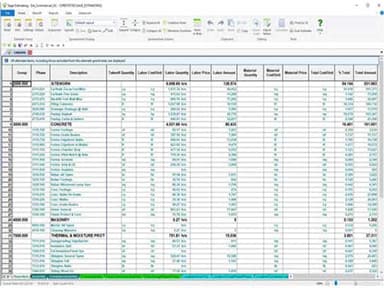
I love the fact that it looks like a spreadsheet, which makes working with it feel natural. I have access to almost everything I need in its assemblies, and most of the prices and formulas are already there. Our estimators can evaluate the data in the sheets that they can access from our vast database with ease. All the modifications can be rolled down to line items to change the groupings of prices as per our needs.
Cons
We use eTakeoff, which requires bridge software but isnt a big deal in and of itself. It just means that we cant put the measured amount right into the spreadsheets quantity field.
Rating Distribution
Ease of use
8
Value for money
8
Customer Support
9
Functionality
8
Construction, 1-10 employees
“Takeoffs can be done quickly, and it has solid integrations with third-party apps”
Pros
I have recently started using Sage, and so far Im loving it. I use a lot of other apps like RS Means, Bluebeam Revu, and Excel, which are all integrated within Sage, which saves me a lot of switching back and forth. This software has a lot of potential. I am pretty sure it can be further molded to adhere to the way I work.
Cons
I came to Sage through a reseller known as Sky-Line, which failed to provide quality service and ended up ruining the experience for me. Their trainer was terrible, having no knowledge of even the package that I had ordered. I wish I had contacted Sage directly to save me the inconvenience.
Rating Distribution
Ease of use
10
Value for money
8
Customer Support
10
Functionality
8
Construction, 101-500 employees
“Highly customizable and the best application for organizing an estimate”
Pros
The software is highly customizable and offers quick adjustments to values like labor rates and material costs. It makes sure all the users have access to up-to-date rates so that they can make informed decisions accordingly. They have a vast list of online training available on the website, and the support team is great as well.
Cons
The software is often very sluggish, responding slowly to clicks, drags, and drops. Auto-fill operations sometimes even take minutes to complete.
Rating Distribution
Ease of use
9
Value for money
9
Customer Support
8
Functionality
9
Frequently Asked Questions
Does Sage Estimating software offer an API?
Yes, Sage Estimating offers an API.
What languages does Sage Estimating software support?
Sage Estimating primarily supports the English language.
What other apps does Sage Estimating software integrate with?
Sage Estimating integrates with several third-party apps to enhance its functionalities, including eTakeoff, PlanSwift, On-Screen Takeoff, and others.
Does Sage Estimating software offer a mobile app?
Yes, Sage Estimating offers a mobile app.
What types of pricing plans does Sage Estimating software offer?
Sage Estimating provides flexible pricing plans, but the vendor does not specify details for each plan. For a personalized Sage Estimating pricing quote tailored to your needs, feel free to contact us.
Who are the typical users of Sage Estimating software?
Typical users of Sage Estimating software are contractors, and construction companies. It is suitable for all-sized enterprises working in the construction and real estate sectors.
What level of support does Sage Estimating software offer?
Sage Estimating provides extensive support options, including online resources, customer service, and technical assistance via phone, email, and live chat.