

Last Updated

Overview
Touchplan offers a collaborative construction planning platform to digitize the Last Planner System® and improve team coordination. Some users find limitations in its task-linking capabilities . Nonetheless, the software is consistently praised for its user-friendly interface and effective real-time collaboration features.
Touchplan Specifications
- Project Planning And Scheduling
- Resource Allocation
- Collaboration Tools
- Task Dependencies
What Is Touchplan?
Touchplan is a cloud-based construction planning software designed for general contractors, specialty contractors, and project owners to improve project outcomes. It digitizes the Last Planner System® (LPS), allowing teams to create collaborative pull plans that provide a clear, visual workflow. The platform’s real-time analytics offer insights into project progress and potential roadblocks, while its commitment tracking tools enhance accountability among all stakeholders, ensuring schedules remain accurate and achievable.
What Is Touchplan Best For?
Touchplan is best known for Last Planner System-based construction scheduling, where field teams coordinate daily work through collaborative pull planning. It is designed for general contractors, subcontractors, and project owners who manage complex construction projects with multiple trades and shifting site conditions.
How Much Does Touchplan Cost?
Touch plan pricing is estimated to start at around $50 per user per month, with annual pricing for a single user starting at approximately $500 per year.
For larger teams, estimated pricing ranges from $400–$900 per month for 10 users and $3,000–$8,000 per month for 100 users.
Additional costs may include:
- Software License Cost: $4,800 – $10,800
- Onboarding / Implementation Fee: $2,000 – $10,000
- Hidden Fees: Exceeding user limits, extensive customization
- 1st Year Total (10 users): $6,800 – $20,800
User reviews generally describe Touchplan as reasonably priced for large construction teams using Lean planning and pull planning workflows. Several reviewers note that the platform delivers strong value when coordinating multiple active trades and complex schedules, particularly compared to other enterprise construction tools.
Disclaimer: Pricing references are based on publicly available third-party information and industry benchmarks. Actual costs may vary.
Touchplan Integrations
The platform integrates with various third-party applications:
- Procor software
- Microsoft Power BI
- Oracle Primavera P6
- Microsoft Project
- Zoom
How Does Touchplan Work?
Touchplan is accessed through a browser, so teams can start using it without installation after setup
- Users begin by importing existing schedules from tools like Oracle Primavera P6 or Microsoft Project to set up key milestones
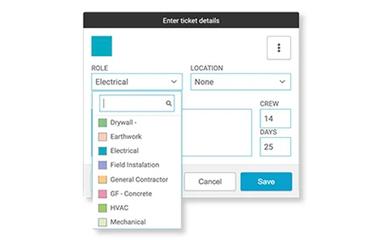
- Work is then broken into task cards where crews define duration, crew size, and sequence tasks using pull planning
- Teams collaborate to identify dependencies and outside constraints, with alerts highlighting anything that may disrupt the plan
- As work progresses, completed tasks are marked and updates automatically reflect across the full schedule
- Progress views compare planned vs actual work, helping teams understand workflow status and delays
Who Is Touchplan For?
Touchplan specializes in construction and supports a diverse range of industries and sectors, including:
- Phased revenue construction
- Data centers
- Healthcare
- Infrastructure
- Life sciences
- Hospitality
- Advanced manufacturing
- Education
- Mission critical construction
Touchplan Use Cases
Based on our analysis of Touchplan’s capabilities, we have identified key scenarios where this software is a good fit for construction teams:
1. Fast-Track Projects Where Multiple Trades Are Sequenced Daily
Commercial interiors, hospitals, and other fast-track builds often experience frequent schedule shifts driven by inspections, material delays, or site conditions. Superintendents and site managers rely on Touchplan to keep multiple trades aligned as sequences change day to day. Users often note that it replaces scattered spreadsheets and verbal updates with a shared view of what work is actually ready. This helps crews adjust quickly without disrupting overlapping activities across mechanical, electrical, and finishing work.
2. Large Projects Running Weekly Pull Planning Meetings With Field Supervision
Many general contractors use structured pull planning meetings to set weekly commitments across all trades, but execution often breaks down once teams return to the field. Touchplan is commonly adopted to keep those agreements visible beyond the meeting room and connected to daily site activity. Field supervisors can track whether commitments are being met without relying on separate updates from each trade. This becomes especially useful on projects where multiple foremen manage different zones or floors.
3. Owners Tracking Schedule Reliability Across Multi-Phase Builds
Owners managing large portfolios such as industrial parks, campuses, or multi-building developments often receive inconsistent progress updates from different contractors. Touchplan is used in these environments to bring schedule reliability and progress consistency across all active phases. Instead of comparing disconnected reports, leadership teams can see how planned work is actually being completed over time. This is particularly valuable during portfolio reviews where delays need to be understood across multiple projects.
4. General Contractors Managing Daily Constraints Like RFIs And Material Delays
RFIs, material shortages, and last-minute design clarifications frequently disrupt planned workflows on active job sites. Site teams use Touchplan to understand which tasks are blocked before assigning crews each day. This helps avoid situations where labor is sent to areas that are not ready for execution. It is especially relevant on dense projects where one unresolved issue can affect several downstream trades working in sequence.
5. Subcontractors Working Across Multiple GC-Controlled Schedules
Trade contractors such as electrical, plumbing, and HVAC teams often operate under multiple general contractors with different schedules and priorities. Touchplan is used to help them understand when their scope is actually ready to start without depending on constant coordination calls or emails. This becomes important when site access windows change frequently or crews are reassigned based on shifting project needs.
Is Touchplan Right For You?
Touchplan is an ideal platform for businesses of all sizes seeking to make the Last Planner System® both accessible and effective. Its key strength lies in converting complex, long-term schedules into clear, actionable daily plans that promote collaboration and accountability. With real-time data and analytics, Touchplan helps minimize project delays and rework, making it especially valuable for firms aiming to enhance efficiency and predictability on complex projects.
Still doubtful if Touchplan software is the right fit for you? Connect with our customer support staff at (661) 384-7070 for further guidance.
Touchplan Features
Instant Pull Planning And Active Line
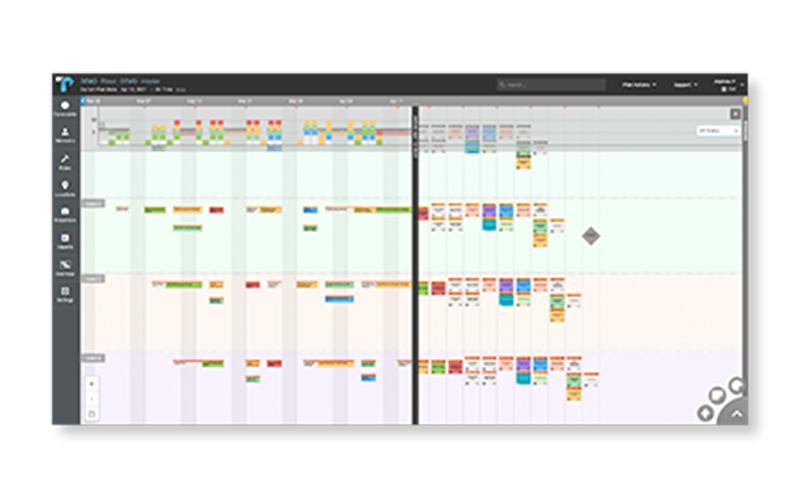
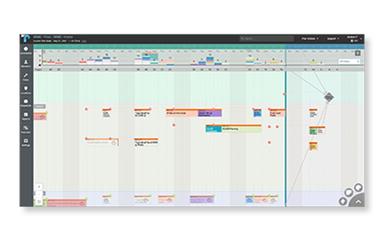
Touchplan features streamline project scheduling by converting long-range pull plans into actionable short-term tasks. Its patented ‘Active Line’ allows sequenced work, flexible schedule expansion, and detailed task organization, enabling teams to track delays, improve accountability, and seamlessly switch between pull plan and look-ahead views.
Lean Construction Planning And Collaboration
This functionality supports every phase of the Last Planner System® by providing detailed visualization, collaborative planning, and real-time updates. Teams can simplify pull planning, track commitments, monitor PPC and task statuses, manage crews, visualize staffing, and generate instant reports for data-driven decision-making.
Management Analytics for Data-Driven Insights
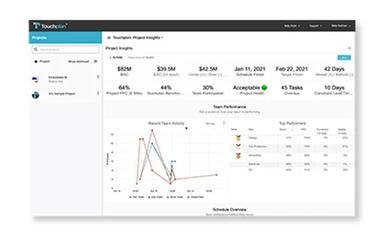
‘Management Analytics’ module expands Touchplan’s analytics by transforming detailed planning data into a real-time, integrated knowledge base. This provides executives, managers, and superintendents with project, portfolio, and company-level views to anticipate issues, track labor and costs, and make collaborative, data-driven decisions across all active projects.
BoardScan
BoardScan captures images of physical planning boards and converts them into structured digital plans inside Touchplan. It uses image-based recognition to interpret sticky notes and task layouts from pull planning sessions and translates them into digital tickets while preserving sequencing and structure from the original board.
Master Schedule Integration With CPM Tools
Touchplan connects with external scheduling systems such as Oracle Primavera P6 and Microsoft Project. It supports alignment between CPM schedules and pulls planning data, allowing structured data exchange between master schedules and field-level planning workflows.
Pros And Cons of Touchplan
Pros
Enables real-time digital updates
Seamlessly syncs pull plans with master schedules
Interfaces intuitively like sticky-note visualization boards
Cons
Navigation feels tricky at first for new users
Occasional manual data input may be required
Touchplan Reviews
Total 3 reviews
4.3
All reviews are from verified customers
Rating Distribution
5
Stars67%
4
Stars0%
3
Stars33%
2
Stars0%
1
Stars0%
Share your experience
Jessica
Real Estate, 11-50 employees
More than a year
“Amazing for Highly-Efficient Collaborative Planning”
Pros
Touchplan stands out in the way it involves contractors in tracking and managing work across the entire project lifecycle. I value its tools for creating detailed work programs, WBS design, accurate linking of activities with timelines and collaborative planning across contractors, consultants and stakeholders. The dashboard provides real-time updates, note-taking and alerts, while the reporting tools make sharing with stakeholders easy.
Cons
There aren't any major concerns when it comes to defining update responsibilities for the planning and scheduling team. With clear authority, updates are carried out on time and all parties can depend on accurate delivery dates.
Rating Distribution
Ease of use
9
Value for money
8
Customer Support
8
Functionality
9
Valarie
Construction, 101-500 employees
Less than a year
“Easy and Flexible tool”
Pros
I noticed this tool has an easy interface packed with features for project task management and scheduling. Its progress tracking is excellent and creating and linking tasks with time tracking is easy.
Cons
I haven't really come across any issues with Touchplan so far. In fact, I've found it to be easy and very beginner-friendly, which makes adoption smoother.
Rating Distribution
Ease of use
9
Value for money
8
Customer Support
8
Functionality
9
Ana
Architecture, 101-500 employees
More than a year
“Helpful tool but lots of bugs”
Pros
This software helps construction and design teams plan schedules more realistically by showing task dependencies visually. I like how alerts notify teammates when you need something, reports can be printed and late or postponed tasks are tracked to see their impact on the end date. However, it only works if every team member actively participates, because without their input, planning can't be accurate.
Cons
Unfortunately, this tool is far from user-friendly. We can't zoom out to see the bigger schedule picture, only zoom in very close, which limits perspective. Reports are difficult to read and the learning curve is steep. My team eventually gave up on it because the experience was frustrating, not only for older colleagues who already find new tools hard to adapt to but even for younger staff. Instead of making planning easier, it actually made it more difficult.
Rating Distribution
Ease of use
3
Value for money
7
Customer Support
7
Functionality
7
Frequently Asked Questions
Does Touchplan offer an API?
Yes, Touchplan offers an API.
What types of Touchplan price plans are available?
Touchplan pricing is estimated to start at around $50/user/month. Contact us to request a personalized Touchplan cost quote based on your institution's requirements.
What language does Touchplan support?
The software supports English only.
Does Touchplan have a mobile app?
No, Touchplan does not offer a mobile app. However, it offers a mobile progressive web app.
What level of support does Touchplan offer?
The platform provides support via ticket submission, phone, live chat, Touchplan Help Center, webinars, and demos.
Who are the typical users of Touchplan?
Touchplan specializes in construction and supports industries and sectors such as phased revenue construction, data centers, healthcare, infrastructure, life sciences, hospitality, advanced manufacturing, mission critical construction, and education.
What other apps does Touchplan integrate with?
The platform integrates seamlessly with third-party applications, including Procore, Power BI, Oracle Primavera P6, Microsoft Project, and Zoom.