



Last Updated

Overview
WinEx Specifications
- Accounting
- Project Scheduling
- Project Tracking
- Document Management
WinEx Features
Flexible Takeoffs
WinEx allows for fast and flexible data entry, easy editing, and makes change orders a breeze. It allows both vector PDF and CAD formats. In addition, WinEx is designed to support value engineering. With features like site balancing and editing, you can also visualize and plan “what-ifs” cases.
3D Sitework Model
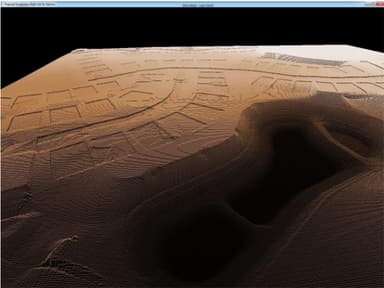
WinEx intuitively allows you to build your existing surface, proposed surface, and make any needed adjustments to the site. You can add essential details like strata, material area, trenches, curbing, walls, etc. and see your surfaces in 3D.
Visualization
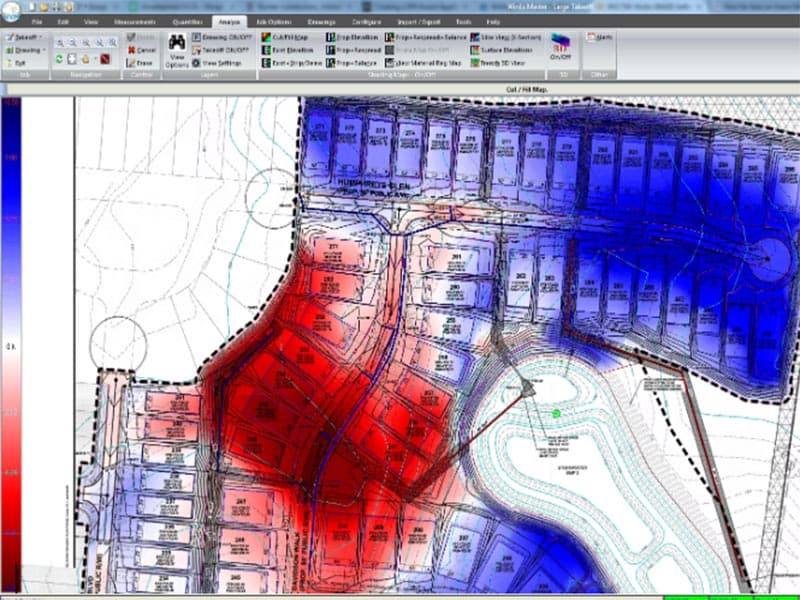
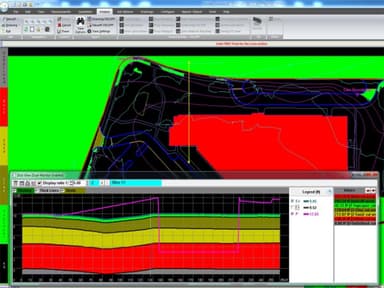
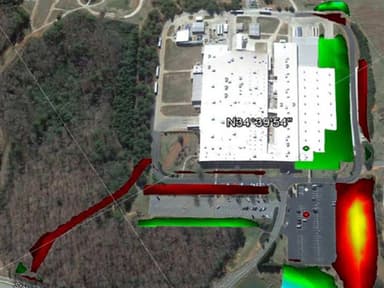
WinEx also comes with several analysis tools like cut/fill map, existing/proposed elevation map, 3D, and slice view. Its fluidity rotating 3D tool offers advanced and real-time visualization. The best part is that the reports and good-quality 3D images are printable for your presentations.You can also export the reports to excel sheet.
Growth Potential
There are two versions of WinEx, including WinEx Grade and WinEx Master. Roctek's WinEx Grade covers your typical sitework needs while WinEx Master expands your toolbelt to include advanced editing tools and exporting options for GPS model building software.
WinEx Reviews
Total 68 reviews
4.5
All reviews are from verified customers
Rating Distribution
5
Stars62%
4
Stars31%
3
Stars7%
2
Stars0%
1
Stars0%
Share your experience
Keith K.
Construction, 11-50 employees
“Well organized interface”
Pros
The interface is really well-organized which made getting comfortable with the program much easier. Plus the support team was incredibly helpful throughout as they turned what I expected to be a stressful learning process into something far less intimidating. I honestly felt guided and supported every step of the way.
Cons
Installation on my computer took longer than I expected which was frustrating but fortunately the support team stepped in and helped me sort out the problems.
Rating Distribution
Ease of use
10
Value for money
10
Customer Support
10
Functionality
10
Todd J.
Construction, 51-100 employees
“impressive functionality”
Pros
I'm genuinely impressed by the program's functionality....it covers so much ground without feeling overwhelming. The level of detail it offers is remarkable yet everything remains clear and easy to navigate.
Cons
It takes quite a bit of learning before I can get the full benefit from it.
Rating Distribution
Ease of use
7
Value for money
8
Customer Support
10
Functionality
10
Haeley L.
Construction, 11-50 employees
“Offers a vast range of features”
Pros
As I get more comfortable using this program my work becomes noticeably easier and more enjoyable. It lets me adjust settings to my own workflow while offering a range of features that deliver accurate calculations. Whether I'm measuring simple lengths or tackling complicated formulas this app handles everything and then some.
Cons
Occasionally the program behaves a bit glitchy and I end up having to uninstall and reinstall it on my computer. Fortunately that fix is fast and simple so it doesn't disrupt my work for long.
Rating Distribution
Ease of use
10
Value for money
10
Customer Support
10
Functionality
9