



Last Updated
Overview
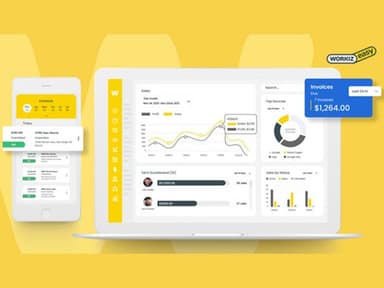
Workiz empowers you to manage every aspect of your field service business, including scheduling, job management, invoicing, and customer communication. Although companies with particular needs might require additional customization, its user-friendly interface makes this tool easy to learn. Nevertheless, Workiz is a powerful tool for improving efficiency and profitability.
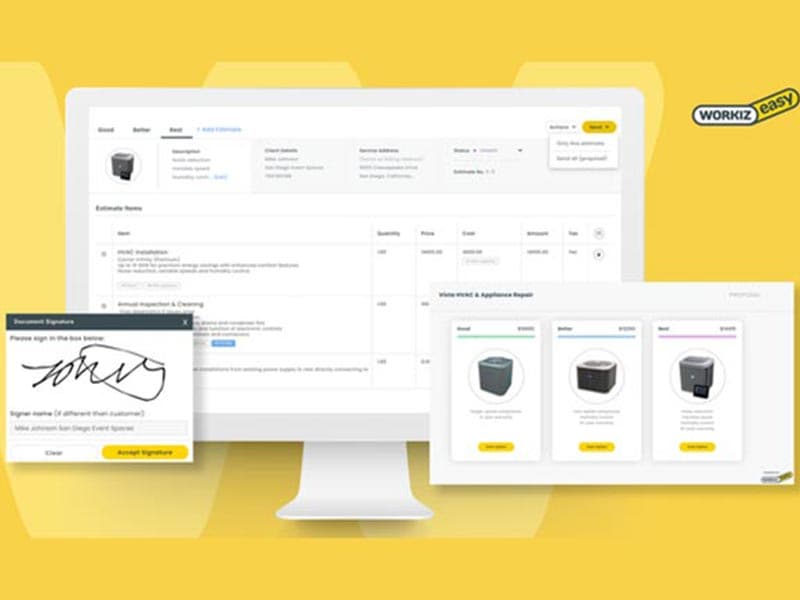
Workiz Software Specifications
- Job Costing
- Work Order Management
- Mobile Access
- Payment Processing
Workiz Software Features
Job Scheduling
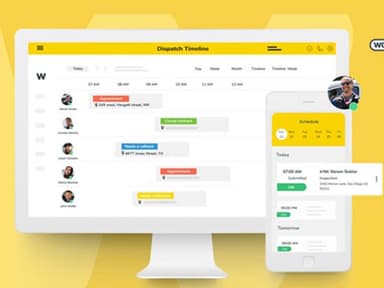
Workiz software offers a drag-and-drop, color-coded calendar to schedule and keep track of jobs. You can view schedules with filters for days, weeks, months, employee location, and availability for maximum efficiency and full visibility. In addition, customers can request services from a business's website or social listings through an integrated widget.
Job Management
With Workiz construction software, you can separate field staff and teams by location to make scheduling and sending them to jobs easier. Moreover, you can keep track of clock-in and clock-out times, the job's progress and current status, still open tasks, and more. You can seamlessly manage several franchises as all of this is achievable from a single platform.
Inventory Management
Workiz software enables you to add items, assign brands and categories, and take stock counts to build and manage your inventory from one place. You can keep track of inventory items in places like the main office, the warehouse, and service vehicles. In addition, you can set up reorder points to ensure you always have enough of an item in stock. You can search and filter the whole inventory with just a few clicks. The software enables you to write down every change in stock, use, return, cancellation, and movement of items from one place to another to store stock. You can also get usage reports for specific dates and times with a list of items used and how much they cost across jobs and users.
Pros And Cons of Workiz Software
Pros
All-in-one platform for scheduling, estimating, invoicing, and payments
Comprehensive phone system
Regular feature updates
Robust customer support
Mobile compatibility
Cons
Importing large contact lists can be tricky
Some advanced features may require additional costs
Workiz Software Reviews
Total 60 reviews
4.2
All reviews are from verified customers
Rating Distribution
5
Stars48%
4
Stars33%
3
Stars8%
2
Stars5%
1
Stars5%
Share your experience
jhony p.
Small Business, 11-50 employees
“reliable business platform”
Pros
this platform is easy for me to use, simple, customizable and dependable. I appreciate that VoIP calls, messaging and event scheduling are all in one place and the reports it generates plus the new AI features make my tasks much easier.
Cons
Occasionally updates are pushed without any advance notice, so I suddenly find something's changed, it's usually minor but those unannounced adjustments can be pretty annoying.
Rating Distribution
Ease of use
9
Value for money
9
Customer Support
9
Functionality
9
Eric N.
Small Business, 11-50 employees
“All-in-one operations management”
Pros
I'm really impressed with how this app keeps my business operations organized. Having messaging, appointments and calling all in one place is a huge help for managing my junk removal company. It handles scheduling, invoicing and payments so smoothly that I rarely lose track of important tasks or transactions.
Cons
My only frustration is that the automations occasionally run at the wrong times, triggering actions they shouldn't and sometimes creating extra work or confusion for my team.
Rating Distribution
Ease of use
8
Value for money
7
Customer Support
8
Functionality
7
Justin L.
Small Business, 11-50 employees
“Unfair contract and billing issues”
Pros
The interface looks clean and pleasant, though I do wish it included more essential financial billing features.
Cons
After we determined the product couldn't satisfy our business needs, they essentially tricked us into what they claim is an annual contract, now I feel like they're holding us hostage and forcing payments despite us never consenting to any year-long commitment. It's petty behavior and feels very small-time which I suspect is because they're losing customers.
Rating Distribution
Ease of use
5
Value for money
1
Customer Support
1
Functionality
3
Frequently Asked Questions
Is Workiz free?
No, Workiz is not free.
Who are the typical users of Workiz?
Workiz is used by service businesses such as HVAC, plumbing, electrical, locksmith, and other service industries.
Does Workiz integrate with other software?
Yes, Workiz integrates with various software, including Intuit QuickBooks, Angi Leads, Reserve with Google, Thumbtack, Sunbit, Mailchimp, Google Calendar, CompanyCam, Zapier, SearchKings, Linxup, AnswerConnect, Nexa, and NiceJob.
Is Workiz compatible with mobile devices?
Yes, Workiz is compatible with mobile devices.
Can I get a Workiz demo?
Yes, you can request a Workiz demo to explore its capabilities. The demo will provide an in-depth look at the software’s features.