



Last Updated
Overview
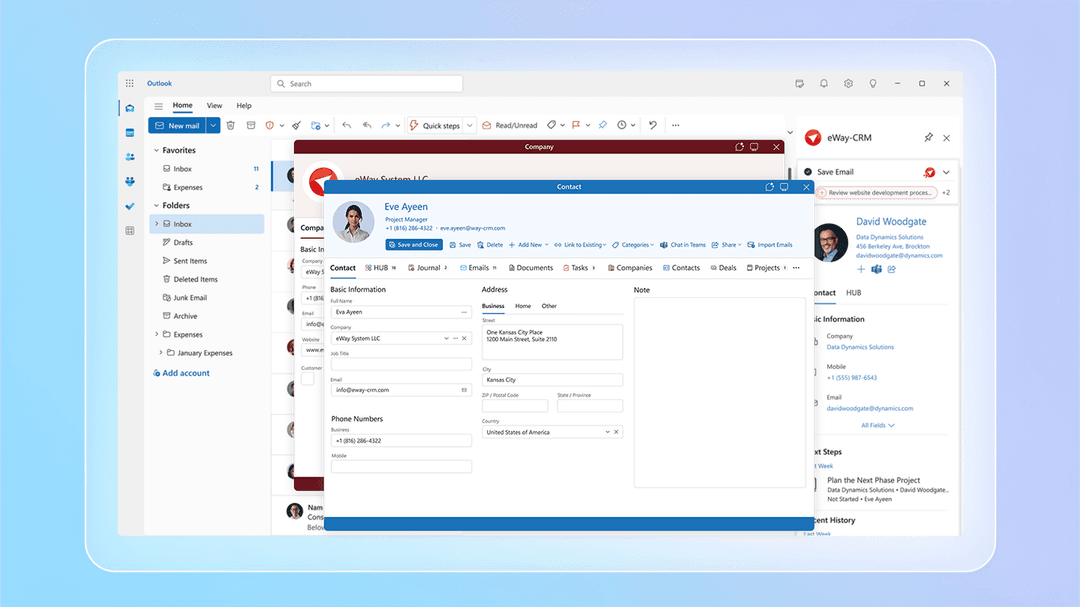
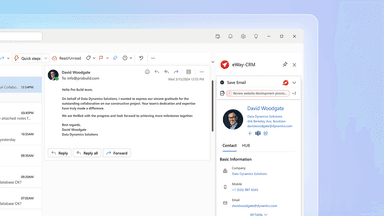
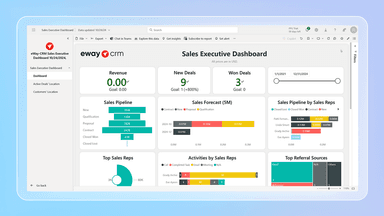
eWay-CRM: The CRM That Lives Inside Microsoft 365 Manage clients, sales, projects, and email marketing – all without leaving Outlook or Teams. eWay-CRM is your complete business hub, built into Microsoft 365. • Outlook: Organize and share emails, contacts, and meetings, all linked to your customers and deals. • Teams: Chat about clients, share insights, turn conversations into tasks, and stay aligned. • SharePoint: Store and manage documents in structured folders tied to projects or deals. • Power BI: Create insightful reports from CRM data and pin them inside eWay-CRM. Don’t switch platforms - empower Microsoft 365 with eWay-CRM.
eWay-CRM Specifications
- Contact Management
- Lead Management
- Opportunity Management
- Sales Forecasting
eWay-CRM Features
Seamless Outlook And Teams Integration
One of the notable eWay-CRM features, the software deeply embeds Microsoft Outlook and Teams, allowing users to manage customer relationships, sales, and projects without leaving their familiar email environment. This integration automatically tracks emails and syncs calendars, ensuring all communication and activities are centralized for enhanced team collaboration and efficiency.
Integrated AI Capabilities
Leveraging artificial intelligence, eWay-CRM offers features like AI-powered sender signature recognition and AI task suggestions. These intelligent tools automate data entry and assist in crafting professional communications. This significantly reduces manual effort, improves data accuracy, and boosts overall productivity for sales and marketing teams.
Robust Sales And Project Tracking
eWay-CRM provides powerful tools to manage sales pipelines and project lifecycles from initiation to completion. Users can convert emails into deals or tasks, monitor goods and inventories, and automatically calculate estimated revenue from quotes. This streamlines workflows, improves accountability, and helps teams achieve their sales and project goals effectively.
Comprehensive Contact Management
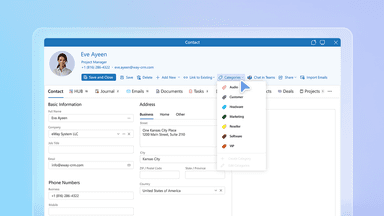
This feature centralizes all customer and company information, creating a unified database for easy access and organization. Users can efficiently store contacts, track interactions, and manage communication history. This ensures a complete overview of every client, empowering businesses to build stronger relationships and deliver personalized service.
Pros And Cons of eWay-CRM
Pros
Easy to use
Robust automation workflows
Helps prioritize key tasks
Cons
Some features lag on mobile during peak hours
Email sequencing can be unclear at times
eWay-CRM Reviews
Total 21 reviews
4.1
All reviews are from verified customers
Rating Distribution
5
Stars43%
4
Stars33%
3
Stars19%
2
Stars5%
1
Stars0%
Share your experience
Automotive, 11-50 employees
Less than a year
“Works very slow at times”
Pros
One thing I really like is the different search options. Also the system is very clear.
Cons
The updates are very slow.
Rating Distribution
Ease of use
6
Value for money
7
Customer Support
6
Functionality
6
Automotive, 11-50 employees
More than a year
“Tool that simplifies daily office tasks”
Pros
I love how I can filter tasks, quickly search for things and jot down notes for individual customers.
Cons
When I enter a new customer and try to check if they are already saved, it does not show up so I have to close it and reopen it to see the new customer.
Rating Distribution
Ease of use
9
Value for money
10
Customer Support
9
Functionality
7
Civil Engineering, 11-50 employees
More than a year
“Comprehensive solution”
Pros
Managing emails, storing them and assigning projects to designers is very easy now. Also it helps us with attendance tracking, storing contacts and keeping everything organized in one place.
Cons
I cannot think of anything major to complain about yet. For the way we use CRM its functions are great. Though I do miss the ability to generate meeting minutes from the diary function like converting them to a Word format.
Rating Distribution
Ease of use
8
Value for money
8
Customer Support
8
Functionality
7
Frequently Asked Questions
What other apps does eWay-CRM integrate with?
The platform supports integrations with a variety of systems and tools, including Microsoft Office, Teams, WordPress, Zapier, Adobe Sign, QuickBooks, and Power BI.
What types of eWay-CRM price plans are available?
The software offers multiple pricing tiers to accommodate diverse business needs, with each module available as a separate plan that includes a free tier and trial option. ‘Companies and Contacts’ are priced at ‘Lite’ $20/user/month, ‘Standard’ $27/user/month, and ‘Plus’ $40/user/month. ‘Sales and Projects’ share the same pricing: ‘Lite’ $10/user/month, ‘Standard’ $13/user/month, and ‘Plus’ $20/user/month. ‘Marketing’ plans are ‘Lite’ $25/user/month, ‘Standard’ $72/user/month, and ‘Plus’ $288/user/month. Contact us to request a personalized eWay-CRM cost quote based on your institution's requirements.
What language does eWay-CRM support?
The software supports English, Czech, and Slovak.
Who are the typical users of eWay-CRM?
eWay-CRM software is ideal for businesses across a wide range of industries and sectors, including insurance, manufacturing, mergers and acquisitions, consultancy, and accountancy.
What level of support does eWay-CRM offer?
eWay-CRM provides comprehensive support via email, phone, ticket, FAQs, manuals, etc.
Does eWay-CRM offer an API?
Yes, eWay-CRM offers APIs.
Does eWay-CRM have a mobile app?
Yes, eWay-CRM has a mobile app for both Android and iOS users.