


DrChrono EHR
Last Updated
Key Takeaways
Generated from the text of customer reviews
Our Verdict
Overall Rating
Based on 543 users reviews
3.9
Rating Distribution
Positive
72%
Neutral
16%
Negative
12%
Starting Price
Custom pricing
DrChrono EHR Specifications
- Appointment Management/Scheduling
- e-Prescriptions
- Lab Integration
- Patient Portal
DrChrono EHR Features
Revenue Cycle Management
DrChrono assists with streamlining the full billing cycle through its Revenue Cycle Management (RCM) capability. The RCM feature comes with eligibility checks, coding, claim submission, tracking, and follow-up. Furthermore, DrChrono provides in-house coders and coding compliance officers holding the CPC/CPC-H certifications. The coders and compliance officers review documentation to ensure accurate information and alignment with payer rules. The well-integrated EHR-RCM workflow maintains clean claims, reduces denials, cuts down manual effort, and supports reliable reimbursement.
Telehealth
Using this feature, you can easily schedule virtual visits and check the place of service codes. The software has a secure portal that enables patients to communicate with providers, manage appointments and payments, and fill out forms. DrChrono EHR allows medical practitioners to provide high-quality care to patients with limited access to traditional health services.
Lab Integrations
The software allows you to send lab orders with just a simple click in your EHR workflow. It lets you place imaging and lab results directly into your patient chart. DrChrono also ensures that all patient information is updated and accurate.
Patient Portal
This feature lets you securely message, schedule, and manage your patients. It even allows patients to access their medical records and sign consent and intake forms before their appointments.
Speech-To-Text
This feature allows you to create notes using this EHR software. Using advanced machine learning models, DrChrono EHR can convert voice to text in several languages and variants. This makes it easy to capture patient information without having to manually type out every word. Moreover, the software adapts to your speaking patterns as you use it, leading to more accurate clinical notes with less time spent correcting poor dictation.
Patient Portal
DrChrono's OnPatient Portal allows patients to actively engage in their healthcare by securely communicating with their providers. Patients can schedule appointments, pay bills online, and manage their health information. Additionally, the portal features automated reminders to reduce no-shows, helping improve practice efficiency and revenue. This tool also gives healthcare providers direct access to their patients at various levels, enhancing patient-provider communication and care coordination.
Pros And Cons of DrChrono EHR
Pros
Helps users customize templates for different medical specialties
Makes appointment scheduling simple and easy to manage
Helps users document patient notes with flexible tools
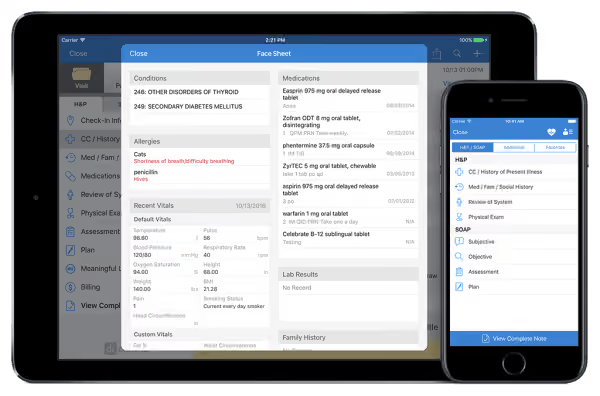
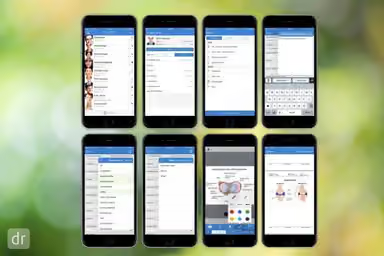
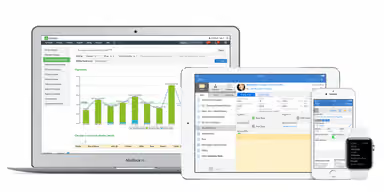
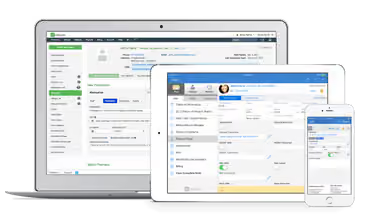
Enables mobile access for charting and practice tasks
Improves patient intake through digital forms and workflows
Cons
Causes occasional appointment and schedule management issues
Lacks advanced reporting and analytics capabilities
Potential learning curve for new users
DrChrono EHR Pricing
Foundation | Growth | Premium |
|---|---|---|
Custom pricing | Custom pricing | Custom pricing |
|
|
|
Disclaimer: The pricing details were last updated on Sep 14, 2026 from the vendor's website. Please contact us for a tailored pricing list.
DrChrono EHR Reviews
Total 543 reviews
3.9
All reviews are from verified customers
Rating Distribution
5
Stars45%
4
Stars27%
3
Stars11%
2
Stars6%
1
Stars12%
Share your experience
Medical Practice, 1-10 employees
More than a year
“Functionality declined with poor updates”
Pros
Initially I was drawn to the affordable pricing but over time the platforms functionality has steadily declined. We have decided to transition to another EMR for the reasons I describe below.
Cons
We have noticed management and the IT team repeatedly push out software and policy changes that simply do not function in a real medical setting. In my opinion they urgently need a formal board of clinicians and administrative staff to advise on practical functionality. If they keep making decisions like this I am convinced they will drive customers away.
Rating Distribution
Ease of use
1
Value for money
1
Customer Support
1
Functionality
1
Hospital & Health Care, 11-50 employees
More than a year
“Schedule is easy and plenty customizable”
Pros
I find the schedule really easy to look at as it frees us from unnecessary clutter. It also provides me with plenty of customizable tools for documentation and note-taking that I can adapt to various medical practice types.
Cons
even though it is pared down I do not find it as user friendly as other scheduling platforms. Our front desk staff faced a bigger learning curve. I also find the user permissions unnecessarily complicated with far too many menu options.
Rating Distribution
Ease of use
9
Value for money
9
Customer Support
7
Functionality
8
Alternative Medicine, 11-50 employees
More than a year
“Lost $20,000 due to unreliability”
Pros
as I launched my own practice as a new provider my only hands-on experience with DrChrono came from an internship at a different clinic where my mentor did not have many strong opinions about it. But I still decided to sign up when I opened. In those early days about eight years ago the platform had far fewer features the monthly fees were much lower and the customer support was generally decent and responsive which made getting started less stressful.
Cons
Over time as they kept rolling out new features most of which we never used the result of is that platform grew increasingly unreliable. We began experiencing persistent problems with online booking and between missed appointments and the hours spent untangling issues, our practice probably lost around $20,000 or more. Dealing with customer support added to the headache as reps were often unhelpful and at times quite rude. After roughly six months of attempted fixes without lasting results, they started hiking the subscription cost annually, requiring a year-long contract that cost over $1,500 a month for our small, three-provider clinic. That felt excessive compared to alternatives like Jane and ChiroTouch which charge about a third and are more reliable. At one low point we had over 15 support tickets open because insurance claims were returned incorrectly, appointments disappeared, the system went down for hours during business and other problems kept piling up.
Rating Distribution
Ease of use
4
Value for money
2
Customer Support
1
Functionality
3
Frequently Asked Questions
Does DrChrono offer a telehealth solution?
Yes, DrChrono offers an integrated telemedicine solution.
What level of support does DrChrono EHR provide?
This platform provides phone support options to its users.
Is DrChrono EHR certified?
Yes, DrChrono EHR is 2015 CEHRT.
Does DrChrono charge any hidden implementation fee?
No, Dr Chrono EHR does not charge its customers for implementation. Their paid users receive an implementation package customized to their plan. All these packages include custom template building, one-on-one training, and a one-hour starting call.
Does DrChrono EHR have a mobile app?
Yes, it has multiple apps for iOS platforms.
What clearing house does DrChrono use?
DrChrono uses eProvider Solutions (ePS) for commercial claims and Carisk Partners for Workers’ Compensation and Auto Accident claims.
Is DrChrono an EHR or an EMR?
DrChrono is an EHR platform that also functions as an EMR and practice management system. It manages patient charts, clinical notes, and treatment plans while supporting information sharing across healthcare providers, patient portals, telehealth, and integrated billing.