Last Updated
Key Takeaways
Generated from the text of customer reviews
Our Verdict
Dayforce HCM Specifications
- Employee Information Management
- Recruitment and Applicant Tracking
- Performance Management
- Attendance and Time Tracking
What Is Dayforce HCM?
Dayforce HCM is a cloud-based human capital management platform that uses artificial intelligence to connect HR, payroll, workforce management, talent, and analytics. It gives HR teams a shared view of employee information across functions to help them reduce repetitive data entry while processing payroll with minimal manual adjustment. It also lets payroll teams use continuous pay calculations as time is recorded, while workforce managers can align staffing according to changing demands. The software helps organizations that manage large or distributed workforces.
What Is Dayforce HCM Best For?
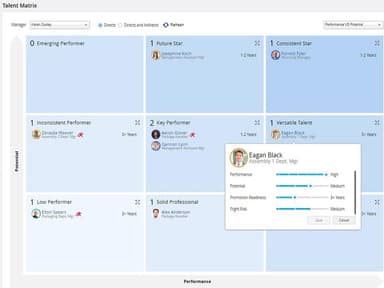
Dayforce HCM is well known for its AI-driven talent intelligence capability that allows organizations to analyze employees’ information and highlight any gaps in their skill sets, recommend constructive developmental opportunities, and provide succession planning accordingly. The platform’s skills engines connect an employee’s information throughout the various phases of the workforce lifecycle. It allows organizations to understand a candidate’s current potential before hiring the employee. Additionally, the software’s AI-generated recommendations provide further details for talent hiring decisions based on the existing workforce data.
How Much Does Dayforce HCM Cost?
The starting Dayforce HCM cost is estimated to range between $22 and $100+/employee/month. However, the actual cost may vary according to the selected modules and the organization’s size and needs. Besides the fixed subscription charges, users should also account for additional costs, including but not limited to the following:
- Implementation And Configuration: Approximately costs $10,000–$100,000+, based on implementation complexity
- Data Migration: May fall between $5,000–$50,000, depending on the data volume
- Payroll And Compliance Setup: Typical pricing ranges may reach $5,000–$75,000+, based on the essential rules and compliance regulations
- HR System Integrations: Potential costs can vary from $5,000–$50,000+, depending on integration complexity
- Workforce Workflow Customization: Expected expenses may be around $5,000–$30,000 for tailored HR processes
- Training And Onboarding: Organizations may allocate approximately $2,000–$25,000 to train employees
- Reporting And Analytics Customization: Customization costs may typically range from $5,000–$40,000+ for advanced workforce insights
Some reviewers have mentioned the platform’s pricing as worthwhile because of its broad functionality and ability to integrate various HR processes. However, some users mention that the platform might be slightly costly for smaller organizations.
Disclaimer: Pricing references are based on publicly available third-party information and industry benchmarks. Actual costs may vary.
Dayforce HCM Integrations
The software integrates with several tools to sync payroll records, compliance information, and employee data.
How Does Dayforce HCM Work?
Here's how you can get started with the software upon signing in:
- Review the main dashboard and understand the system alerts and interface
- Configure your organization’s settings by defining company structures and providing access permissions
- Verify employee records within the HR workspace before distributing access to managers and employees
- Set up payroll settings according to your company’s payment rules and requirements
- Navigate through the Workforce Management area to review staffing needs and handle employee schedules
- Use the reporting and analytics tools to create reports according to the employees’ information tracked in the system
- Assign user permissions according to the specific roles, so only the assigned team members can access the required information
- Track user activity from the administrator view and update HR settings when business requirements change
Who Is Dayforce HCM For?
Dayforce HCM software is ideal for the following industries and sectors:
- Healthcare
- Hospitality
- Retail
- Manufacturing
- Finance
Dayforce HCM Use Cases
Based on our analysis of Dayforce HCM’s capabilities, we have identified several use cases where the software can be a suitable fit for companies handling complex workforce operations:
Retail Chains Managing Hourly Employees Throughout Various Locations
Retail stores with multiple outlets have trouble maintaining HR workforce practices while dealing with constantly changing employee requirements. Dayforce HCM software helps retail organizations with employee scheduling and payroll processes across varying locations. It benefits businesses where managers need visibility into labor needs and have to maintain consistent HR operations across stores.
Healthcare Organizations Balancing Workforce Planning And Compliance Requirements
Healthcare practices have huge teams of nurses, physicians, and support staff working in multiple departments, each having its own requirements. Under such circumstances, it gets difficult to manage the changing shifts, specializations, and strict workforce regulations. The system helps such medical organizations by aligning their staffing levels with patient requirements and managing payroll accuracy for employees working in different schedules.
Manufacturing Companies Coordinating Shift-Based Workforce Operations
Manufacturers, specifically those operating production facilities, need to manage employees working throughout different shift timings. They must check that the labor costs are aligned with the production demands as well. The platform helps such manufacturing firms by providing structured workforce management to multiple plant locations and diverse operational teams. It provides manufacturing leaders with visibility into staffing patterns while adapting workforce plans based on operational changes.
Financial Services Firms Managing Global Employee Operations
Financial institutions with employees distributed throughout different regions require HR systems to manage varying payroll requirements and workforce policies. Dayforce HCM allows organizations to manage complex employee structures across locations. The platform’s global payroll and compliance capabilities support financial services companies operating in areas with changing workforce requirements.
Public Sector Organizations Handling Large-Scale Workforce Administration
Government organizations manage extensive employee populations and follow rigid payroll and workforce regulations. The software supports public sector employers that need centralized management of employee information and workforce processes across agencies. It supports organizations that are looking for a structured approach to handling complex workforce administration requirements.
Is Dayforce HCM Right For You?
If you manage a large, distributed workforce, then Dayforce HCM can be the right solution for you. The software adheres to GDPR compliance, SOC Type 1 and 2, NIST, and various ISO regulations, including 27001, 27017, 27018, 27701, 22301, and 27036, ensuring the safety of sensitive user data. Trusted by various companies globally, including Costa Coffee, OTG, Gannett, and Spirit AeroSystems, the platform is capable of meeting the needs of growing organizations.
Still doubtful if Dayforce HCM is the right fit for you? Contact our expert team at (661) 384-7070 for personalized assistance.
Dayforce HCM Features
Planning And Analytics
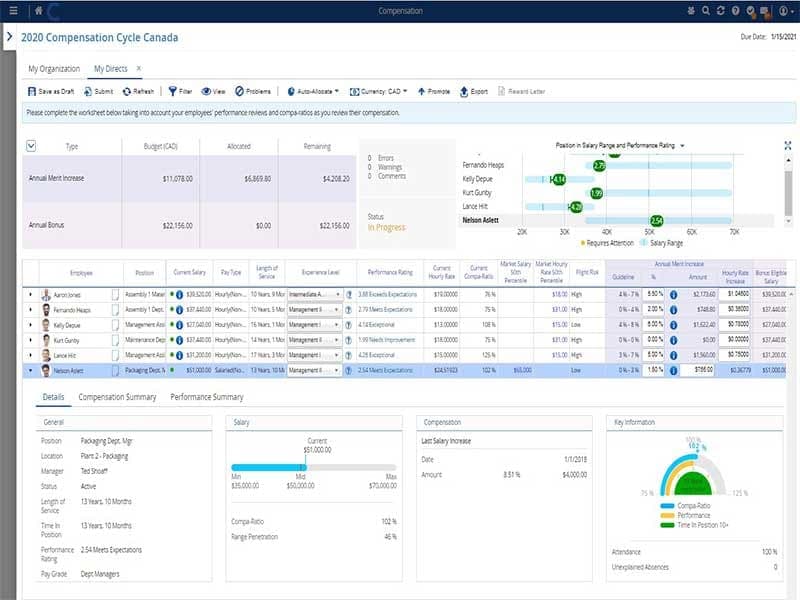
Dayforce features planning and analytics tools that provide HR and business leaders with a clear view of their employees’ data. It allows them to analyze data and create staffing plans using the updated workforce information. The software lets HR managers compare workforce scenarios, forecast labor costs, and review their organization’s structure to plan financial budgeting decisions accordingly.
Workforce Management
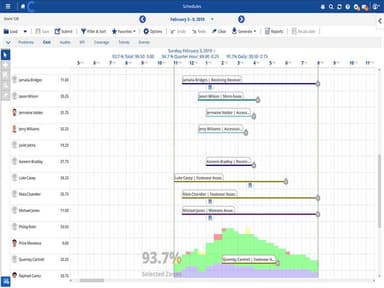
The platform's workforce management solution lets managers create employee schedules according to different labor demands and staffing requirements. It compares staffing levels with expected business activity, letting managers adjust schedules to minimize any impact on day-to-day operations. Additionally, employees can track their working hours using the system's supported time-tracking options, while managers can review attendance patterns and address any leave trends before they lead to additional labor costs.
Payroll
Dayforce software combines payroll processing with employee time records to calculate wages continuously rather than relying on batch processing at month-end. The system allows payroll teams to review these calculations before finalizing and rolling out salaries, which helps them identify any mistakes earlier in the pay cycle. Its global payroll capabilities help employees receive salaries across multiple countries on time. Additionally, the Dayforce Wallet provides the workforce with access to their earnings whenever required, with no funding or payroll challenges.
Employee Benefits Management
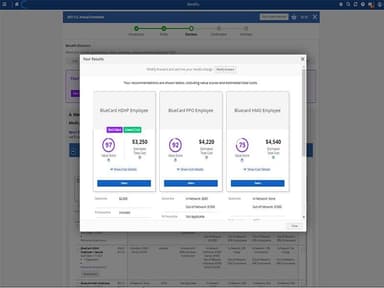
Dayforce Benefits allows employees to compare eligible plans before selecting coverage through self-service tools. It helps them analyze and choose the right plan for their life goals by assessing the pros and cons of the intended plan and highlighting the important missing things. Meanwhile, administrators can forecast enrollment costs and measure the financial impact of the proposed plan changes before implementation.
Reporting And Analytics
This functionality provides HR teams with access to employees' information through customizable reports and real-time dashboards. These reports provide HR managers with a clear view of their high-performing workforce that helps them retain hardworking employees and boost productivity.
Pros And Cons of Dayforce HCM
Pros
Reduces payroll errors with real-time processing
Simplifies HR management by keeping key functions in one place
Saves time through real-time data and automation
Improves communication between employees and managers
Reduces administrative workload with employee self-service
Cons
Scheduling and time clock pages may display unexpected errors
Reporting and navigation can be difficult to use
Resume imports may not format correctly
Dayforce HCM Reviews
Total 23 reviews
4.2
All reviews are from verified customers
Rating Distribution
5
Stars39%
4
Stars48%
3
Stars9%
2
Stars0%
1
Stars4%
Share your experience
Annya Baerga
Healthcare, 500+ employees
Less than 6 months
“Okay-ish software”
Pros
It has a very good onboarding process and you can customize reports.
Cons
Not user friendly and it needs work of their Compensation.
Rating Distribution
Ease of use
5
Value for money
5
Customer Support
6
Functionality
6
Elgiz A.
Financial Services, 101-500 employees
Less than a year
“Handy app for many tasks”
Pros
It is really handy since the app lets me handle many tasks like managing my schedule and payroll. Coworkers can view who they are paired with and employees can request time off and book vacations right in the app.
Cons
I have noticed there are so many features that it can take users a while to learn how everything operates. I also run into occasional issues when clocking in because the location settings sometimes throw errors which causes some frustration.
Rating Distribution
Ease of use
8
Value for money
7
Customer Support
6
Functionality
8
Phoebe B.
Executive Office, 51-100 employees
Less than a year
“Impressive exceptional support team”
Pros
I am impressed with Dayforce's support team as they are exceptional. Although I am not completely familiar with all of ita features, my background in payroll and HR helps me manage and the team's willingness to assist makes using the system much easier.
Cons
One downside for me is my lack of experience with processing Canadian payrolls which can make things a bit challenging at times. Still the customer support team consistently steps in to smooth out issues, so the overall experience remains very positive.
Rating Distribution
Ease of use
9
Value for money
9
Customer Support
10
Functionality
9
Frequently Asked Questions
Does Dayforce HCM offer an API?
Yes, Dayforce HCM offers an API.
What language does Dayforce HCM support?
Dayforce HCM supports English and Dutch.
What other apps does Dayforce HCM integrate with?
Dayforce HCM integrates with various tools to sync compliance information, employee data, and payroll records in real-time.
Does Dayforce HCM have a mobile app?
Yes, Dayforce HCM has a mobile app available on Android and iOS devices.
What type of pricing plans does Dayforce HCM offer?
The platform’s starting price might range between $22 and $100+/employee/month. Get a custom Dayforce HCM price quote today.
Who are the typical users of Dayforce HCM?
Typical users of Dayforce HCM include people working in retail, manufacturing, healthcare, finance, and hospitality industries.
What level of support does Dayforce HCM offer?
Dayforce HCM provides a help center, FAQs, and phone support.