


Organimi
Last Updated

Overview
Organimi helps organizations create and manage organizational charts and employee directories and share them with others. Although employee tiles sometimes appear in the wrong position in the hierarchy, the software includes data import tools, photoboards, and reports that teams use for planning and management of employee information.
Overall Rating
Based on 1 users reviews
5
Rating Distribution
Positive
100%
Neutral
0%
Negative
0%
Starting Price
$22
per month
Organimi Specifications
- Employee Information Management
- Workforce Analytics
- Employee Database Management
- HR Analytics And Reporting
What Is Organimi?
Organimi is a cloud-based platform for creating and managing org charts. Organizations of any size, from small teams to large enterprises, use it to keep reporting structures accurate as headcount changes. Users can import company data from CSV or Excel files and arrange the chart using drag-and-drop editing. It also includes sharing controls that set who can view or edit a chart and which fields, such as salaries, remain private. Reports compare the organization across two time periods, and the data can be exported as a CSV file. Teams use these features to update charts and manage data during restructuring.
What Is Organimi Best For?
The software is best known for its SmartChart™ Legend feature, which displays organizational information visually. Users can configure custom fields, apply conditional formatting, and customize chart appearances to match their branding. Details such as role status, department, or hiring needs appear directly on the chart, so people do not need to open each profile to find them. This fits HR teams, executive assistants, and consultants who want to stop formatting charts manually in PowerPoint, as well as for growing organizations that need to spot open roles and structural gaps.
How Much Does Organimi Cost?
Organimi pricing starts at $22/month for up to 150 people charted. This plan, known as Basic, includes unlimited traditional charts, email support, basic custom fields, and more. Further pricing tiers of the software are as follows:
- Premium: Starting at $45/month for up to 150 people charted
- Enterprise: Custom pricing
The software also offers a free plan for organizations with up to 25 employees, as well as a 14-day free Premium trial. In addition to the base subscription costs, organizations should keep the following potential costs in mind based on industry benchmarks:
- Implementation: $0–$2,000 (one-time)
- Data Migration: $0–$1,500 (one-time)
- Training And Onboarding: $0–$1,500 (one-time)
- Customization And Configuration: $0–$2,000 (one-time)
- Security And Compliance Review: $500–$3,000 (one-time)
Users generally find Organimi’s pricing fair for what the software does. They like that it is affordable and based on the number of people charted. Some small companies cited that they must subscribe to a paid plan to print charts without a watermark.
Disclaimer: The pricing is subject to change.
Organimi Integrations
The software supports integration with platforms such as:
- Microsoft Teams
- Microsoft SharePoint
- Google Workspace software
- Azure Active Directory
- Salesforce
- BambooHR
- ADP Workforce Now
How Does Organimi Work?
Log in to your Organimi account then follow the steps below to use its features:
- Create an organizational chart by importing company data from a CSV or Excel file or by building the chart manually
- Set the reporting relationships and pick a layout, then add fields such as job title and department
- Add employee contact details, roles, and photos to a directory or photoboard
- Choose who can view or edit the chart and which fields stay private
- Share the chart with selected people or the whole company, or export it as a PDF, PPTX, or PNG file
- Compare people data from different time periods to review changes and reporting history
- Generate reports on organizational structure and employee data, then download them as CSV files or schedule them as daily, weekly, or monthly emails
Who Is Organimi For?
Organimi is suitable for a range of professional teams operating in sectors and organizations, including:
- Government
- Education
- Nonprofits
Organimi Use Cases
Based on our analysis of user reviews and Organimi’s current capabilities, we have identified key scenarios where this software is a good fit for organizations:
1. HR Teams Updating Org Charts After Frequent Personnel Changes
Org charts kept in slides or spreadsheets fall behind after every hire, promotion, or change in reporting lines. With Organimi, HR can export the chart to Excel, edit the records, and import the file again. The chart updates without being rebuilt. Companies that grow quickly and change personnel often get the most from this.
2. Growing Companies Helping New Hires Find The Right Contacts
Organimi creates a photoboard and a directory alongside each org chart. New hires usually do not know who sits where or who to contact, and they send the same questions to HR and their managers. When they can see faces, roles, and contact details in their first days, fewer of those questions come up.
3. Leadership Teams Planning Organizational Restructures
Restructuring is harder when leaders have not mapped their options in advance. Organimi lets a team drag roles and people into different positions to model a future structure. It also supports scenario and succession planning, so HR leaders and organizational design consultants can compare the current structure with a proposed one before they commit.
4. Sales Teams Mapping Contacts Across Related Client Accounts
Organimi can map a client organization and the relationships between its key contacts. Sales and account management teams with connected accounts have a hard time tracking contacts across them, and the embed feature links one org chart to another to address that. Dotted lines can also outline a path toward closing a deal.
5. Executive Assistants Preparing Org Charts For Leadership Presentations
A large org chart often runs past one page, which makes it hard to fit on a slide for a leadership meeting. Organimi exports branded charts as PDF, PPTX, or PNG and splits them across pages on its own. It can also print a single department. Executive assistants and HR teams use these options when they prepare structure updates for management.
Is Organimi Right For You?
If you are an organization that manages employee records and reporting structures and has to keep up with organizational changes, Organimi could be worth considering. Amazon, Shopify, the University of Toronto, Habitat for Humanity, and the Victoria State Government are among the organizations using it. The platform runs on Amazon Web Services and supports GDPR compliance, and you can choose to host your data in a specific region. Single sign-on is available on the Premium plan, which lets administrators control who can view organizational information.
Organizations now expect org chart software to reflect hires, departures, promotions, and reporting changes without HR having to redraw charts by hand. Organimi handles this through integrations with Microsoft Azure Active Directory, Microsoft 365, and Google Workspace, which update the chart as the source data changes. Teams that do not use those systems can import CSV or Excel files, or use Organimi Connect, to keep charts current.
Still unsure about Organimi? Connect with us at (661) 384-7070 for further guidance.
Organimi Features
Presentation-Ready Charts
Organimi exports or prints organizational charts as PDF, PPTX, or PNG files. Large charts split across multiple pages automatically, and a single department or section can be printed on its own. Branding and formatting options let users prepare charts for management meetings and internal reports.
Custom Fields
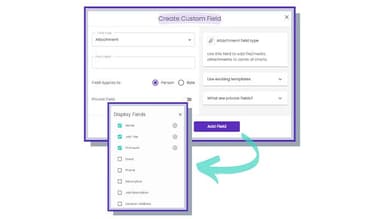
Users can add custom fields to hold employee and organizational details that fit their structure. Each field can be shown or hidden on shared charts. A job title might be visible to everyone, for example, while a salary stays private.
Reporting And Analytics
Organimi produces reports on current employee data and on how the organization has changed over time. Users can compare structures from different periods and review reporting history. Reports can be shared for the whole organization or for a single chart, and they download as CSV files. Email updates can be scheduled daily, weekly, or monthly.
Photoboards And Employee Directories
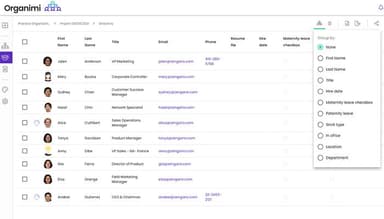
Photoboards show employee photos, which helps colleagues match names to faces. Directories store contact information in one shared place. Together they let people look up employee details and roles without depending only on the organizational chart.
Organizational Chart Creation
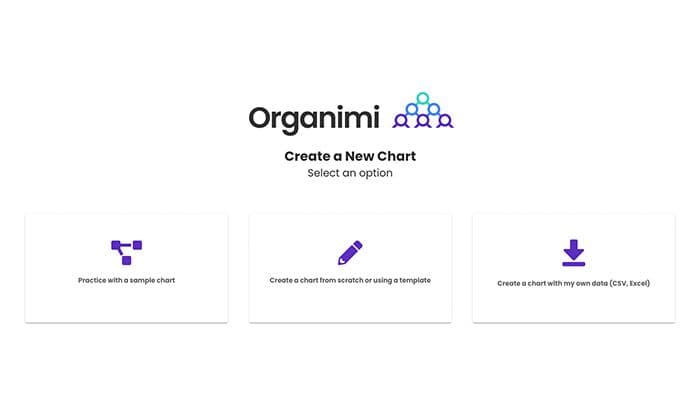
Charts can be created from a CSV or Excel file that contains company data. They can also be built by hand, using drag and drop controls to place roles and reporting relationships. The import route fits organizations that already keep employee records in a spreadsheet, and the manual route fits those starting from scratch.
Chart Sharing And Access Permissions
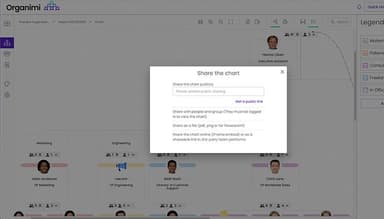
An organizational chart can be shared privately with selected people or made available across the company. The chart owner assigns viewing or editing permission based on each person’s role and decides which information appears on the shared chart. Selected fields can stay private.
Sales And Account Planning
Sales and account management teams can map the relationships between a client’s organization and its key contacts. Related charts connect through the embed feature, and dotted lines mark possible paths toward closing a deal. Charts export as PDF, PPTX, or PNG files for account reviews and sales presentations.
Pros And Cons of Organimi
Pros
Creating organizational charts requires less manual effort
Everyone can see who reports to whom more clearly
Employee information stays in one place for easy access
Teams can find staffing gaps and organizational changes earlier
Organizations control who can view sensitive employee information
Cons
Managing the key can be somewhat tricky
Users have few options for customizing reporting line styles
Chart layouts could be more compact for printing
Organimi Pricing
Basic | Premium | Enterprise |
|---|---|---|
$22 per month for up to 150 people charted | $45 per month for up to 150 people charted | Custom Pricing |
|
|
|
Disclaimer: The pricing details were last updated on Sep 25, 2026 from the vendor's website. Please contact us for a tailored pricing list.
Organimi Reviews
Total 1 reviews
5
All reviews are from verified customers
Rating Distribution
5
Stars100%
4
Stars0%
3
Stars0%
2
Stars0%
1
Stars0%
Share your experience
Pharmaceutical, 101-500 employees
Less than 6 months
“Amazing Org Chart Software”
Pros
The platform offers a clean and customizable organizational chart for our organization of over 400 employees. We seamlessly set up an API between our HRIS and the Organimi platform, ensuring that employee data is automatically updated. This simplifies data retrieval for external audits, and I absolutely love it!
Cons
It would be beneficial to have more options for printing formats and breakdowns. Currently, the system can only do it by department or level, so we had to manually paginate the document we wanted to print. It takes some time initially, but once set up, we can save the created template and access it anytime.
Rating Distribution
Ease of use
8
Value for money
10
Customer Support
8
Functionality
8
Frequently Asked Questions
What types of organizational charts does Organimi offer?
Organimi offers traditional hierarchical charts, matrix and project team charts, accountability charts, and feedback charts. These options let organizations map reporting lines, show project team structures, define responsibilities, and represent feedback relationships. Organimi also plans to introduce more chart types.
Does Organimi provide a service to build organizational charts?
Yes, Organimi has a concierge service where its team builds organizational charts for clients. The service costs $99 per hour.
What printing options does Organimi have?
Organimi can print organizational charts in more than 50 page sizes.
How many people can Organimi accommodate in an organizational chart?
Organimi has pricing tiers based on the number of people in the chart. The largest tier covers 2,500 or more people.
Does Organimi offer an API?
Yes, Organimi offers an API under its Enterprise plan.
Does Organimi have a mobile app?
No, Organimi does not offer a dedicated mobile app.
Can organizational charts be customized and branded in Organimi?
Yes, Organimi lets users change the colors, fonts, photos, and formatting of their charts. Organizations can also apply their branding to parts of the chart, such as the role boxes and connectors.
What level of support does Organimi offer?
Organimi software offers support via email, an online contact form, and FAQs.