



Last Updated

Overview
Worklio is a cloud-based payroll and HCM platform that helps employers and payroll providers handle pay, taxes, and time in one place, with garnishment processing and earned wage access available. While some of its guides and documentation are limited, it makes workers’ compensation calculations easier for payroll teams.
Overall Rating
Based on 3 users reviews
4.7
Rating Distribution
Positive
100%
Neutral
0%
Negative
0%
Starting Price
$12
per employee per month
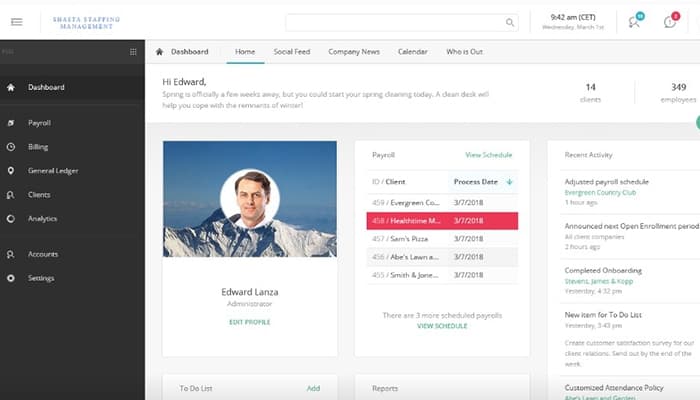
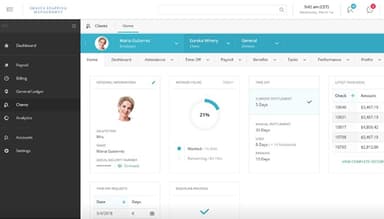
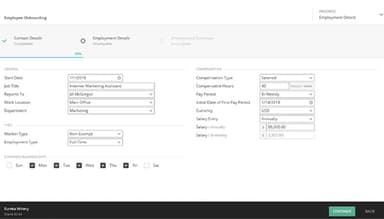
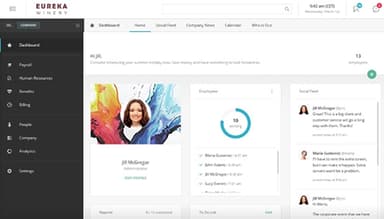
Worklio Specifications
- Employee Information Management
- Recruitment and Applicant Tracking
- Performance Management
- Attendance and Time Tracking
What Is Worklio?
Worklio is a cloud-based payroll and HCM software, designed for software companies, Professional Employer Organizations (PEOs), payroll providers, and other businesses looking to offer payroll and workforce tools under their own brand. It brings payroll processing, tax filings, payments, benefits, and HR into one white-label system, so businesses can add these services without building them from scratch. This can help create a more native experience for customers, with one platform in place of separate tools stitched together.
Through its developer tools, teams can build with payroll APIs, webhooks, sample apps, and a secure sandbox, or launch with a ready-made interface. Worklio helps businesses in sectors such as ERP and HR systems, banking, accounting, marketplaces, and insurance add payroll where it creates product value and recurring revenue.
What Is Worklio Best For?
Worklio’s standout feature is multi-entity payroll, which lets teams run payroll for several businesses in one payroll run. Each business, or Federal Employer Identification Number (FEIN), keeps its own controls and approvals, yet all of them share the same pay date and tax batch. Teams can also group payroll by legal entity, division, department, or location, so even complex structures stay easy to manage. Because of this setup, reporting can roll up or drill down by FEIN, division, or department across multiple years.
How Much Does Worklio Cost?
Worklio pricing may start at $12/employee/month, according to industry benchmarks for similar payroll and HCM platforms. The cost may vary depending on the business' needs, requirements, and number of users.
Apart from the base subscription cost, businesses should keep the following potential costs in mind:
- Implementation and Data Migration: $500–$5,000 for small businesses and $5,000–$25,000 for complex deployments
- Accounting and HR Integrations: $1,000–$10,000
- Payroll Tax Administration: $2–$8/employee/month
- Benefits Administration: $5–$15/employee/month
Disclaimer: Pricing references are based on publicly available third-party information and industry benchmarks. Actual costs may vary.
Worklio Integrations
Worklio software integrates with multiple third-party software via secure API connections, such as:
How Does Worklio Work?
Log in to Worklio to run payroll, HR, and benefits from one platform, or embed them inside your own product. Follow the steps below to use its key features:
- Get API keys, a sandbox, and an implementation plan, then launch with a white-label experience, pre-built UI components, or direct integration through the REST API and webhooks
- Add your companies and employees, and manage onboarding, records, and documents in the same system as payroll
- Track time with the web or mobile time clock, apply break and overtime rules, verify clock-ins with GPS, and send approved hours straight to payroll
- Run payroll through one engine that calculates gross pay, taxes, deductions, and net pay, including multi-state, multi-entity, certified, and union payroll
- Pay employees by direct deposit or ACH with approval controls before payments go out, while Worklio calculates, files, and pays taxes automatically
- Manage benefits enrollment, life events, and ACA reporting, with deductions that sync to payroll every cycle
- Give employees self-service access to paystubs, W-2s, and benefits through the web app or a dedicated mobile app for iOS and Android users
Who Is Worklio For?
The platform caters to a wide range of industries and sectors, including:
- Manufacturing
- Healthcare
- Retail
- Hospitality and food service
- Construction, industrial, and mechanical
- Financial services
- Education
Worklio Use Cases
Based on our examination of Worklio features and its market positioning, we have identified the following common ways the platform is used:
Healthcare Teams Paying Mixed-Shift Staff The Right Overtime Rate
Mixed-shift healthcare staff have complicated pay structures, and Worklio handles this by calculating weighted average overtime from the actual hours and rate of each shift. A nurse may work a night shift at one rate and a weekend shift at another, so a single flat overtime rate would leave them over- or underpaid. Once configured, the platform has separate pay codes for night, weekend, holiday, and on-call shifts. This way, payroll applies the right premium without anyone working it out by hand.
Financial Services Teams Paying Salary, Commission, And Bonus In One Run
Paying salary, commission, and bonus together can mean extra steps outside payroll, but custom pay codes in Worklio let all three process in a single run. HR sets up separate codes for bonuses, commissions, and incentive tiers, which keeps each type of earning easy to track. For signing and relocation bonuses, a gross-up works out the pre-tax amount needed to deliver a set net payment. Without it, HR has to do that tax math by hand every time a bonus is promised.
Retail Teams Onboarding Seasonal Hires Without Manual Data Entry
Holiday hiring can bury a small retail HR team in data entry, which is why Worklio offers bulk onboarding that sets up dozens of seasonal hires at once through an Excel import. New hires then finish their tax forms and documents on their own device before day one, so they arrive with their paperwork already done. Returning staff get their old records restored, and Form 8850 screening for the Work Opportunity Tax Credit (WOTC) runs as part of onboarding. Since many people start within the same few weeks, the time saved adds up quickly.
Restaurant Teams Making Sure Tipped Staff Reach Minimum Wage
A slow week can leave a tipped employee’s base pay plus tips below minimum wage, and Worklio automatically applies the minimum wage pull-up to cover the gap. It also calculates the tip credit against the federal or state minimum. Dual wage classifications let one employee earn a tipped rate for serving and a regular rate for non-tipped tasks in the same pay period. Checking every tipped worker by hand each pay period is slow, so automating it keeps payroll moving.
Is Worklio Right For You?
Worklio may be a good fit for businesses and firms that want to offer payroll and HR without building the system themselves. It may also suit employers whose payroll has become harder to manage as they add states, locations, or business entities.
For teams that need to meet U.S. payroll and tax requirements, Worklio calculates, files, and pays federal, state, and local payroll taxes and produces W-2, 1099, and ACA forms. It also covers all 50 states and Puerto Rico, supports certified and union payroll for work that follows prevailing wage rules, and handles Form I-9 completion and E-Verify cases as part of onboarding. Buyers should still confirm that these workflows meet their own regulatory and audit needs.
Worklio holds SOC 2 Type 2, ISO 27001, ISO 27018, and ISO 9001 certifications, which are maintained through recurring audits. Data is encrypted in transit with HTTPS and TLS, and at rest with layered encryption that includes AES-256 and RSA 2048-bit keys. The keys are stored separately in Azure Key Vault, and sensitive details such as Social Security and bank account numbers get column-level encryption on top of that. To control who can see what, Worklio offers two-factor authentication and IP restrictions, and it keeps an audit trail of changes made by administrators, employees, and clients. It is monitored around the clock, and independent third-party cybersecurity firms handle security scanning, threat detection, and penetration testing on an ongoing basis.
Still not sure if Worklio is right for you? Contact us at (661) 384-7070 for further guidance.
Worklio Features
Tax Notice Support And Effective-Dated Setup
When a payroll tax notice or filing issue comes up, Worklio’s support team helps resolve it, and audit trails show what changed and what was filed. Tax setup changes also carry effective dates, so teams can keep up with client and regulatory updates.
Bank Reconciliation And Payment Tracking
With Worklio, payroll teams can match bank activity to payroll, review exceptions, and manage cash receipts, with reconciliation available daily and monthly. The platform also tracks prenote and settlement status, which keeps a new bank account from becoming a problem on payday. Transaction and audit history can be exported when someone needs a record.
Organization Structure And Engagement Surveys
Worklio keeps employee records in one central database, organized by department, position, division, work location, and reporting line. Custom HR fields let teams add their own details to each record. Pulse surveys let them measure employee engagement.
Time-Off Accruals And Approvals
Time-off management in Worklio runs on configurable accrual policies, request and approval workflows, and real-time balance tracking. Employees and managers can see where balances stand at any point. Time off is also integrated with payroll and reporting.
Scheduling Conflict Checks
Teams using Worklio can build daily, weekly, monthly, yearly, and rotating schedules, and they can assign shifts from the schedule or from the employee. Each shift goes through automatic checks before it is published. The checks catch double-bookings, shifts placed over approved time off or holidays, and shifts that cross midnight without enough rest in between.
Carrier Feeds And Bill Reconciliation
Carrier feeds are built into Worklio’s benefits administration, so elections, payroll deductions, and carrier bills stay lined up each cycle. When something does not match, discrepancy reports show where, so teams know what to fix. HSA, FSA, and COBRA administration run in the same place.
Built-In Insurance Brokerage
Worklio Insurance is a licensed agency that places health, life, and property and casualty coverage in all 50 states, and its quotes connect to Worklio’s benefits enrollment. At each renewal, it shops coverage across 16+ carriers and brings back two to three options. For harder-to-place risks, it can reach 70+ specialty and regional carriers. The same team handles the proposal, enrollment, service, and renewal.
Pros And Cons of Worklio
Pros
Simplifies workers’ compensation calculations for payroll teams
Offers a comprehensive embedded payroll solution that can be built into other platforms
Handles routine payroll tasks such as tax calculations, filings, and direct deposits, which cuts down on daily manual work
Supports single sign-on for quick, easy access
Handles growth smoothly by supporting multiple clients and complex organizational setups
Cons
Has limited documentation and guides for some functions
The mobile app features could be better
Takes time and training to set up advanced configurations
Worklio Reviews
Total 3 reviews
4.7
All reviews are from verified customers
Rating Distribution
5
Stars67%
4
Stars33%
3
Stars0%
2
Stars0%
1
Stars0%
Share your experience
Public Sector, 11-50 employees
More than a year
“Recommend to all portfolio companies with leased employees”
Pros
The software excels in functionality, ease of use, intuitive design and overall service quality. It meets all our needs effectively.
Cons
It would be great if the software were free but considering that the entire industry relies on paid models, there is not much to complain about.
Rating Distribution
Ease of use
10
Value for money
9
Customer Support
10
Functionality
10
Not Specified, 11-50 employees
“Manage your employees in one platform”
Pros
It is a payroll software that handles our daily operations of a business smoothly. It manages payroll, employee benefits, workers' compensation and more. Employees can track their time off and view their pay stubs as well. While it is versatile enough for various settings, it is mainly ideal for staffing firms. I like the online employee onboarding feature, which makes going paperless easy. You can get Worklio up and running without needing an IT background and the modern interface is a nice touch.
Cons
This is a relatively new platform that will need to build its reputation, especially since there are many other companies offering similar products.
Rating Distribution
Ease of use
8
Value for money
8
Customer Support
8
Functionality
8
Nonprofits, 51-100 employees
Less than 6 months
“Experts on Health Insurance”
Pros
Worklio is pretty easy to implement and use.
Cons
I have nothing to say.
Rating Distribution
Ease of use
10
Value for money
10
Customer Support
10
Functionality
10
Frequently Asked Questions
Can businesses set their own prices when they sell Worklio?
Yes, businesses that sell Worklio under their own brand can price higher or lower than its list prices. The final rate card, discounts, and setup fees are set in the partner agreement.
Can Worklio convert payroll history when a client switches from another provider?
Yes, Worklio converts payroll history as part of bringing an employer live, and the amount converted affects how long go-live takes. Every conversion includes a parallel payroll run that is reconciled against the prior provider before cutover.
Does Worklio offer dedicated support, and what hours is it available?
Yes, Worklio offers dedicated support from payroll operations experts from 8 AM to 8 PM ET. Its tax team also helps with notices, corrections, and edge cases.
Can organizations add Worklio modules one at a time?
Yes, Worklio is modular, so organizations can start with payroll and add HR, benefits, and compliance products as a client needs them.
Can Worklio respond to income and employment verification requests?
Yes, Worklio handles requests from lenders, landlords, and agencies using payroll data, with employee-authorized sharing. Responses can go out as letters, structured data, or direct API access.
Does Worklio provide implementation support during setup?
Yes, Worklio provides implementation support for product and payroll teams. It also offers parallel runs before cutover, a go-live checklist, and dedicated launch support.