


actiTIME
Last Updated
Overview
Check out actiTIME software. It’s a software that helps you easily plan, execute, and monitor your projects. You can create tasks, assign resources, track progress, and generate reports in one platform. It’s an innovative and customizable software that can adapt to your specific needs and preferences.
Overall Rating
Based on 49 users reviews
4.6
Rating Distribution
Positive
98%
Neutral
2%
Negative
0%
Starting Price
$0
per user per month
actiTIME Specifications
- Time Tracking
- Task Management
- Reporting
- Budget Management
What Is actiTIME?
Overview
actiTIME is a comprehensive, cloud-based time-tracking software designed to cater to many users. The software provides a solution for time management and productivity. It allows users to track the time spent on different tasks and projects, manage their work schedules, and handle their budgets and invoices. It has a user-friendly interface, customizable features, and robust security measures.
What Is actiTIME Best For?
The software is known for its comprehensive time-tracking capabilities. Its unique feature is its ability to provide detailed reports on team performance, project progress, and profitability. This differentiates actiTIME from the rest as it tracks time and turns this data into actionable business insights.
actiTIME Pricing
The software offers the following pricing plans:
- Free actiTIME Online - $0 /user/month
- actiTIME Online - $7/user/month (The price decreases as more users come on board)
- actiTIME Self-Hosted - $120/user (Onetime-payment)
Disclaimer: The pricing is subject to change.
actiTIME Integrations
The software integrates with third-party applications, including:
- Zapier
- Zoom
- Jira
- Google Drive
- Trello
- Microsoft Outlook
- QuickBooks
How Does actiTIME Work?
Here is how you can start with the software:
- Log in using your credentials
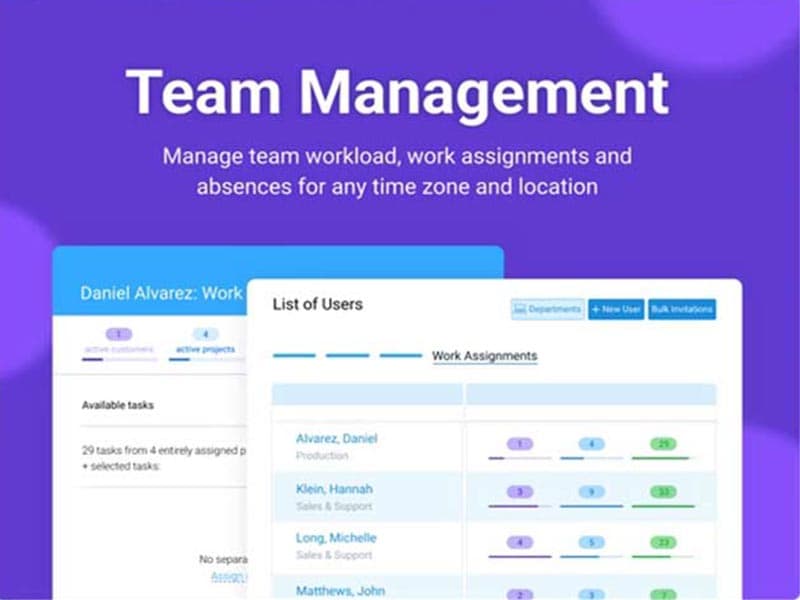
- Create tasks and assign them to team members
- Track the progress of each task and record the time spent on it
- Use timers, comments, attachments, and tags to enhance workflow
- Manage work schedules, budgets, and invoices
- Generate various reports on team performance, project progress, budget, profitability, etc
- Customize these reports to suit specific goals and requirements
Who Is actiTIME For?
actiTIME is suitable for companies of all sizes, whether they’re just starting or have been in business for years. It caters to various industries and sectors, including:
- IT
- Healthcare
- Architecture
- Creative agencies
- Education
- Engineering
Is actiTIME Right For You?
Are you looking for a comprehensive, user-friendly, and secure time-tracking software that can help you optimize your workflows and improve your business performance? If so, actiTIME can be the perfect solution for you.
The software is known for its robust security measures that protect your data and ensure its integrity. It is also scalable, adjusting to the evolving needs and growth of your business.
Still not sure if actiTIME is right for you? Contact our customer support team at (661) 384-7070, and it will help you make the best decision.
actiTIME Features
Time Tracking
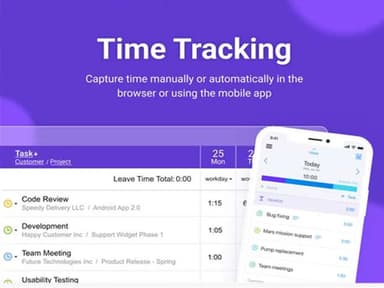
actiTIME provides comprehensive time-tracking capabilities. Users can record the time spent on different tasks and projects, enhancing productivity and efficiency. It’s a valuable feature for businesses looking to optimize their workflows and improve time management.
Work Scheduling
With actiTIME, users can manage their work schedules effectively. This feature allows for better planning and organization, ensuring that tasks are completed on time and resources are utilized optimally.
Budget Management
The software offers budget management features that help businesses keep track of their finances. Users can manage their budgets, monitor expenses, and generate invoices, contributing to better financial management and profitability.
Reporting
This feature provides detailed reports on team performance, project progress, budget, and profitability. These reports offer valuable insights that can guide decision-making and strategy formulation.
Task Management
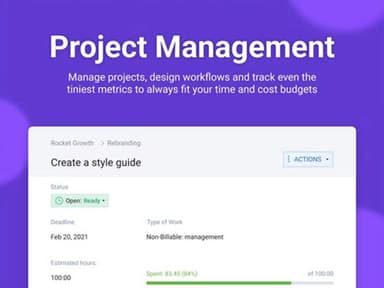
This feature empowers users to maintain control over their projects by tracking task estimates, deadlines, comments, and statuses. This flexible feature supports simple time tracking, allowing users to record time spent on work assignments. It also empowers users to automate billing through billable and non-billable tasks, along with user and task-specific rates.
Pros And Cons of actiTIME
Pros
Cloud-based accessibility
Useful for tracking time-sheets
User friendly interface
Flexible hosting options
Cons
Customer service can be improved, according to some actiTIME reviews
Automatic reminders functionality can be improved
actiTIME Pricing
Free actiTIME Online | actiTIME Online | actiTIME Self-Hosted |
|---|---|---|
$0per user per month | Starting price - $7per user per month | $120per user |
|
|
|
Disclaimer: The pricing details were last updated on Sep 25, 2026 from the vendor's website. Please contact us for a tailored pricing list.
actiTIME Reviews
Total 49 reviews
4.6
All reviews are from verified customers
Rating Distribution
5
Stars63%
4
Stars35%
3
Stars2%
2
Stars0%
1
Stars0%
Share your experience
Architecture & Planning, 1-10 employees
More than a year
“Great time tracking software”
Pros
ActiTime simplifies the addition of projects and tasks, enabling the tracking of billable and non-billable time on each project. This aids in improving time estimation for cost estimating on future projects.
Cons
Software support has proven challenging despite the apparent simplicity of the software. There is no option to export a database or back up project information.
Rating Distribution
Ease of use
10
Value for money
8
Customer Support
6
Functionality
8
Public Relations and Communications, 1-10 employees
More than a year
“Make the basic functions more easy to use”
Pros
Underscoring the importance of time tracking, reports, and the cost of services.
Cons
There's complexity associated with utilizing certain figures.
Rating Distribution
Ease of use
7
Value for money
8
Customer Support
10
Functionality
7
Information Technology and Services, 1-10 employees
More than a year
“actiTIME has been great for time-tracking projects in our business”
Pros
Offers substantial functionality at no cost, crucial for our needs. Key features include time tracking, seamlessly integrating with other SaaS products like Wave and ClickUp, and carrying information into invoices. Project setup and time-tracking work exceptionally well, effectively meeting our current needs.
Cons
The reports and invoices seem somewhat cumbersome compared to Wave and other competitors. Recalling recurring billing items unrelated to expenses or time-tracking on invoices is not possible; hence, we manually add fixed monthly billing items.
Rating Distribution
Ease of use
10
Value for money
10
Customer Support
10
Functionality
10
Frequently Asked Questions
How does actiTIME help track time for profitable projects?
actiTIME enables time-tracking at the task level, a crucial feature for optimizing resource allocation across various projects and clients. Users can track time against specific projects and tasks directly from the easy-to-use timesheets.
What types of pricing plans does actiTIME offer?
The software offers free and monthly online plans starting at $7/user/month, with discounts for larger teams, and customized fixed cost plans. They also provide a self-hosted option at a one-time payment of $120/user. Custom actiTIME pricing is available.
What language does actiTIME support?
The software supports the English language.
Does actiTIME offer an API?
Yes, the software has an API available for use.
How does actiTIME help maximize billable hours?
ActiTIME's timesheet feature offers flexibility to track work done against different projects, tasks and clients throughout the day. This level of granular time-tracking helps ensure all billable hours are accurately captured against the correct billable activity/project.
Does actiTIME support mobile devices?
The software supports mobile devices.
What level of support does actiTIME offer?
actiTIME project management software provides support via email/help desk, chat, phone support, and also offers a FAQs/Forum and knowledge base.
Who are the typical users of actiTIME?
actiTIME is suitable for all-sized companies in various sectors, including consulting services, creative agencies, the IT industry, and educational institutions.
What other apps does actiTIME integrate with?
actiTIME integrates with Microsoft Outlook, Zapier, Zoom, Jira, Google Drive, Trello, and QuickBooks.