




Last Updated
Overview
Explore the power of Celoxis, a robust project management solution. With its intuitive interface and agile features, managing projects becomes seamless. From startups to large-scale enterprises, Celoxis caters to all, making task management streamlined and efficient.
Celoxis Specifications
- Time Tracking
- Task Management
- Reporting
- Budget Management
Celoxis Features
Project Planning And Scheduling
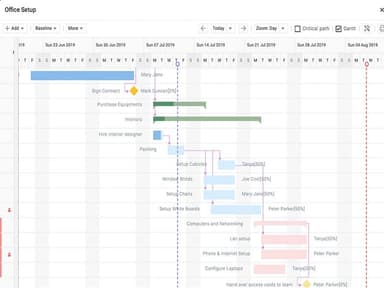
Celoxis offers an intuitive drag-and-drop interface for creating and managing project schedules. It also provides advanced scheduling options, such as resource leveling, task dependencies, and critical path analysis.
Resource Management Tools
The software allows users to easily manage resources across multiple projects. It also provides tools for time tracking, resource utilization, and forecasting future resource needs, facilitating capacity planning.
Reporting And Analytics
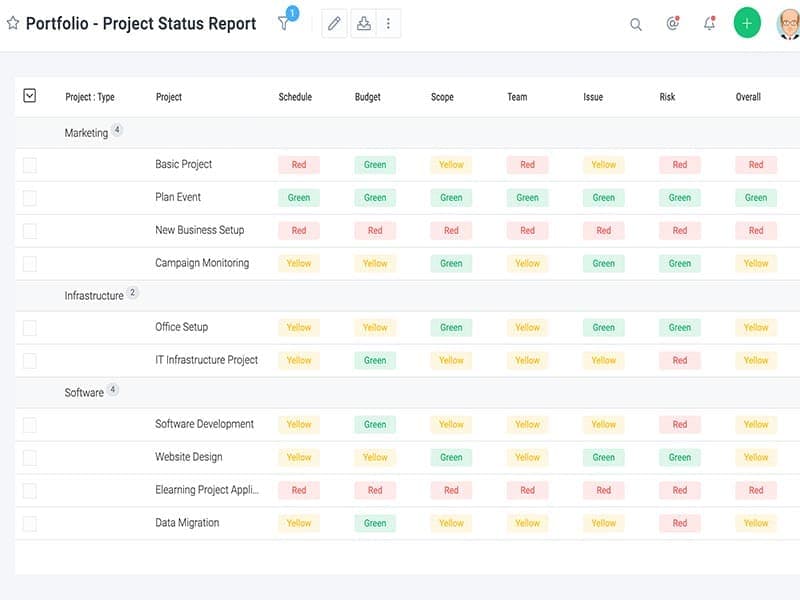
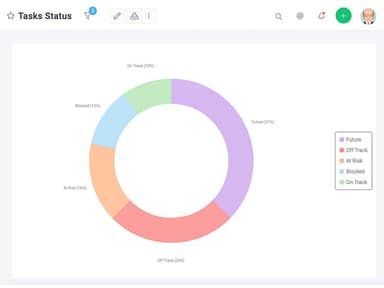
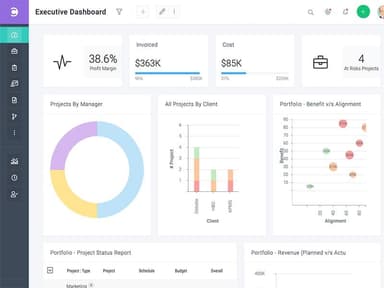
Celoxis project management provides comprehensive, in-depth reporting capabilities, including customizable dashboards and reports that can be used to track progress and identify areas of improvement. Moreover, it offers Gantt charts to simplify complex projects using snap graphics.
Collaboration And Communication
Various team collaboration tools are available, such as discussion boards, chat rooms, document sharing, task assignments, and a free client portal. These tools help teams stay connected and work together more effectively, making business processes more connected.
Budgeting And Cost Tracking
Celoxis lets users easily track costs across multiple projects and compare actual expenses against budgeted amounts. This feature helps organizations better manage their finances and ensure they stay within budget on all projects.
Pros And Cons of Celoxis
Pros
An all-in-one solution to manage complex projects
Robust reporting and dashboard capabilities
Flexible workflow automation and customization options
User-friendly design for easy navigation
Cons
The learning curve for mastering customization and advanced features
On-premise deployment options can be increased
Reporting may require technical skills
Celoxis Pricing
Cloud | On-Premise |
|---|---|
Custom | Custom |
|
|
Disclaimer: The pricing details were last updated on Sep 14, 2026 from the vendor's website. Please contact us for a tailored pricing list.
Celoxis Reviews
Total 53 reviews
4.5
All reviews are from verified customers
Rating Distribution
5
Stars57%
4
Stars38%
3
Stars4%
2
Stars2%
1
Stars0%
Share your experience
Computer & Network Security, 11-50 employees
Less than a year
“Budget-friendly with great value”
Pros
Celoxis ranks among the most budget-friendly platforms for managing projects and collaborating with teams. Plus it gives great value for the price while keeping security in place. The mix of safety and affordability is exactly what customers want!
Cons
I notice a fair amount of micromanagement that negatively affects staff and the company enforces strict office-only attendance with inflexible working hours.
Rating Distribution
Ease of use
10
Value for money
10
Customer Support
10
Functionality
10
Legal Services, 11-50 employees
More than a year
“good customization options, bad UI”
Pros
I really like how the customization options let me create workflows that match our government filing procedures which helps prevent mistakes.
Cons
The cluttered interface and the overload of options made locating even basic tasks unnecessarily difficult turning routine use into a complicated and annoying experience. I have also notice customer support can be slow to answer questions about customizations.
Rating Distribution
Ease of use
10
Value for money
8
Customer Support
4
Functionality
6
Information Technology and Services, 11-50 employees
Less than a year
“provides full toolkit, great for small teams”
Pros
It includes a full set of project management tools that work well for small teams. What I like most is that we can generate BI-grade reports directly inside the platform. Their customer service is responsive too as they respond within an hour. Overall I feel it is a great choice for small-scale companies.
Cons
On mobile I have noticed several issues. Such as the app can be glitchy and the interface feels a little confusing for new users. I ended up needing a professional to help configure the software properly.
Rating Distribution
Ease of use
6
Value for money
10
Customer Support
10
Functionality
10
Frequently Asked Questions
Does Celoxis offer an API?
Yes, API access is available.
What languages does Celoxis support?
The software supports English.
What other apps does Celoxis integrate with?
The platform can integrate with various third-party apps, like Trello and Harvest.
Does Celoxis support mobile devices?
It is compatible with both Android and iOS devices.
What types of pricing plans does Celoxis offer?
The Celoxis software cost depends on a pay-per-use model based on Cloud and On-premise plans. This software also offers a free trial for its users to better understand all the necessary features.
Who are the typical users of Celoxis?
Small to large businesses in various industries and sectors can use the software. Some are Google Forms, Jira, Trello, GitHub and many more.