Last Updated

Key Takeaways

Generated from the text of customer reviews

AvidXchange is an Accounts Payable (AP) and Payment Automation platform that helps finance and accounting teams in real estate and construction. Reviewers consistently find uploading and approving invoices simple to learn and quick to do. Others report slow replies from customer support, sometimes taking days. Recent updates include a completed Workday integration for supplier payments.

Our Verdict

AvidXchange is a reliable AP automation option for mid-market and multi-entity organizations that manage high invoice volumes and complex approval workflows. HOAs, construction, nonprofits, and financial services can benefit from its depth integrations and reduced reliance on their existing accounting systems. Users also note its pricing as a key reason to choose it. We recommend it for teams carrying steady invoice volume, less so for smaller operations with light payables.

AvidXchange Specifications

  • Accounts Payable
  • Invoice Management
  • Audit Trails
  • Vendor Management
View All Specifications

What Is AvidXchange? 

AvidXchange handles the invoice and payment work a finance team would otherwise do by hand. It records and digitizes incoming supplier invoices, reducing the need for manual processing from the buyer’s office. The software turns each one into a digital record and matches it to a purchase order. 

It then sends the invoice to the right approvers. Once approved, AvidXchange pays the supplier by virtual card, bank transfer, or check. The buyer's own accounting system holds the records the whole time, so nothing needs replacing. 

What Is AvidXchange Best For? 

AvidXchange stands out for its 'Invoice Automation,' which runs on artificial intelligence. The platform captures every invoice a business receives, including handwritten ones, and the invoice capture agent extracts the data. That agent learns from past approvals, so more invoices pass through without manual touchpoints. The AI Approval Agent then recommends an outcome, while approvers keep the final decision. This helps users lower the repetitive tasks and train AI for their invoice processing efficiency. 

How Much Does AvidXchange Cost? 

AvidXchange pricing begins at $440/month.

In addition to its base subscription, organizations should also budget for these costs: 

  • Implementation And Onboarding: Approximately $4,000–$40,000 one-time; the vendor runs a five-stage implementation, and multi-entity setups cost far more than single-entity ones 
  • Supplier Network Onboarding: Around $50–$300/entity/year; property and association managers license by entity rather than by user seat 
  • Invoice Volume Overages: Typically, $1.50–$5.00/invoice; paper invoices pass through a vendor-run mailbox service, and staff validate what the software extracts 
  • Payment Execution: Virtual Mastercard costs nothing and earns rebates, AvidPay Direct runs $0–$0.75/payment, and paper checks cost $0.75–$2.50 each 
  • Add-On Modules: Roughly $2,000–$15,000/module/year for utility bill processing, lien waiver management, and AvidAnalytics 
  • Custom Accounting Integration: Generally, $3,000–$20,000 one-time; anything outside the pre-built connector library needs an engineering build 
  • Supplemental Training: About $1,000–$8,000 one-time; self-serve courses are free, so this covers instructor-led sessions and large rollouts

Reviewers describe the pricing model as straightforward and often name cost as a reason for choosing AvidXchange over alternatives. The software works well for its cost, but support concerns raise questions about its overall value. 

For accurate pricing based on your organization’s needs, it’s recommended to request a custom AvidXchange cost estimate. 

Disclaimer: Pricing references are based on publicly available third-party information and industry benchmarks. Actual costs may vary. 

AvidXchange Integrations 

AvidXchange integrates with a number of third-party platforms, including: 

How Does AvidXchange Work? 

Here is how the software handles work from invoice to payment: 

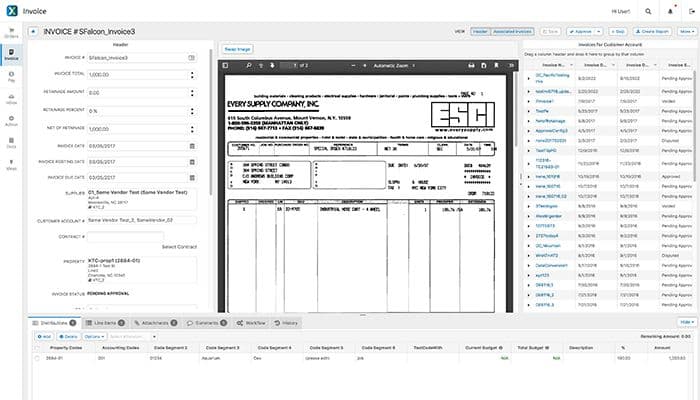
  • Log in to the AvidXchange portal to view invoices and their current status 
  • Connect the accounting system, which holds the records and receives processed data back 
  • Receive supplier invoices at a designated post office box and email address, where an ingestion service converts paper to digital format 
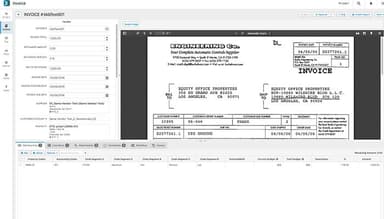
  • Review invoice data that artificial intelligence extracts, with expert indexers checking flagged fields 
  • Route invoices through approval workflows that match the steps a business already follows 
  • Dispute or void an invoice where permissions allow 
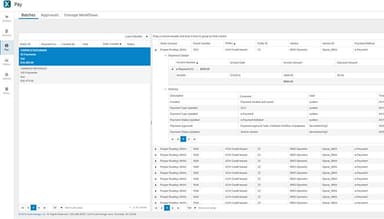
  • Select approved invoices for payment and issue funds by virtual Mastercard, AvidPay Direct, or paper check 
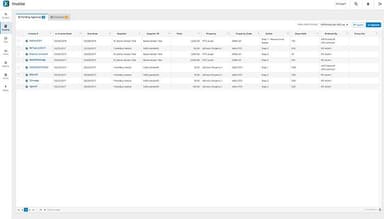
  • Track invoice stages, run reports, and export invoice history for audits and research
Users can schedule a free AvidXchange demo to learn more about its use cases for businesses. 

Who Is AvidXchange For? 

AvidXchange is ideal for a wide range of industries and sectors, including: 

  • Real estate 
  • Hospitality 
  • Construction 
  • Financial services 
  • Nonprofit

AvidXchange Use Cases 

Based on our analysis of AvidXchange features, we have identified the following key business scenarios where it is well suited: 

  1. Nonprofit Teams Running Payables With Small Staff 

Nonprofit finance teams process invoices from the same vendors every month with very few staff through AvidXchange. It codes those recurring invoices automatically. Review then narrows to checking details, and the spend history it builds lets program staff pull budget reports. Reviewers on small teams say the system is simple to learn and quick to use. 

  1. Banks Managing Payables Across Many Branches 

Banks running accounts payable across many branches turn to AvidXchange to centralize invoices intake instead of manual moving paper invoices. In this regard, its OCR and automated general ledger capabilities reduce manual data entry for each invoice. Moreover, finance teams get thorough visibility with the tracking of each invoice’s processing timeline. This helps them check where the approvals are stalling. Users mention that the software keeps pace as invoice volume grows and stays dependable year after year. 

  1. Property Managers Handling Invoice Exceptions 

When property managers review invoices from communities across the countries, they notice exceptions when supplier and ship details might have several possible matches. To avoid this, AvidXchange’s automated invoice tool learns the repetitive pattern from earlier invoice data. It applies that pattern of history to reduce the number of these exceptions. Eventually, there is less time spent on manual corrections or dealing with invoice discrepancies. Users also note that tracking invoices and locating past records is straightforward with AvidXchange. 

  1. Accounts Payable Teams Running Weekly Payment Cycles 

Commercial real estate teams managing large property portfolios spend a lot of time manually each week printing, signing, and mailing checks. In this regard, the software captures and extracts invoice data accurately in large volumes and then issues electronic payments in place of printed checks. This helps shorten payment runs and reduces the amount of paper checks in circulation. Moreover, it limits fraud exposures. Customers often note that paying invoices takes little more than downloading them to a queue and submitting. 

Is AvidXchange Right For You? 

AvidXchange fits teams that want to keep the accounting system they already run by adding automation above that system, and the records stay where they are. The platform also enrolls suppliers into its payment network, which spares users from manual work. Businesses like Colliers International, San Antonio Zoo, SmartBank, Hampton Golf, and Westport Construction use AvidXchange for their account payable operations. It provides SOC 1 Type 2 and SOC 2 Type 2 compliance and follows the PCI DSS and NIST Cybersecurity Framework (CSF) standards.

Still unsure whether AvidXchange software is the right fit for you? Contact us at (661) 384-7070 for further guidance regarding its functionality. 

AvidXchange Features

Purchase Order Automation

This feature helps move approved purchase orders into the invoice workflow. The software compares each invoice line item against its purchase order line during review. Moreover, administrators can create purchase orders in AvidBuy or import them from the connected accounting system, then apply two-way or three-way matching to invoices. The solution matches each supplier's invoice to its purchase order once the order has been processed.

See How It Works
Payment Automation

AvidXchange issues supplier payments once approval finishes. Throughout the run, the accounting system stays the system of record. After the run, the software returns detailed payment information files that support reconciliation. Moreover, its customizable workflows show payment and approval status in real time.

See How It Works
AvidXchange Analytics

Analytics is an embedded business intelligence tool for accounts payable reporting. It draws on the invoice, payment, and purchase order products, so one dashboard covers the full cycle. Users can open pre-built dashboards and customize them for their preferences. Its AI enables users to ask questions in everyday language, which keeps query writing out of the process. Its answers cover invoice status, approval cycle times, and payment activity.

See How It Works
Lien Waiver Management

Lien waivers run inside AvidXchange TimberScan. The software creates a waiver to record the moment staff enter an invoice, select it for payment, or pay it. Each record attaches to its matching invoice, which covers partial and final waivers in conditional and unconditional form. Reusable templates speed up the ones staff prepare themselves. Plus, its automated reminders cover the documents still missing, and outstanding waivers appear grouped by vendor.

See How It Works
AvidXchange Artificial Intelligence (AI)

Its embedded AI runs across the AP lifecycle within AvidXchange. It scans and extracts invoice data first, and indexing services validate what it produces. Over time, it learns the account codes tied to each location and applies them to later invoices. Also, it lowers the chances of fraud as it keeps a note of behavior and transaction patterns, then adjusts its detection rules.

See How It Works

Pros And Cons of AvidXchange

Pros

  • Saves time by capturing invoice data automatically

  • Improves audit readiness with approval timestamps

  • Keeps invoice records organized in one place

  • Protects sensitive data with user permissions

  • Reduces paperwork with digital invoice storage

  • Improves team collaboration through internal notes

Cons

  • Check status labels could be clearer

  • Reporting options may feel somewhat limited

  • Duplicate detection may need occasional review

AvidXchange Reviews

Total 46 reviews

4.3

All reviews are from verified customers

Rating Distribution

5

Stars

65%

4

Stars

17%

3

Stars

9%

2

Stars

4%

1

Stars

4%

Share your experience

G

Georgiana

Product, Custom Product, Small Business, 11-50 employees

More than a year

5.0
June 2024

AvidXchange

Pros

I love the ease of using Avid. It is simple to upload invoices and approve them within the system.

Cons

When I first started using AvidXchange over 2 years ago, it took me some time to learn the system as a new user.

Rating Distribution

Ease of use

10

Value for money

10

Customer Support

10

Functionality

10

A

Ally

Real Estate, 51-100 employees

Less than a year

5.0
May 2024

Accounting Time Saver!

Pros

Avid makes it very easy for me to pay invoices. I can download them to a queue and input all the necessary information. Reviewing the invoice and clicking submit is all it takes. This saves me a significant amount of time per invoice.

Cons

I have a dislike for the capture system. If an invoice is flagged as a duplicate incorrectly, there is no easy way to proceed with processing it.

Rating Distribution

Ease of use

10

Value for money

10

Customer Support

10

Functionality

9

S

Shana

Real Estate, 1-10 employees

More than a year

5.0
April 2024

A great program to have!

Pros

The ease of use is what I loved about Avid. The learning curve is minimal, and the invoicing process is efficient from start to finish. It gets the job done, and I would highly recommend this program to anyone in need of invoice processing software.

Cons

Sometimes, searching for the status of an invoice can be challenging. In my experience, searching by name alone has not always been sufficient when I lack further information. I would suggest adding a shortcut for invoice searches.

Rating Distribution

Ease of use

10

Value for money

10

Customer Support

10

Functionality

10

Frequently Asked Questions

What types of pricing plans does AvidXchange offer?

The pricing of AvidXchange starts at around $440/month. Get in touch for a tailored AvidXchange price estimate.

Does AvidXchange offer an API?

Yes, it offers an API.

What language does AvidXchange support?

The platform currently supports the English language.

What other apps does AvidXchange integrate with?

AvidXchange integrates with various third-party systems, such as Oracle NetSuite, QuickBooks, Sage, Acumatica Cloud ERP, and Centerbase.

Does AvidXchange have a mobile app?

Yes, AvidXchange offers a mobile app.

Who are the typical users of AvidXchange?

Businesses use AvidXchange features across multiple sectors and industries, including real estate, hospitality, construction, and financial services.

What level of support does AvidXchange offer?

AvidXchange offers customer support through a help center, an AvidXchange academy, email, chat, phone, and ticket submission.