


Workiva Software
Last Updated
Overview
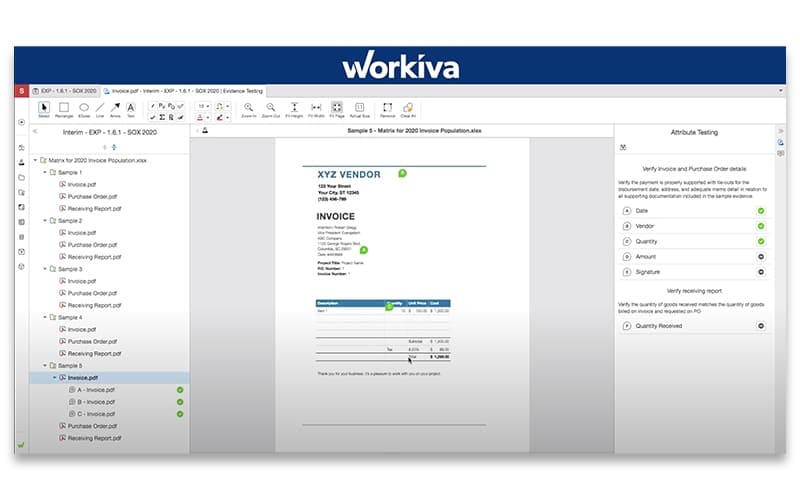
Workiva Software is designed to connect key departments with real-time, audit-ready data and simplify complex reporting processes. It offers user-friendly tools for financial reporting, audit, and risk management. While the interface may seem overwhelming for new users and some advanced features require additional training, it remains a powerful solution for enhancing team efficiency.
Workiva Software Specifications
- Financial Reporting
- Audit Trails
- Financial Statements
- Customizable Reports
What Is Workiva Software?
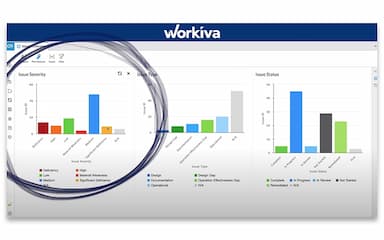
Workiva is a cloud-based software that enables businesses to handle important reporting tasks efficiently. It combines tools for financial reporting, sustainability efforts, and risk management into a single platform. By connecting information that's usually kept separate, it helps teams work more effectively. The software is designed to help users maintain an organized system and is accessible through a secure connection.
Workiva Software Pricing
Workiva Software Integrations
The software supports integration with multiple systems and platforms, including:
- Salesforce
- Amazon
- Anaplan
- Google Drive
- Dropbox
- NetSuite
- Workday
Who Is Workiva Software For?
Workiva Software is designed for a range of teams and industries that need to manage financial reporting, sustainability, and audit/risk, including:
- Government
- Banking
- Insurance companies
- Energy and utilities
- Higher education
Is Workiva Software Right For You?
If you are looking for a single platform to handle financial reporting, sustainability, audit, and risk management, Workiva Software is best for you. It connects departments with real-time data, ensuring smooth collaboration and oversight to meet stakeholder requirements. For businesses seeking efficiency and transparency in reporting, Workiva is a valuable solution.
Still not sure if Workiva software is the right fit for you? Connect with our customer support staff at (661) 384-7070; they will help you make an informed decision.
Workiva Software Features
Gen AI Enhancements
Workiva Software’s AI is a smart reporting assistant. It facilitates teams in quickly drafting content, verifying facts, and refining ideas while keeping everything safe and accurate. It makes reporting easier by minimizing the chances of error and reducing manual work. Additionally, it allows professionals to focus on strategic decision-making instead of tedious data entry.
Smart Links And Shareable Data Library
This is the smartest way to handle, update, and organize data across different reports. By linking data seamlessly, it eliminates the need to manually correct outdated information, making it easy to store, locate, and reuse content. Smart links keep everything in check, so you don’t have to worry about errors or outdated numbers ruining your work.
Dynamic Table Management
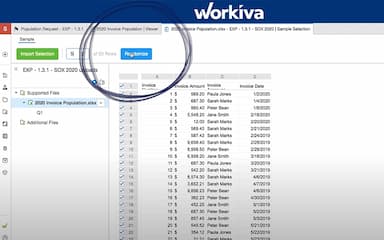
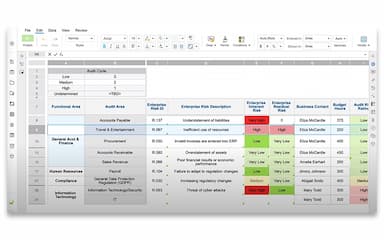
You no longer need to spend hours manually adjusting tables. This feature automates formatting and row adjustments based on set conditions, ensuring accurate and professional-looking reports. By generating error-free and structured compliance reports that are easy to read, it saves time and reduces the effort needed for thorough reviews.
Automated Workflow
Chasing people for approvals and managing spreadsheets can be stressful when working in a team. Workiva Software manages compliance tasks and reporting for you with its automated workflow. It helps teams complete more work in less time by tracking tasks, automating processes, and enhancing accuracy.
Pros And Cons of Workiva Software
Pros
Strong data linking and version control features ensure data consistency
Helps with real-time collaboration among multiple users
Excellent customer service, including 24/7 support
Cons
Difficulties and limitations with Excel integration
Website may slow down, especially during SEC filing deadlines
Workiva Software Reviews
Total 10 reviews
4.6
All reviews are from verified customers
Rating Distribution
5
Stars70%
4
Stars20%
3
Stars10%
2
Stars0%
1
Stars0%
Share your experience
Renewables & Environment, 51-100 employees
“Truly an amazing product”
Pros
In my role as Director of Financial Reporting, I use Workiva daily for SEC reporting. I found the platform very intuitive even as a first time user. The features are similar to standard Microsoft office products, making implementation a breeze. My customer service representatives have been extremely responsive, both for XBRL and general support.
Cons
I have not found many downsides but as someone new to my role, I have noticed there are so many features and taskbars on the SEC platform when working in a document that I don't always know what they do. It can be a bit overwhelming.
Rating Distribution
Ease of use
10
Value for money
10
Customer Support
10
Functionality
9
Accounting, 500+ employees
“Offers good SEC compliance solution”
Pros
Workiva is hands down the best SEC solution I have used. I love the linking, cloud collaboration and ease of filing. Customer service is also fantastic!
Cons
Honestly I don't have anything I dislike. Workiva is great!
Rating Distribution
Ease of use
10
Value for money
10
Customer Support
10
Functionality
10
Retail, 500+ employees
“Workiva aids in easy consolidated reporting”
Pros
I love how interconnected everything is and how easy it is to link data across the platform.
Cons
I would love the platform to have more flexibility when it comes to connecting documents.
Rating Distribution
Ease of use
8
Value for money
8
Customer Support
10
Functionality
9
Frequently Asked Questions
Workiva software have a mobile app?
Yes, Workiva Software has a mobile app available for both Android and iOS devices.
What language does Workiva software support?
orkiva software supports eight languages, including English, Chinese, Japanese, Spanish, French, and German.
What types of pricing plans does Workiva Software offer?
Workiva software pricing varies depending on the unique needs of your business. Get a Workiva software cost quote that meets your business requirements and budget.
What other apps does Workiva software integrate with?
Workiva software integrates with various platforms, including Salesforce, Amazon, Anaplan, Google Drive, Dropbox, NetSuite, and Workday.
Who are the typical users of Workiva software?
The software is used by various industries and sectors, including government, banking, energy and utilities, insurance, and higher education.
What level of support does Workiva software offer?
Workiva software provides support via email, phone, inquiry form, and a dedicated support center with guides and resources.