


ZarMoney
Last Updated
Overview
ZarMoney is an intuitive software that tackles business financial tasks such as bank transactions, account receivable tracking, and vendor management. Although the lack of customizations is a bit cumbersome, ZarMoney's robust capabilities and user-friendly interface make it a valuable tool for streamlining your accounting tasks.
ZarMoney Specifications
- Financial Reporting
- Invoice Management
- Expense Tracking
- Tax Management
ZarMoney Features
Customer And Account Receivable
The software streamlines the billing process with customizable invoicing, which allows for professional and branded invoices sent via multiple channels. Businesses can manage quotes and estimates, convert them to sales orders, and track order statuses. ZarMoney also supports recurring invoices, credit card payments, and pre-payments. Such features ensure flexibility and faster payment processing.
Vendor And Account Payable
For vendors and accounts payable, ZarMoney offers tools to record and track bills, manage expenses, and set up payment schedules with a centralized Payable Center. Users can also print checks, handle purchase orders, and set bill approval workflows for accuracy and control. When it comes to efficient vendor and cash flow management, ZarMoney's extensive feature set lets you track payment discounts and attach receipts for comprehensive record-keeping.
Productivity
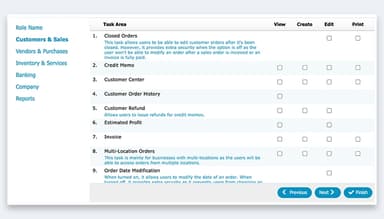
ZarMoney simplifies the reconciliation process by matching bank transactions with those recorded in the software. Users can identify discrepancies quickly and resolve them with minimal effort. The platform's scheduler helps users plan tasks and appointments, while advanced user permissions ensure data security and restrict access based on roles. Features such as notification management and document attachment can enhance daily operations.
Advanced Inventory
ZarMoney offers robust inventory management across multiple locations, with real-time tracking, barcode scanning, and categorization options. Businesses benefit from automated stock replenishment alerts, order tracking, and customizable inventory views. The platform’s ability to handle inventory at multiple sites with a central view ensures optimized stock control and supports smooth operational flow.
Accounting
The software streamlines accounting by automating bank reconciliation, ensuring accurate transaction matching and record-keeping. It also offers robust tools for managing accounts payable and receivable, tracking sales tax, and creating budgets and forecasts for better financial planning. With check printing capabilities and a clear view of cash flow, ZarMoney helps businesses manage their finances with greater confidence and precision.
Reporting
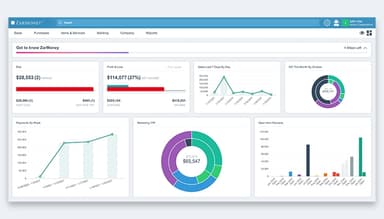
ZarMoney’s reporting capabilities offer detailed insights through customizable financial reports, including profit and loss statements, balance sheets, and expense analyses. The Insight™ tool generates interactive reports, giving users a deeper understanding of financial performance. Additional tools like revenue projections, audit trails, and customizable reports equip businesses with the data needed for informed decision-making and ensure transparency during audits.
Pros And Cons of ZarMoney
Pros
Comprehensive accounting software tools
Effective cash flow tracking
Real-time vendor management
Secure company data handling
User-friendly interface
Cons
Limited customization options
No offline mode, requires internet access
No mobile application
ZarMoney Reviews
Total 18 reviews
4.6
All reviews are from verified customers
Rating Distribution
5
Stars61%
4
Stars39%
3
Stars0%
2
Stars0%
1
Stars0%
Share your experience
Retail, 1-10 employees
Less than a year
“ZarMoney is great”
Pros
ZarMoney makes handling invoicing super simple! It removes all the uncertainty from the invoicing process. What I love most is the pay now button. I just add it to my invoice and customers can pay right away. This works perfectly for customers who prefer to pay without having to create an account.
Cons
At the moment I have no dislikes.
Rating Distribution
Ease of use
10
Value for money
9
Customer Support
9
Functionality
9
E-Learning, 1-10 employees
Less than 6 months
“Easy to use except the mobile app”
Pros
My main priority was to complete my bookkeeping as fast as possible with as much automation as I could get. Since I do not deal with invoicing, I did not want to be forced into using it. Customer support really helped me figure out how to make the software fit my needs. There were a few things I did not like so I suggested some changes for their roadmap. I was surprised when one of those changes was applied in just two days!
Cons
The mobile site layout can sometimes be difficult to use. Most of the reports are designed for invoice users but if thats what you need the reporting feature will be great for you.
Rating Distribution
Ease of use
10
Value for money
8
Customer Support
10
Functionality
10
Construction, 1-10 employees
Less than 6 months
“ZarMoney is pretty solid but can be improved”
Pros
I like how easy it is to use and how simple it is to manage everything that our business requires.
Cons
Its lacking a few features. That said the development team is very responsive and usually adds or fixes features when you bring them up.
Rating Distribution
Ease of use
10
Value for money
10
Customer Support
10
Functionality
10
Frequently Asked Questions
Does ZarMoney offer an API?
Yes, ZarMoney provides an API for flexible integration.
What language does ZarMoney support?
The software primarily supports the English language.
What other apps does ZarMoney integrate with?
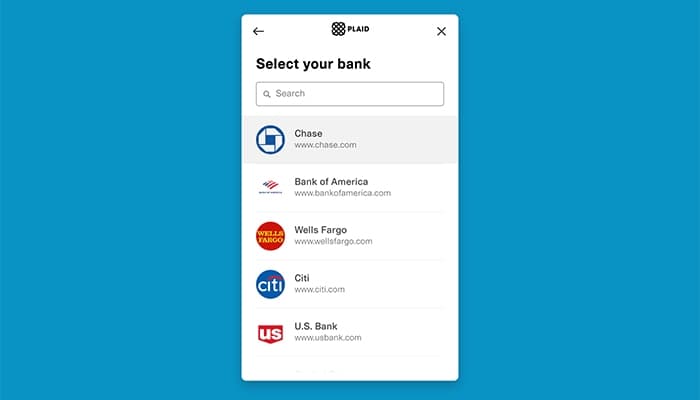
Along with major bank accounts and e-commerce platforms, ZarMoney integrates with Gusto, Stripe, and Mailchimp.
Does ZarMoney have a mobile application?
The software does not have a mobile application. However, ZarMoney can be accessed through a mobile device.
What types of pricing plans does ZarMoney offer?
ZarMoney offers three pricing plans: Entrepreneur, Small Business, and Enterprise, each tailored to different business needs. Pricing starts at $15/month for Entrepreneur, $20 for Small Business, and $350 for the Enterprise plan. Request personalized Zarmoney pricing for your business.
Who are the typical users of ZarMoney?
ZarMoney is ideal for small—to medium-sized businesses in industries such as retail, manufacturing, wholesale, and more.
What level of support does ZarMoney offer?
ZarMoney provides support through email and chat and has an extensive knowledge base. The team is available on call during working hours and offers a 24/7 live chat.