



Last Updated

Overview
Coins Construction Specifications
- Accounting
- Project Scheduling
- Project Tracking
- Document Management
About Access Coins ERP Construction Software
Access Coins ERP, a top provider of construction management software and services, offers comprehensive business solutions to the building, engineering, residential construction, and service industries. Construction industry experts developed Access Coins ERP software with the specifics and intricacies of the construction industry in mind. Serving the needs of those in the construction industry for more than 4 decades. Working with the top construction firms in the world has given our international team unmatched industry knowledge. Due to its extensive construction industry experience, Access Coins ERP can offer end-to-end solutions that boost real business value throughout the entire construction lifecycle.
Top Four Solutions By Access Coins ERP Software
Finance And Operations
Streamline all operational tasks related to building homes and other structures. Project delivery on time and within budget is ensured by the Access Coins ERP finance and operations software. Construction contractors must be able to keep record of project schedules and budgets in order to make informed decisions at every stage because the industry operates with limited margins. Access to complete and rapid information is therefore essential. An integrated set of solutions created to manage all facets of construction finances should be used instead of disconnected systems and spreadsheets. Digital accounting makes all aspects of finances—from customers to suppliers, payroll to goods-received notes—much simpler to manage and audit.
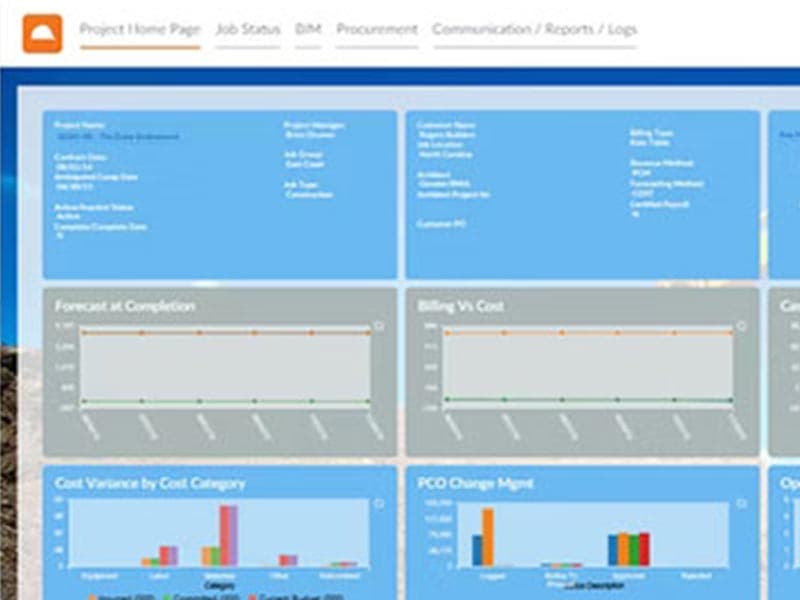
It's essential to the smooth operation of projects to have a streamlined process to handle various employees from a financial, operational, and compliance standpoint in a sector that employs numerous people in various departments, subcontractors, and other third parties. Access Coins ERP offers robust business planning and forecasting tools that make monthly reporting easier to understand and faster to complete. These tools can help you compare planned, actual, and forecasted profitability variations. Effective "at-a-glance" dashboards give you an instantaneous view of project performance. Experts from Access Coins ERP, who specialise in the construction industry, can assist you in streamlining and standardizing processes from beginning to end for your financial, commercial, operational, and management endeavours.
Supply Chain Management
With Access Coins ERP construction software, each phase of your project can be seamlessly integrated. Enhance communication between your team, suppliers, and stakeholders by boosting each link in the chain. You'll also save time and paper. Access Coins ERP supply chain solutions aren't just software that can be used in construction; they're made specifically for it. They'll turn your supply chain into an integrated, tightly-woven unit. Put an end to missed deadlines, late payments, and non-compliance.
With Access Coins ERP industry-leading supply chain management software for construction, automate procurement processes, cut administrative costs, and boost efficiency. Cloud-based supply chain management software for the construction industry gives you access to real-time data and financial insights, improving your decision-making and giving you the tools you need to keep your project on track from start to finish.
Project Delivery
The challenges facing the construction and homebuilding industries are the focus of the Access Coins ERP construction delivery software. When needed, the entire team will have access to project data that is kept on a single platform. All aspects of construction projects, including billing, issues, and document management, are united by Access Coins ERP solutions, which offer a coordinated and integrated experience. In order to help project managers stay ahead of project advancements at all times, Access Coins ERP gives them the tools they need. This increases visibility, speeds up key processes, and lowers risks like going over budget or struggling to meet health and safety regulations.
The biggest challenge in managing construction projects is change. In order to prevent delays and maintain project budgets, Access Coins ERP project delivery software makes sure that project managers can log, interact, and eventually deal with change more effectively. By enabling quick, secure processes and giving project managers access to real-time data, Access Coins ERP solutions offer outstanding value to project managers and guarantee the best decisions are made every time. The value gained from initiatives being completed more quickly, more cheaply, and with higher-quality work will be increased by Access Coins ERP' construction project delivery software. Compliance best practices can be effectively applied with more precise data and improved communication.
Service Management
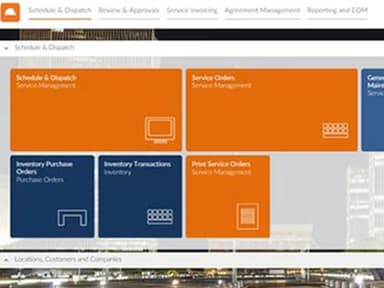
By streamlining service management, you can make sure that your technicians, field staff, and other resources are used effectively, saving time and money. The back office, managers, and site teams are able to avoid mistakes and complete their work more quickly, better, and intelligently thanks to increased visibility throughout all service management procedures and access to real-time data and information. With greater access to information across all building, homebuilding, and development activities thanks to Access Coins ERP cloud-based service management software, technicians and site-based teams can deliver the most value and efficiency possible.
Regardless of where you are located, you can manage purchases, access critical project information, and create reports using any device. Your team can work efficiently whether they are based in the office or working remotely thanks to the Access Coins ERP cloud-based platform.
Access Coins ERP Software Pricing
Last Few Words!
You can contact our customer support on this (661) 384-7070.
Pros And Cons of Coins Construction
Pros
Offers easy and quick access to subcontractor data
Helps manage multiple large construction projects
Allows using different fields to find and sort data
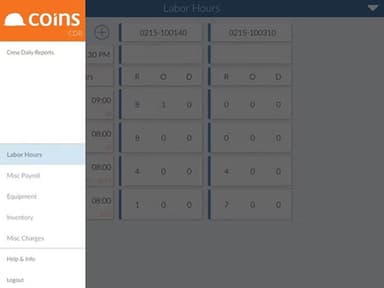
Supports adding images and notes on equipment issues
Cons
Technical support can be improved
Lacks advanced accounting features
Coins Construction Reviews
Total 25 reviews
4.5
All reviews are from verified customers
Rating Distribution
5
Stars56%
4
Stars40%
3
Stars4%
2
Stars0%
1
Stars0%
Share your experience
Construction, 101-500 employees
Less than a year
“Easy to use construction software”
Pros
I find it incredibly easy to collect and organize information for subcontractors without any hassle. The system allows me to quickly access and compile the necessary details, making the entire process smooth and efficient. This effortless ability to gather and manage subcontractor data significantly enhances my workflow and productivity.
Cons
The format of COINS needs to be updated.
Rating Distribution
Ease of use
8
Value for money
8
Customer Support
8
Functionality
7
Construction, 51-100 employees
Less than a year
“Ideal choice as a construction management tool”
Pros
This software excels in managing multiple large construction projects, making planning and budgeting for complex Construction and Engineering projects so smooth. Handling financial and project resources is really simple with this and it's the most simple platform for managing workflow and the best scheduling system.
Cons
I find it to be excellent for managing costs on large Construction and Engineering projects but the technical support could use some improvement.
Rating Distribution
Ease of use
10
Value for money
10
Customer Support
10
Functionality
10
Not Specified, 51-100 employees
Less than 6 months
“Good but can be better”
Pros
It stand out feature is the way you can search, view and manage your data. When searching for specific data, you can use many different fields to find what you need and for a range of data, you can search across various fields. You can also customize how your data is displayed on almost every page, similar to Excel, where you can adjust columns and sorting. These features are fantastic because other software often limits searches and displays data in a single way. With thi, you can easily adjust how you view your data based on your focus and quickly export reports or search results to an Excel document.
Cons
I spend most of my time working with accounts payable in Coins and I don't think it has the best accounting features. When entering invoices, I'm directed to screens that only show data entry and matching pages, without a feature to view the invoice while entering information. I can only add the invoice document as an attachment and have to navigate to another page to see it. I've used accounting software that lets you automatically upload invoices and work on entering and coding them while the invoice is visible on the same screen. With Coins I've had to find a different way outside of the software to manage my invoices and attach them as I go.
Rating Distribution
Ease of use
4
Value for money
4
Customer Support
5
Functionality
6
Frequently Asked Questions
Does Access Coins ERP construction software offer an API?
What language does Access Coins construction software support?
It supports the English language.