Last Updated

Key Takeaways

Generated from the text of customer reviews

Jotform is a no-code form builder and data collection platform used across industries for surveys, onboarding, and workflows. Users value Jotform’s drag-and-drop builder, templates, and automation tools, though some report mobile display issues, making it better suited for small businesses needing scalable, compliant data collection. Recent updates include AI Agents, Jotform Boards, and ChatGPT integration.

Our Verdict

Jotform works best for small to mid-sized organizations that need structured data collection without technical overhead. Nonprofits, legal service providers, and healthcare teams get the most value given its HIPAA support and workflow automation. Pricing stays manageable at entry tiers but escalates for growing teams. We recommend Jotform for organizations prioritizing no-code scalability over advanced customization.

Overall Rating

Based on 1242 users reviews

4.6

Rating Distribution

Positive

96%

Neutral

3%

Negative

1%

Starting Price
$39

per month
Jotform Specifications

  • Role-Based Permission
  • Security Features
  • Integration with Third-party Tools
  • Analytics and Reporting
View All Specifications

What Is Jotform?

Jotform is a user-friendly platform that simplifies form creation and data collection for businesses and individuals. It enables users to build and customize forms for various purposes, including surveys, registrations, contact forms, and applications. The solution allows for seamless integration with various popular services, a free plan with options for scaling, and features like Jotform Sign for secure e-signatures and Jotform Report Builder for visual PDF reporting.

Beyond form building, Jotform's platform now spans AI Agents, PDF automation, app building, scheduling, and workflow automation, making it a comprehensive no-code data collection and process management suite. With 20,000+ ready-made templates, teams can get up and running instantly without starting from scratch.

What Is Jotform Best For? 

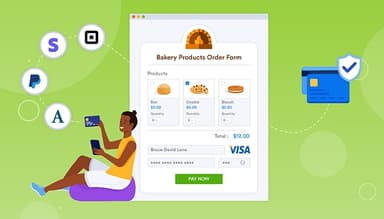
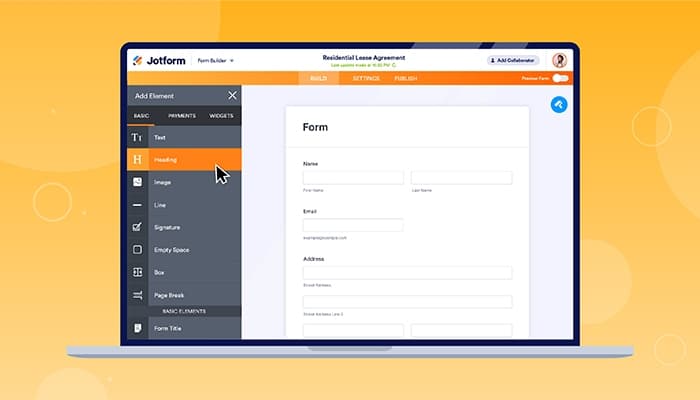
Jotform's no-code drag-and-drop Form Builder is its most celebrated capability. From client intake forms and event registrations to payment collection and employee onboarding, teams across industries can go from a blank canvas to a published, professional-grade form in short time.  

With the tool, users can drag fields, apply branding, set up conditional logic, and embed forms across any device without writing a single line of code. This makes it the go-to for organizations looking to digitize data collection fast, without depending on a developer. 

How Much Does Jotform Cost? 

Jotform's paid plans start at $39/month for Bronze plan. Pricing scales across four tiers depending on form limits, submission volume, storage, and feature access, with an Enterprise option available for larger organizations with custom requirements. Other plans include: 

  • Starter — Free 
  • Silver — $49/month 
  • Gold — $129/month 
  • Enterprise — Custom pricing 

Beyond the standard subscription pricing, organizations using Jotform may also incur a few indirect or usage-based costs depending on scale and workflow complexity, including: 

  • Implementation And Onboarding - Costs range $0–$1,500 depending on setup complexity and initial configuration needs 
  • Data Migration - $500–$5,000 depending on data volume and formatting requirements 
  • CRM/Email Integration Setup - Expenses usually sit between $500–$7,500 based on integration depth and tools used 
  • Staff Training - Typically $0–$2,500 depending on training scope and number of users involved 
  • Ongoing Integration Maintenance - Annual costs range $500–$5,000 based on system updates and support needs 

Users generally describe Jotform’s pricing as reasonable for the value offered, especially given its customization and functionality. However, several reviewers note that costs can rise quickly as usage grows, with free and lower tiers feeling restrictive for expanding teams. 

Users can request a detailed Jotform price analysis that fits their organization.

Disclaimer: The pricing is subject to change. 

How Does Jotform Work? 

Jotform's entire workflow runs from build to publish to data management without writing a single line of code. Here’s how to get started: 

  • Sign up or log in to your Jotform account to access the full form-building dashboard 
  • Build custom forms from 20,000+ templates or start fresh using the drag-and-drop builder 
  • Add conditional logic to create dynamic, branching forms that adapt to every response 
  • Connect to 200+ apps directly from the Integrations tab inside the Form Builder 
  • Publish forms via shareable link, embed code, QR code, or direct email with no developer required 
  • Route submissions automatically to Jotform Tables, visual reports, or any connected third-party platform 
  • Convert submissions into branded PDF documents instantly using the Jotform PDF Editor 
  • Collect legally binding e-signatures on contracts, NDAs, and invoices using Jotform Sign 
  • Deploy AI Agents to automate conversational data collection across web, phone, and messaging channels 
Users can schedule a Jotform demo to see the software in action.

Jotform Integrations

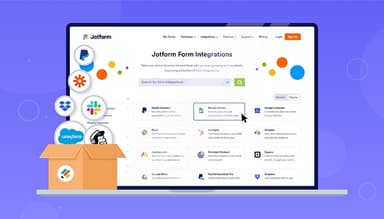
Jotform integrates with various third-party applications, including:

Who Is Jotform For?

Jotform serves various industries and sectors, including:

  • Government
  • Healthcare
  • Summer camps
  • Restaurants and groceries
  • Churches
  • Animal shelters
  • Photography
  • Education professionals
  • Small businesses
  • Nonprofit organizations
  • Creative agencies

Jotform Use Cases

Based on user feedback and Jotform’s current capabilities, we have identified key scenarios where this software fits well for organizations managing structured data collection, client intake, and digital form workflows.

1. Client Intake And Onboarding For Service-Based Businesses

Jotform is commonly used by service providers that need to standardize how they collect client information at the start of a relationship. Businesses such as consulting firms, agencies, and legal services use it to gather intake details, consent forms, and basic documentation before engagement begins. This reduces reliance on back-and-forth emails and ensures consistent data capture across clients. Teams can route submissions internally for review and follow-up, helping maintain a predictable onboarding flow.

2. Application And Registration Workflows For Public-Facing Organizations

Organizations that handle high volumes of applications or registrations often use Jotform to centralize submissions. This includes education providers, nonprofits, event organizers, and membership-based groups. Instead of managing paper-based or fragmented digital submissions, teams can collect structured responses in one place. This helps administrative staff track applicants, validate entries, and manage approvals more efficiently.

3. Data Collection For Surveys, Feedback, And Internal Reporting

Jotform is suitable for teams that regularly collect structured feedback from customers, employees, or stakeholders. Businesses use it to run surveys, post-service feedback forms, and internal reporting forms across departments. Responses are stored in a centralized system, which helps teams organize and review information without relying on manual consolidation. This supports more consistent data handling across recurring feedback cycles.

4. Document Signing And Agreement Handling For Remote Operations

Organizations that manage lightweight agreements, approvals, or consent-based documents often use Jotform to digitize signature workflows. This is relevant for remote teams, distributed service providers, and organizations working across multiple locations. Instead of printing or manually routing documents, users can send forms for digital completion and signature. This helps reduce delays in approval cycles and supports remote-first operational models.

Is Jotform Right For You?

If your organization needs a scalable, no-code platform to collect data, automate workflows, and manage documents across teams of any size, Jotform is built for that. Jotform caters to diverse global industries and organizations, providing an intuitive Form Builder, extensive customization, and integration possibilities for enhanced productivity across teams of varying sizes and structures. Jotform is committed to making online data and payment collection seamless, enabling the creation of a more efficient workflow and business growth.

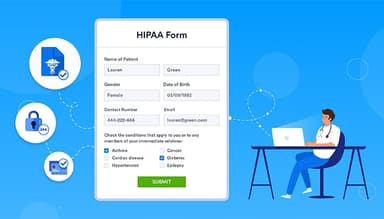
On the security front, Jotform holds PCI DSS Service Provider Level 1 compliance alongside full GDPR and HIPAA compliance. All form data is transmitted over strict encryption (like SSL/TLL). What’s more, the infrastructure is hosted entirely on Google Cloud and AWS, both certified under ISO 27001, SOC 1, SOC 2, and SOC 3 standards. The platform is trusted by organizations ranging from startups to Fortune 500 companies worldwide, including Facebook, BBC, and Wired.

Are you still trying to figure out Jotform? Contact us at (661) 384-7070 and get expert assistance from our team regarding any further queries.

Jotform Features

Data Management

Jotform's auto-delete tool removes unnecessary submission data, allowing scheduled deletion, submission review, and effortless data transfer to platforms like Google Sheets and Airtable. Submissions can be reviewed before permanent deletion, ensuring no critical data is lost in the process. This makes it particularly useful for organizations managing compliance-sensitive or time-bound records.

See How It Works
E-Signatures

Jotform e-signatures facilitate secure client signature collection on various documents, such as contracts, payment invoices, NDAs, and agreement forms. Users can share e-signature forms directly via email or through secure PDFs for seamless collaboration. Clients can sign from any device, making the entire process fully remote-friendly and paperless.

See How It Works
Sharing And Collaboration

The platform simplifies colleague collaboration, facilitating form assignments, submission monitoring, and document sharing within a protected online account using Jotform Tables and Jotform Inbox. Teammates engage by commenting, responding to submissions, and implementing tags and filters for enhanced client data organization. Jotform Teams extends this further, allowing organizations to manage user roles, shared workspaces, and form permissions across the entire account.

See How It Works
PDF Generation

PDF generation enables users to craft branded PDF templates, convert form entries to PDFs effortlessly, and instantly share polished contracts, invoices, and legal papers via email or popular cloud platforms like Google Drive and Dropbox. The Jotform PDF Editor and Smart PDF Forms give teams additional control over layout, branding, and automated document generation.

See How It Works
Data Collection

Utilize Jotform's dynamic online forms to swiftly collect client details. Design customized contracts, agreements, and invoices reflecting your brand for clients to conveniently complete on any device. Share form responses effortlessly with team members through visual reports, Excel and CSV exports, or a user-friendly spreadsheet via Jotform Tables. The Jotform Report Builder further transforms collected data into visual charts for easy sharing across teams.

See How It Works
AI Agents

Jotform AI Agents transform standard forms into conversational, AI-powered data collection experiences deployable across web, phone, Gmail, Instagram, and WhatsApp. With 7,000+ AI Agent templates and natural-language prompt support, teams can automate client interactions and reduce manual follow-up without writing any code.

See How It Works

Pros And Cons of Jotform

Pros

  • Improved back-end features and reporting functions

  • Streamlines processes with digital forms and PDF reports

  • Easy-to-use form creator with customization and image upload options

  • Offers seamless integration with popular platforms

Cons

  • Hard to read and fill out forms on mobile due to screen cutoff

  • Outdated verification process can result in data loss if locked out

Jotform Reviews

Total 1242 reviews

4.6

All reviews are from verified customers

Rating Distribution

5

Stars

68%

4

Stars

28%

3

Stars

2%

2

Stars

1%

1

Stars

1%

Share your experience

A

Anonymous

Hospital & Healthcare, 11-50 employees

Free Trial

4.0
January 2026

simple form setup

Pros

it delivered exactly what I needed to set up a fillable form for our new clients. I found the interface easy and it connected easily with the PDF form we were already using, letting me make adjustments as we went. Being able to use the service without paying right away is another big plus for me.

Cons

At first, I was confused about how the PDF would be returned after a client filled out a it submission. Once I realized the PDF updates in real time as responses are added, everything became very easy for me to use.

Rating Distribution

Ease of use

9

Value for money

9

Customer Support

10

Functionality

10

AH

Andrew H.

Information Technology and Services, 1-10 employees

Free Trial

5.0
December 2025

More powerful than google forms

Pros

As someone managing website content, I find it works great for collecting customer details in a clean, organized layout. It gives me more room to work than Google Forms ever did.

Cons

the overall visual design and feel aren't very great overall. It's absolutely the best otherwise in my view but not for UX.

Rating Distribution

Ease of use

8

Value for money

10

Customer Support

10

Functionality

10

BY

BreeAnna Y.

Utilities, 1-10 employees

Free Trial

5.0
December 2025

Customizable forms with helpful support

Pros

From my experience, it has been pleasant to work with. The support team has been helpful and I like that most form elements can be adjusted so I can fine-tune designs and reuse templates later.

Cons

Honestly, there aren't many downsides I can point to, I mainly had to learn the layout of the commands but once I got the hang of it, I found the interface pretty easy to navigate.

Rating Distribution

Ease of use

9

Value for money

10

Customer Support

10

Functionality

10

Frequently Asked Questions

Does Jotform offer an API?

Yes, Jotform provides API access.

What language does Jotform support?

Jotform supports multiple languages, including English, Spanish, French, German, Italian, Dutch, Portuguese, Polish, Turkish, Swedish, Finnish, Norwegian (Bokmal), Danish, and Hungarian.

What other apps does Jotform integrate with?

Jotform seamlessly integrates with various applications, such as Unito, Salesforce, Square, Mailchimp, Zoom, Stripe, Trello, Slack, Google Calendar, and ChatGPT.

Does Jotform support mobile devices?

Yes, Jotform offers support for mobile devices.

What types of pricing plans does Jotform offer?

Jotform's pricing model follows a subscription-based structure with five engaging plans: Starter (free), Bronze ($39/month), Silver ($49/month), Gold ($129/month), and Enterprise (custom pricing). Users can request a custom quote for a detailed Jotform cost analysis. 

Who are the typical users of Jotform?

Jotform caters to facilities such as government, healthcare, summer camps, restaurants, groceries, churches, animal shelters, photography, education professionals, small businesses, nonprofit organizations, and creative agencies.

What level of support does Jotform offer?

Jotform offers support through email/help desk, chat, 24/7 (live rep), FAQs/forums, and a knowledge base for comprehensive assistance.