

Last Updated
Overview
Addressing the challenges of manual training management, Administrate Training offers a comprehensive solution. With features like Scheduler, Automated Email, and Flexible Templates, it caters to HR, healthcare, IT, and education. Explore Administrate features to overcome the complexities of manual training and boost revenues.
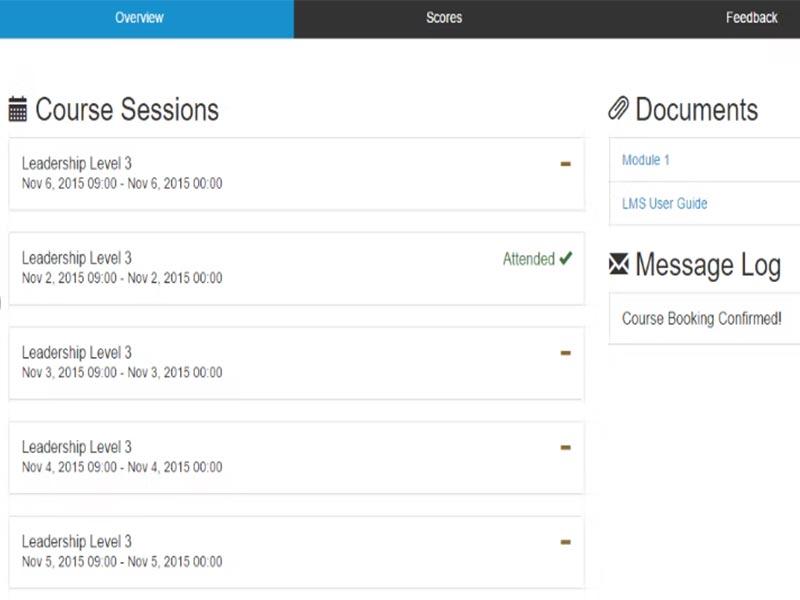
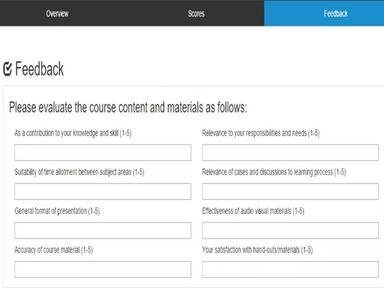
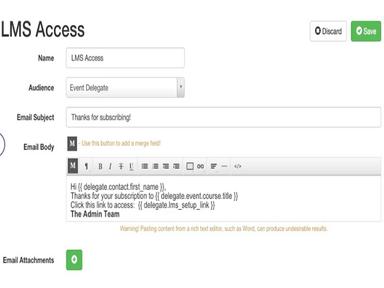
Administrate Training Management Specifications
- Learner Portal
- Asynchronous Learning
- Collaboration Tools
- Training Management
What Is Administrate Training Management?
Overview
Administrate LMS is an enterprise training management system that delivers maximum value through various learning delivery options and customizable reporting. The software helps enterprise training teams manage complex training schedules and connect with core business systems to improve the effectiveness of the training program.
Administrate Training Management Pricing
Administrate Training Management Integrations
Administrate LMS offers integrations with a range of third-party software, including:
- Salesforce
- Microsoft Teams
- Zoom
- WebEx
- Credly
- Xero
Who Is Administrate Training Management For?
The following industries use Administrate software:
- Human resources
- Healthcare
- Manufacturing
- Information technology
- Education
Is Administrate Training Management Right For You?
If you are looking for a solution to streamline your entire training operation, then Administrate Training Management might be the right software for you. It is trusted by popular clients such as Royal Caribbean Group, Siemens Healthineers, and Maersk. The platform is built on a secure, cloud-based architecture, ensuring your training data is securely stored and accessible anytime.
Administrate Training Management Features
Scheduler
The Scheduler automates creating training schedules, using your training data to schedule courses, locations, instructors, and equipment quickly and easily.
Flexible Course Templates
You can change all scheduled training events and keep instructors and learners informed. Course templates record all necessary information for the learning activity, improving resource management each time.
KPI Reporting
Administrate captures training data through course templates, calendars, and connections with other business systems. The platform allows users to create reports and analyze training data in-depth, and reports can be emailed or scheduled to generate automatically.
Document Management
The system includes version control and connects documents to specific course templates and learner paths, making creating reports and specific queries around documents easy. Documents are secured on Administrate's servers and backed up continuously, with changes recorded in real-time.
Pros And Cons of Administrate Training Management
Pros
Comprehensive tools for training management
Intuitive design promotes easy navigation
Lets users create robust intelligence reports
Connects effortlessly with several third-party platforms
Easily modify and adapt training content
Cons
Personalization option for the user interface can be improved
May need assistance during the setup process, according to some Administrate reviews
Requires some time for users to become fully acquainted
Administrate Training Management Reviews
Total 13 reviews
4.5
All reviews are from verified customers
Rating Distribution
5
Stars62%
4
Stars31%
3
Stars8%
2
Stars0%
1
Stars0%
Share your experience
Gabriel
Accounting, 1-10 employees
Less than 6 months
“Learn at the comfort of your home”
Pros
I am truly impressed by the software's ease of use and overall functionality. I must it exceeds mexpectations.
Cons
When using my desktop, I occasionally encounter system failures, and I'm unsure if the issue lies with my part or yours.
Rating Distribution
Ease of use
10
Value for money
10
Customer Support
9
Functionality
10
Martin K.
Marketing and Advertising, 11-50 employees
More than a year
“Genius for training”
Pros
Honestly this software is on another level. Saying otherwise would be unfair because it really is brilliantly designed and I definitely recommend it.
Cons
Updates sometimes cause certain data to be lost but overall it's still okay.
Rating Distribution
Ease of use
10
Value for money
10
Customer Support
10
Functionality
10
Chris
Accounting, 51-100 employees
Less than a year
“Comprehensive training management”
Pros
I can customize the appearance and branding of my training portal which allows me to create a professional and personalized experience for learners.
Cons
The platform offers an abundance of features, which can be overwhelming for some users.
Rating Distribution
Ease of use
4
Value for money
8
Customer Support
8
Functionality
10
Frequently Asked Questions
Does Administrate Training Management offer an API?
Yes, Administrate Training Management offers an API.
What language does Administrate Training Management support?
Administrate, a training operations platform, supports English, Arabic, German, Japanese, Spanish, and Russian languages.
What other apps does Administrate Training Management integrate with?
Administrate Training Management integrates with SurveyMonkey, Outlook, Office 365, CloudShare, GoToMeeting, and more.
Does Administrate Training Management support mobile devices?
No, Administrate Training Management does not support mobile devices.
What types of pricing plans does Administrate Training Management offer?
The Administrate Training Management cost depends on the size and requirements of your organization. Get a personalized Administrate price based on your company’s needs.
Who are the typical users of Administrate Training Management?
Typical users of Administrate Training Management include education, manufacturing, healthcare, human resources, and information technology industries. Training leaders also trust it.
What level of support does Administrate Training Management offer?
The Administrate Training Management offers FAQs, forums, email, a help desk, a knowledge base, chat, and phone support options.