


Learnsoft
Last Updated
Overview
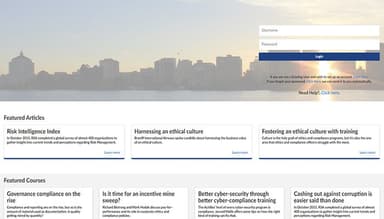
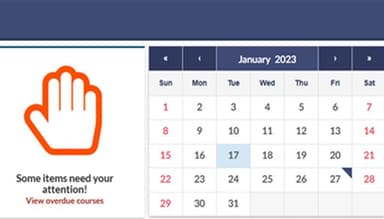
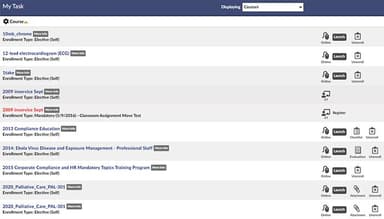
Struggling with your employees’ performance? Whether you’re a manager, instructor, administrator or learner, Learnsoft’s platform is easy to use. It understands that ease-of-use goes beyond one-click launches and an easy-to-navigate dashboard for learners. But what’s more impressive is the Learnsoft platform’s configurable nature for all end users.

Learnsoft Specifications
- Activity Dashboard
- Asynchronous Learning
- Activity Tracking
- Access Controls/Permissions
What Is Learnsoft?
Overview
Learnsoft LMS software is a configurable learning management platform that simplifies employee training programs for organizations operating in highly regulated industries. By focusing on agility, learnability, and skill development, Learnsoft empowers organizations to drive desired outcomes and ensure the success of their employees.
Founded in 2005, Learnsoft’s platform helps organizations manage, deliver, track and lead training initiatives while ensuring compliance and driving employee growth. It has built and evolved the learning solution by listening to its customers and learning what they need. Designed for quick deployments, it provides an intuitive experience for course administrators, instructors and learners alike.
What Is Learnsoft Best For?
One of the standout features of Learnsoft software is its commitment to making enterprise learning fun, flexible, and simple for all users. It promotes a micro-learning approach, allowing administrators or instructors to break up training into small, manageable increments without confusing learners or managers. The cloud-based LMS ensures real-time updates, simplifying tracking progress.
Learnsoft Pricing
Learnsoft Integrations
Learnsoft seamlessly integrates with HR information systems and applicant tracking systems, as well as industry-standard compliance and content APIs. It helps deliver your learning content right where your employees expect it. Similarly, the technology accurately and automatically tracks accreditation and compliance requirements through integration. Learnsoft integrates with the following third-party applications:
- Salesforce
- Scorm
- Microsoft Teams
- OpenSesame
- Workday
- Epic
How Does Learnsoft Work?
Here’s how to get started with Learnsoft LMS after its successful installation:
- Create user accounts for employees and managers
- Import relevant training content and courses
- Customize learning paths based on job roles and skills
- Streamline onboarding with ATS integration
- Promote microlearning for engaging training
- Track learner progress through intelligent reporting
- Encourage employee growth with learning suggestions
Who Is Learnsoft For?
The software is a fully adaptable solution for organizations of all sizes across industries. The platform has been protecting government and healthcare organizations' data for decades. Moreover, within the past few years, Learnsoft has broadened its horizons to the following:
- Hospitality
- Manufacturing
- Financial
Is Learnsoft Right For You?
Are you looking for LMS software that helps learners complete training easily and effectively? If so, then Learnsoft might be the right choice. It offers microlearning to help learners complete training quickly. Microlearning breaks concepts down into short, bite-sized learning sessions that learners can finish within five or so minutes. Easy-to-digest training helps keep learners engaged. The platform is SCORM and AICC compliant.
Learnsoft was designed with highly regulated industries in mind. It helps keep organizations secure, no matter how stringent their protocols are. It ensures adherence to regulatory requirements and industry standards through robust compliance tracking features. Additionally, the software supports online and in-person learning, or a blend of both — helping you create the learning environment you need to best reach your workforce.
Still unsure if it's the right choice for you? Contact us at (661) 384-7070 and let our experienced team assist you in making an informed decision.
Learnsoft Features
Advanced Reporting And Analytics
The platform lets organizations gain valuable insights into training effectiveness and learner performance through comprehensive analytics and reporting. Its robust, fully customizable automatic reporting system helps you meet changing demands for compliance and internal stakeholders. The platform makes it easy to build out scheduled reports and distribution — so every team member has the data they need when they need it. Learnsoft allows managers and admins to easily segment reports, view enrolled courses and navigate employee transcripts and progress. Likewise, instructors can easily edit and create courses, view class lists and waitlists, and make changes when needed. Moreover, users can monitor key metrics, identify knowledge gaps and make data-driven decisions to optimize training programs.
Certification Tracking And Management
This feature enables you to monitor and manage employee certifications, licenses and qualifications from a centralized platform. It automates renewals, reminders, and calendar requests to ensure compliance with industry regulations.
Skill And Competency Assessments
The platform enables organizations to evaluate and measure employee skills and competencies to identify strengths and areas for improvement. You can also design personalized development plans to enhance individual and team performance. It helps users to find gaps and provide learning suggestions to mediate the lack of skills.
Talent Management
This functionality helps organizations streamline talent development processes, including performance management, succession planning, and goal management. It enables you to identify skill gaps, conduct 360 evaluations, facilitate career development, and support employees’ growth within your organization. You can also tailor the performance review process across the organization and serve the unique needs of each department.
Extended Enterprise Learning
The platform allows organizations to utilize a single application for all internal and external training needs. It enables organizations to expand their training reach beyond their organization and empower external stakeholders, such as partners, affiliates, and vendors, with access to valuable training content. This feature helps drive collaboration, standardize practices, and foster a culture of continuous learning across the extended enterprise.
Flexible Course Creation And Delivery
Learnsoft allows users to easily create and customize courses to meet their unique training needs. It supports various formats, including e-learning modules, virtual classrooms, and blended learning experiences. The benefit of this feature is that it provides a personalized learning experience, saves learner time, and allows learners to “test out” of course material.
Automated User Management
The system lets you seamlessly integrate with their existing system to streamline user management, data synchronization, and training assignment processes. It enables organizations to design specialized learning paths for new or updated users and automatically enroll them based on changes in integrated systems.
Pros And Cons of Learnsoft
Pros
Receive timely assistance, training resources and regular updates to ensure your success
Benefit from extensive articles, videos and how-to documentation to support you and your team
Track certifications, manage renewal processes and generate compliance reports with ease
Provide a seamless learning experience through responsive design and mobile app support
Cons
Steep learning curve for administrators
Integration challenges, according to some Learnsoft reviews
Learnsoft Reviews
Total 2 reviews
4.5
All reviews are from verified customers
Rating Distribution
5
Stars50%
4
Stars50%
3
Stars0%
2
Stars0%
1
Stars0%
Share your experience
Small Business, 1-10 employees
More than a year
“Easy to manage and integrate”
Pros
About Learnsoft I can confidently say it offers a great set of features for its price. The platforms ease of use is one of its strongest points. Anyone can set up and manage it without any trouble. Moreover the integration with various third-party tools has been particularly useful for streamlining our operations.
Cons
My major complaint is about the limited customization options for reports and dashboards, it needs to be updated.
Rating Distribution
Ease of use
10
Value for money
10
Customer Support
9
Functionality
9
Higher Education, 11-50 employees
Less than a year
“Learning plans can be easily customize”
Pros
It is a great software for us. The platform offers a wide range of features for creating and managing training content that are quite easy and simple. Also the ability to customize learning paths for different user groups is an important feature that has been beneficial for our diverse student base.
Cons
The software works really slow during peak times of our work. This is really frustrating and I also think that some features are not very user friendly.
Rating Distribution
Ease of use
7
Value for money
8
Customer Support
7
Functionality
8
Frequently Asked Questions
Does Learnsoft offer an API?
Yes, it offers an API.
What language does Learnsoft support?
Learnsoft software supports English.
What other apps does Learnsoft integrate with?
Learnsoft’s cloud-based learning platform can be fully integrated with your standing technologies within 90 days or less. Moreover, it integrates with several third-party applications, including Microsoft Teams, OpenSesame, Salesforce, Epic, and Workday.
Does Learnsoft support mobile devices?
Yes, it supports mobile devices. If your workforce is always on the go, they need flexible learning technology they can take on the go as well. Offering your workforce virtual training on mobile devices and handheld tablets can make it easier for learners to remain trained and compliant in any environment.
What types of pricing plans does Learnsoft offer?
Learnsoft offers customized pricing plans based on users’ requirements.
Who are the typical users of Learnsoft?
The typical users of Learnsoft are the following sectors: Enterprise, Government, Healthcare, and Hospitality.
What level of support does Learnsoft offer?
The software offers a self-service knowledge base and a customer support team. Its dedicated support team is available through every step of the process, ultimately helping you deploy our solution to your teams quickly and easily. The team is always ready to assist you on a day-to-day basis and throughout your customer journey.