



Last Updated
Overview
Building and maintaining a quality online learning program requires extensive resources. Thinkific software provides instructors with everything they need - from a course creator to analytics and sales tools, all in one place. Explore how it streamlines online education workflows to maximize outcomes.
Thinkific Specifications
- Activity Dashboard
- Asynchronous Learning
- Activity Tracking
- Access Controls/Permissions
Thinkific Features
Quizzes And Assignments
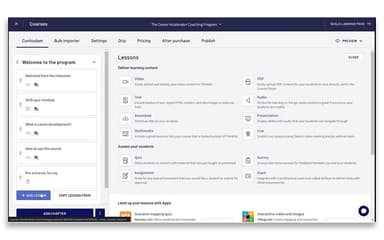
With Thinkific, you can create quizzes and assignments to engage your students and assess their understanding of the course material. This interactive feature enhances the learning experience and helps in better retention of information. You can create different types of quizzes, and you can also provide feedback and grades to motivate your students.
Community Spaces And Notifications
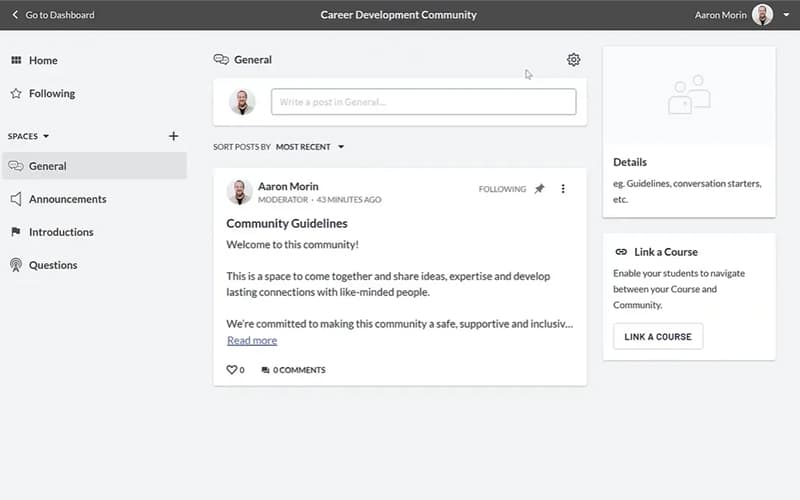
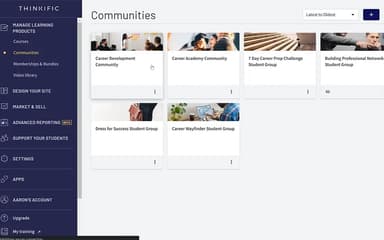
This feature offers community spaces where students can interact with each other and the course creator. It also provides notifications to keep students updated about the course. This feature fosters a sense of community and keeps students engaged. It also encourages peer learning and allows you to provide timely updates and announcements.
Detailed Analytics
The software provides detailed analytics on students’ behavior and interests. This feature helps you understand what works and what doesn’t, enabling you to optimize your content and user experience. You can track course completion rates, quiz performance, and other key metrics to gain insights and make data-driven decisions.
Best-in-Class Support
This feature supports users with best-in-class support, first-time creator support, and a creator community. It provides all the assistance needed for a successful online course creation journey.
Pros And Cons of Thinkific
Pros
Easy drag-and-drop setup
User-friendly interface
Cloud-based accessibility
Engaging learner communities
Cons
Limited customization options
Customer service can be improved, according to some reviews
Thinkific Pricing
FreeTest-drive Thinkific for free and begin building your first online course and community. | BasicGain access to core features and essential tools you need to successfully launch your online learning business. | StartUnlock additional features designed to help drive student engagement, and create an amazing student experience. | GrowGrow your online business with even more advanced tools that will help you sell more and expand into multiple learning products. |
|---|---|---|---|
$0 | $36 per month | $74 per month | $149 per month |
|
|
|
|
Disclaimer: The pricing details were last updated on Sep 07, 2026 from the vendor's website. Please contact us for a tailored pricing list.
Thinkific Reviews
Total 51 reviews
3.9
All reviews are from verified customers
Rating Distribution
5
Stars41%
4
Stars31%
3
Stars12%
2
Stars10%
1
Stars6%
Share your experience
French H.
E-Learning, 1-10 employees
More than a year
“Works For Basic only”
Pros
It works fine if what you need is pretty basic. Overall the platform is simple to use and covers the essentials like organizing material, creating courses and handling users but In my experience it does not offer much beyond those core features.
Cons
As our needs changed, it could not really grow with us. It works okay for simple course delivery but we started needing more flexibility and advanced features that the platform just didn't provide that's why we made the switch in the end.
Rating Distribution
Ease of use
7
Value for money
4
Customer Support
4
Functionality
4
Melina S.
Non-Profit Organization Management, 11-50 employees
Less than a year
“Easy interface for building and sharing”
Pros
My favorite things about Thinkific were its easy to use interface and how it let me build and share courses without needing deep technical know-how. Plus the platform offered flexibility in how I organized content, strong analytics to follow learner progress and dependable integrations that kept the learning experience running smoothly. I really valued how simple it was to personalize the learner's path and keep everything looking professional and on-brand.
Cons
One of my least favorite part about it was how, like any growing company, their priorities could change quickly which made long-term planning a little tricky. That said I did like the transparent communication between teams which helped us adjust and stay on track.
Rating Distribution
Ease of use
10
Value for money
10
Customer Support
10
Functionality
10
Paisley W.
Program Development, 11-50 employees
Less than a year
“User friendly”
Pros
The product is user friendly and the team is great to collaborate with as they get back to us fast whenever we have questions or concerns.
Cons
Right now the only way to mark courses as completed is by manually uploading a spreadsheet which is pretty time-consuming since we do it often. You also cannot duplicate learning paths which is frustrating as we have to copy everything over by hand each time.
Rating Distribution
Ease of use
8
Value for money
8
Customer Support
9
Functionality
8
Frequently Asked Questions
Does Thinkific software offer an API?
Yes, Thinkific has an API available for use.
What language does Thinkific software support?
Thinkific supports multiple languages, including English, French, Spanish, German, Portuguese, Italian, Dutch, Danish, Swedish, Norwegian, Finnish, Turkish, Arabic, Japanese, Chinese (Simplified), Chinese (Traditional), and Korean.
What other apps does Thinkific software integrate with?
Thinkific learning management system integrates with third-party applications such as Shopify, Facebook Pixel, Zapier, Zoom, Google Analytics, Mailchimp, Sweetpay, and Wobo.
Does Thinkific software support mobile devices?
Yes, Thinkific is mobile-responsive, enabling access to courses on the go from any phone or tablet.
What types of pricing plans does Thinkific software offer?
The software offers flexible pricing plans catering to diverse organizational needs. Request a custom Thinkific price.
Who are the typical users of Thinkific software?
Thinkific LMS is a versatile platform for individuals, businesses, and corporations across, technology, health, arts, and linguistics sectors.
What level of support does Thinkific software offer?
Thinkific provides support via Thinkific support, email/help desk, phone support knowledge base, chat and FAQs/forums.
How can I build my online learning platform on Thinkific?
Thinkific is a robust online course platform that allows you to create inspiring courses and leverage their other tools like Thinkific App Store integrations to build a full fledged online learning platform. You can design custom course pages, add content, exercises and quizzes using their intuitive course builder and deliver customized learning experiences.
What features does Thinkific provide to create courses?
Thinkific offers various features within its online course platform to help instructors create engaging courses easily. These include tools like course builder, media uploader, quizzes, assignments, certificates, forums for discussions and more.
Can I sell the courses online using Thinkific?
Yes, Thinkific's robust online course platform allows you to sell courses online seamlessly. It provides tools like carts, checkout pages, discounts and coupons that help drive course sales. It also has integrations with payment gateways and tools in Thinkific App Store to help instructors monetize their content and courses.
How can the Thinkific App store help my online education business?
Thinkific App Store contains various powerful integrations that can help grow your online education business. Integrations with marketing tools, CRMs, productivity tools etc. automate workflows streamlining course business scaling.