


Buddy Punch Time Clock
Last Updated

Overview
Buddy Punch Time Clock streamlines payroll management with its cloud-hosted time-tracking software. It is ideal for project managers because it simplifies attendance, overtime, and PTO tracking while offering easy scheduling and smart labor cost reduction. Though some users find the clock-in feature needs improvement, Buddy Punch remains a reliable solution for managing payroll.
Overall Rating
Based on 45 users reviews
4.6
Rating Distribution
Positive
98%
Neutral
2%
Negative
0%
Starting Price
$4.99
per user per month
Buddy Punch Time Clock Specifications
- Employee Information Management
- Recruitment and Applicant Tracking
- Performance Management
- Attendance and Time Tracking
Buddy Punch Time Clock Features
Built-In Notifications
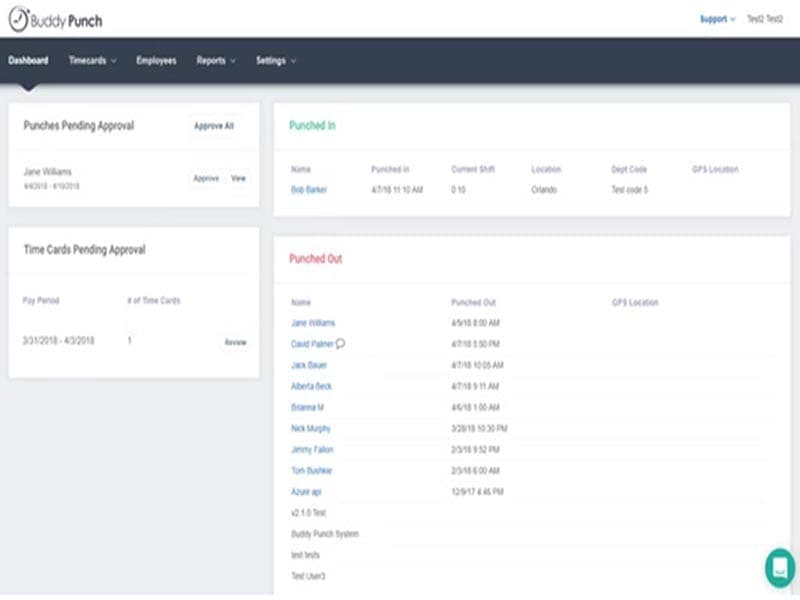
Buddy Punch lets managers control their employees' schedules to ensure business processes run smoothly. With automated timesheets and a real-time dashboard, managing schedule templates is a breeze. The platform's project management's smart scheduling feature optimizes daily schedules and reduces labor costs. It also supports drag-and-drop operations.
Payroll Management
The software provides a completely integrated payroll system, and its time tracker can cater to administrators' requirements. The automated payroll process enables clients to gain better business insights while saving them time and removing the possibility of error. Buddy Punch even keeps track of extra costs, such as bonuses and commissions.
Time Tracking
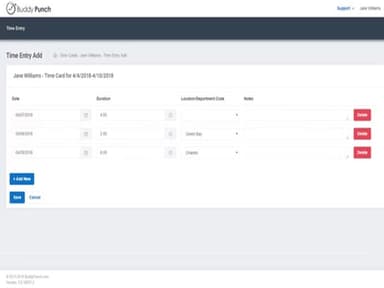
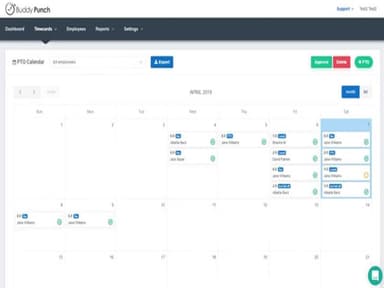
The platform's first-rate time-card app streamlines the process. This cutting-edge software helps manage employee attendance, record overtime, and note time off. Buddy Punch captures webcam images of employee time clocks to improve accountability and streamline payroll.
Customizable Reports
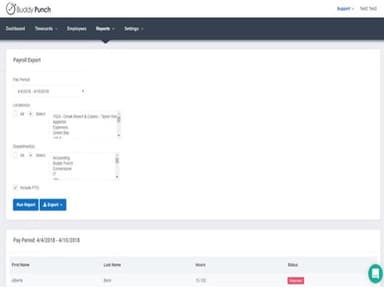
Buddy Punch allows users to create detailed payroll reports in seconds from anywhere. These reports allow managers to monitor employee hours, overtime, locations, and departments. Administrators can generate attendance reports for any custom time, such as by day, week, month, or even a custom-selected date range. This allows for tracking of employee hours in granular detail.
Employees Monitoring
Managers can track where remote employees are working by setting up virtual geographic boundaries. This ensures employees are punching in from approved locations. Additionally, the software can lock sign-ins to specific IP addresses. This allows monitoring employees who are punching in remotely from home or off-site locations.
Pros And Cons of Buddy Punch Time Clock
Pros
Comprehensive punch clock for remote and on job site employees
Helps calculate pay period efficiently
Customizable features help administrators save time
Great customer support team
Cons
The clock-in feature needs improvement
Some users faced issues in removing inactive members from the payroll log
Buddy Punch Time Clock Pricing
StandardTime Tracking | ProTime with Scheduling | PremiumReal Time GPS | EnterpriseAll in one solution |
|---|---|---|---|
$4.99/user/month + $19base fee/month | $5.00/user/month + $19base fee/month | $7.99/user/month + $19 base fee/month | Custom Pricing |
|
|
|
|
Disclaimer: The pricing details were last updated on Sep 14, 2026 from the vendor's website. Please contact us for a tailored pricing list.
Buddy Punch Time Clock Reviews
Total 45 reviews
4.6
All reviews are from verified customers
Rating Distribution
5
Stars60%
4
Stars38%
3
Stars2%
2
Stars0%
1
Stars0%
Share your experience
Legal Services, N/A employees
Less than a year
“I lovee this app!”
Pros
clocking in and out is simple and it also giveClocking in and out is simple, and the app provides a clear summary of all my time punches, making it easy to track my hours. Overall, the app reliably performs the tasks it's designed to do.
Cons
Honestly I don't have any complaints. The app provides the information I need and performs the required functions, so I'm satisfied with how it operates and see no issues.
Rating Distribution
Ease of use
10
Value for money
10
Customer Support
10
Functionality
10
Medical Practice, N/A employees
Less than 6 months
“Interactive tool but syncs poorly”
Pros
Its really simple and user-friendly. I rarely have trouble locating the features I need. It handles everything our small business requires from simple scheduling and tracking accrued time off to an easy clock-in and clock-out process that employees pick up quickly.
Cons
My main frustration with it is its poor sync with QuickBooks Online when it comes to hours. I end up having to go in and manually adjust overtime entries because the two systems don't transfer overtime and regular hours cleanly. Since we were already using QuickBooks Online for payroll, I didn't want to migrate payroll over to Buddy Punch, so these manual fixes have been an ongoing issue for our payroll workflow.
Rating Distribution
Ease of use
8
Value for money
7
Customer Support
7
Functionality
6
Government Relations, N/A employees
Less than a year
“super friendly to use”
Pros
I am surprised how simple it is to use, I appreciate the real-time monitoring and the flexibility to correct any mistakes on the fly.
Cons
Lately I've noticed I can't retrieve past pay stubs and the mobile experience is poor on both iPhones and Android devices, I also have to refresh constantly.
Rating Distribution
Ease of use
9
Value for money
8
Customer Support
8
Functionality
7
Frequently Asked Questions
What other apps does Buddy Punch Time Clock integrate with?
The platform integrates with several third-party applications, including Paychex, Quickbooks, Workday, Paylocity, and ADP Workforce.
What types of pricing plans does Buddy Punch Time Clock offer?
The software offers different pricing plans, including Standard ($3.99/user/month), Pro ($4.99/user/month), Premium ($6.99/user/month), and Enterprise (Custom Pricing). Request a personalized Buddy Punch cost today!
Does Buddy Punch Time Clock offer an API?
Yes, Buddy Punch software provides an API.
What language does Buddy Punch Time Clock support?
The software supports the English and Spanish language.
Who are the typical users of Buddy Punch Time Clock?
The platform caters to several sectors and industries, including insurance, healthcare, government, pharmaceuticals, construction, and entertainment.
Does Buddy Punch Time Clock support mobile devices?
Yes, Punch Buddy also supports mobile devices and has a mobile application.
What level of support does Buddy Punch Time Clock offer?
Buddy Punch .com offers a help desk, knowledge base, chat, email, and phone support.
Does Buddy Punch Employee Time Clock help business owners save time?
Yes, the software helps businesses complete operations with just a few clicks.