



Last Updated

Overview
Day.io allows teams to track time and plan projects seamlessly. Users can manage attendance, schedule shifts and create detailed time reports. Although it has a steep learning curve, the software’s long list of features makes it an important addition to a teams’ project management toolbelt.
Day.io Specifications
- Time Tracking
- Task Management
- Reporting
- Budget Management
Day.io Features
Project Tracking
Day.io's project tracking feature allows you to manage multi-layered projects and monitor time and activities. This feature offers real-time visibility into your key projects, helping you meet deadlines and keep track of your team's progress.
Attendance Management
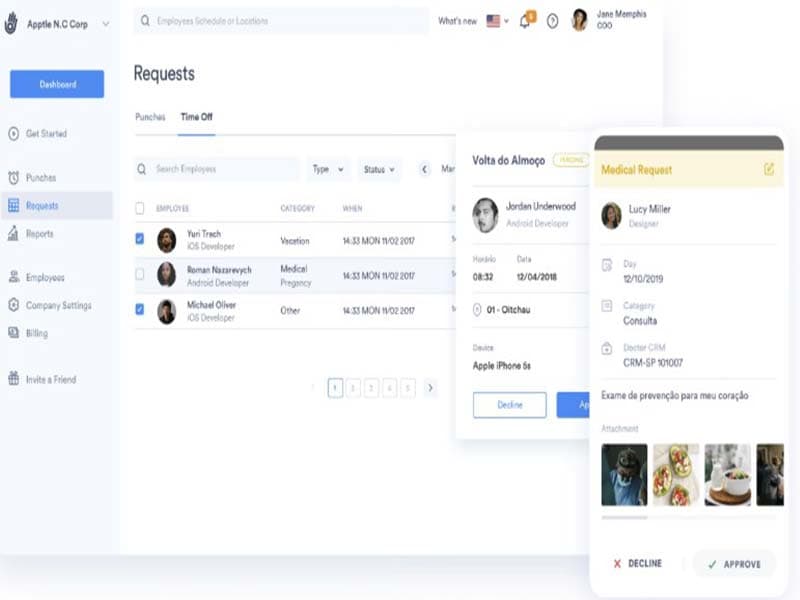
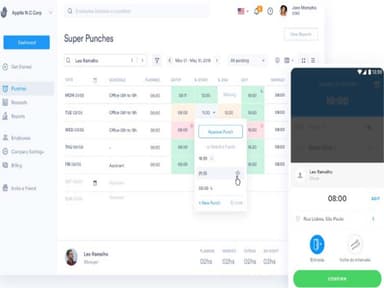
With this feature, you can clock in via various devices like mobile, tablet, or computer. Day.io is a time-tracker that also offers a timesheet app with advanced features like facial recognition for efficient attendance management, all synced online.
Project Billing
You can create projects with specific costs per service, simplifying the billing process. This feature also ensures you never miss a billable hour when invoicing. With real-time insights, you can streamline budgets for all your projects.
Project Reports
Reports can help you track the progress of your projects, monitor time and activities, and gain insights into how efficiently resources are being used. This feature also allows you to see an overview of costs per service for each project or work hours required to meet deadlines.
Shift Hours Management
You can manage weekly schedules, flexible schedules, and shifts with advanced options such as notifications, multiple breaks, and other automation options. You can create shifts for your employees and apply relevant rules for tolerance and validity for each schedule. The platform also accommodates different rules and configurations for night shifts.
Pros And Cons of Day.io
Pros
Offers cross-platform punch control to employees
Easy when it comes to integrating with other platforms
Accessible from various mobile devices
Cons
The support could be more responsive
Steep learning curve for new users
Day.io Pricing
Free | Pro | Enterprise |
|---|---|---|
$0per month | $6per month | Customized Quote |
|
|
|
Disclaimer: The pricing details were last updated on Aug 21, 2026 from the vendor's website. Please contact us for a tailored pricing list.
Day.io Reviews
Total 4 reviews
4.3
All reviews are from verified customers
Rating Distribution
5
Stars25%
4
Stars75%
3
Stars0%
2
Stars0%
1
Stars0%
Share your experience
Glaucia D.
Real Estate , 101-500 employees
“Reliable features.”
Pros
It is dependable software for managing our time and attendance. The timesheets allow us to effortlessly establish leaves and manage time off. From a single interface, it can manage activity tracking, leave tracking, online punch cards, and biometric recognition, which is crucial for us. Day.io is a trusted time-tracking platform built for teams and small businesses to increase productivity and project ROI by providing advanced and simple features for time tracking, invoicing, project management, and team performance analytics. We have been using this software for some time now and its good.
Cons
Its not very user-friendly for new users to be honest. Except for Internet Explorer, it does not work on any other browser and its a common complaint from all their users it seems. Command response time is sometimes slow. There are no split-screen options which is inconvenient because it really increases the work speed.
Rating Distribution
Ease of use
9
Value for money
8
Customer Support
9
Functionality
9
Rocky L.
Electronic Manufacturing , 11-50 employees
“Automates time tracking without hassle. ”
Pros
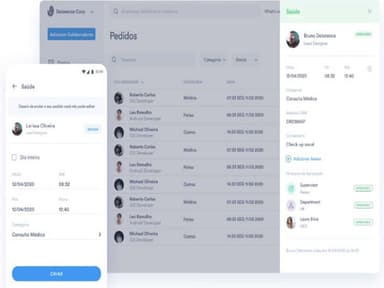
Day.io project management provides automated time off and vacation management for our staff. All approvals and communication between our supervisor and staff are handled through the application. We can build leave categories and define custom fields for the different types of leaves in our company. Employees can use the system to submit their leave request form as well as any medical forms that may be required. Day.io may also be used to keep track of project activity using mobile and desktop apps. It can track actions and update activity lists.
Cons
The software rarely gives us trouble. However, the few times it crashed or glitched, it did take time to restore the proper functionality. The recovery time causes a lot of inconveniences.
Rating Distribution
Ease of use
8
Value for money
9
Customer Support
9
Functionality
8
Sandy W.
Information Technology and Services, 500+ employees
“It has made my work life easier.”
Pros
I love how the internal and external staff are able to record all activities via application or computer with Day.io. The anti-fraud security mechanisms that validate identity and location (via GPS, WiFi, and Bluetooth) are also very helpful. It has made it simple for our firm to manage project expenditures. Understanding where our money is going and why is a valuable feature. The product is simple to use and set up, and it saves us a lot of time.
Cons
The site goes down at least once a month. This varies, but it can happen more than once a month. This software frequently breaks, causing me to get behind on my notes. There are occasional system issues that prohibit me from completing a task. Some of its features are difficult to grasp, but Day.io has a well-trained team that makes it simple to implement.
Rating Distribution
Ease of use
7
Value for money
9
Customer Support
9
Functionality
9
Frequently Asked Questions
Does Day.io offer an API?
Yes, Day.io offers an API to its users.
What language does Day.io support?
Day.io supports these languages: English, Spanish, Portuguese, and Hebrew.
Who are the typical users of Day.io?
Typically, Day.io is used by project managers, collaborative teams, and freelancers for time tracking timesheets and employee management. The software helps you add value to your services, save money. and avoid an administrative headache. In fact, you can add dollar value to your projects using its integration with QuickBooks, boosting the management of accounting requirements.
What types of pricing plans does Day.io offer?
Day.io offers module-based pricing options. The Project Time Tracking software offers three standard plans: Free, Pro, and medium Enterprise, which cost $0, $6, and customized quotes, respectively. Paying customers have access to additional features. For more information about the cost of Day.io, you can contact us.
What other apps does Day.io integrate with?
Day.io integrates with several third-party apps, including Asana, Monday, Jira, Trello, and Todoist, among others.
What level of support does Day.io offer?
Day.io offers these support options: live support and email.
Does Day.io support mobile devices?
Yes, Day.io supports Android and iOS mobile devices.