


Last Updated
Overview
AccuFund offers comprehensive financial management solutions mainly crafted for nonprofits and local governments. With a variety of modules, powerful reporting features, and strong automation capabilities, AccuFund’s platform helps reduce time spent on financial management and administrative tasks, allowing organizations to focus on their mission and community service.
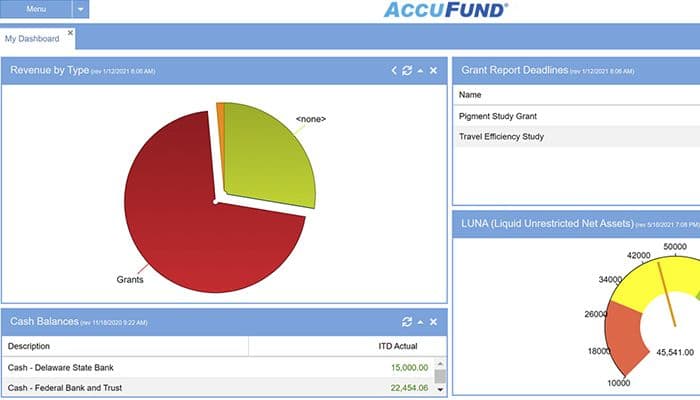
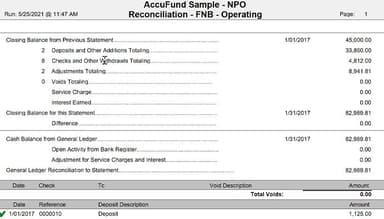
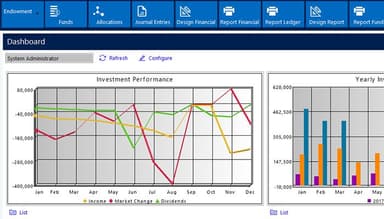
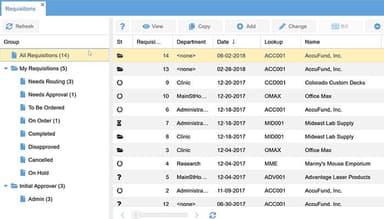
AccuFund Accounting Suite Specifications
- Financial Reporting
- Invoice Management
- Expense Tracking
- Tax Management
AccuFund Accounting Suite Features
Work Order Management
This feature enables organizations to effectively manage work orders, track tasks, allocate resources, and monitor progress. It streamlines workflows and improves coordination for maintenance and service-related activities.
Utility Billing
AccuFund provides specialized functionality for utility billing, allowing organizations to accurately calculate and generate bills for services such as water, electricity, gas, and more. It supports meter reading tracking, rate calculations, billing cycles, and customer management.
Permit Issuance
This feature helps organizations streamline the process of issuing permits. It enables tracking of permit applications, approvals, payments, and inspections. It ensures compliance with regulations and enhances the efficiency of permit-related processes.
Self-Service Portal
AccuFund offers a self-service portal that allows constituents or customers to access their accounts, view billing and payment history, make payments, and submit service requests online. It enhances convenience, improves customer satisfaction, and reduces administrative workload.
Accounts Payable
The Accounts Payable module simplifies payables’ management by automating invoice processing, payment scheduling, and vendor management. It allows organizations to track and manage outstanding balances, streamline payment workflows, and maintain a complete audit trail.
Pros And Cons of AccuFund Accounting Suite
Pros
Payroll module is great
Ease of use
Robust customization
Great customer support
Cons
Budgeting module is clunky
No customization of reports
AccuFund Accounting Suite Reviews
Total 25 reviews
4.3
All reviews are from verified customers
Rating Distribution
5
Stars44%
4
Stars48%
3
Stars4%
2
Stars0%
1
Stars4%
Share your experience
Anonymous
Accounting, 101-500 employees
More than a year
“There literally nothing positive I can say about this software”
Pros
ZERO
Cons
Horrible, all around.
Rating Distribution
Ease of use
1
Value for money
1
Customer Support
1
Functionality
1
Emily
Content Marketing, Advertising, 1-10 employees
Less than a year
“Watch out for sticky search keys”
Pros
Adding and updating accounts, as well as importing data to create invoices, is not a problem, all credit goes to AccuFund Accounting. I can even email them now which eliminates the need for stamps!
Cons
When I search and run reports, I find it less intuitive as the applied filters don't clear out automatically. If I'm not careful, it can lead to mistakes.
Rating Distribution
Ease of use
6
Value for money
7
Customer Support
6
Functionality
8
Jeff
Nonprofit, 11-50 employees
More than a year
“Good Product - worth looking at.”
Pros
AccuFund has been very helpful and has proven to be a great asset for our organization.
Cons
At times, I struggle to locate items and encounter difficulties in generating reports properly.
Rating Distribution
Ease of use
6
Value for money
7
Customer Support
6
Functionality
8
Frequently Asked Questions
What other apps does AccuFund software integrate with?
AccuFund software integrates with various apps, including Yooz, DLS financials, Zoho, Expensify, Dropbox, Docusign, Google Drive, OneDrive, Real Vision, Formstack, Concur, Salesforce, DonorPerfect, and Nelco.
Does AccuFund software support mobile devices?
Yes, AccuFund software supports mobile devices.
Who are the typical users of AccuFund software?
AccuFund caters to municipal and local government entities and special-purpose districts and agencies.
What level of support does AccuFund offer?
AccuFund offers email, helpdesk, and phone support.
What types of pricing plans does Accufund software offer?
AccuFund costs $2,995/license. For further details, click Get Pricing.