



Last Updated
Overview
Toddle software provides an all-in-one learning hub for K-12 education, streamlining workflows for educators. Though some users find the mobile app has limitations compared to the web version, its powerful AI capabilities and comprehensive design justify its adoption for schools seeking a single, integrated system.
Toddle Specifications
- Activity Dashboard
- Asynchronous Learning
- Activity Tracking
- Access Controls/Permissions
Toddle Features
AI-Powered Curriculum Planning
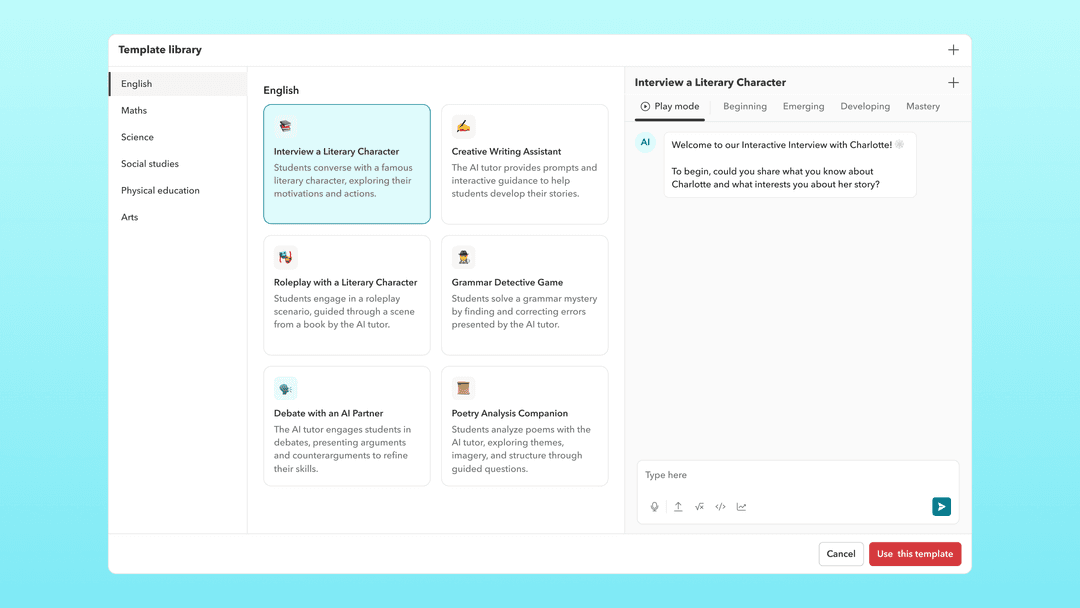
Toddle's Curriculum Planning module allows teachers and coordinators to build and view their entire curriculum in one place -from curriculum maps and yearly plans to unit plans and daily lessons.
Assessments And Gradebook
Toddle's Assessments and Gradebook module supports AI-powered assessment creation, multimodal feedback, and advanced performance analytics covering the full assessment cycle in one place.
Student Portfolios
Toddle's Student Portfolios module allows students to capture learning moments as they happen and share them with families - giving parents a real-time window into daily classroom learning.
Report Cards & Transcripts
Toddle's Report Cards and Transcripts module enables schools to create media-rich, personalised progress reports with Toddle AI reducing report writing time from hours to minutes.
Accreditation Management
Toddle's Accreditation Management module allows schools to map all accreditation documents and evidence directly to the relevant standards displayed on a single, organised dashboard and accessible to visiting accreditation teams.
Communications Hub
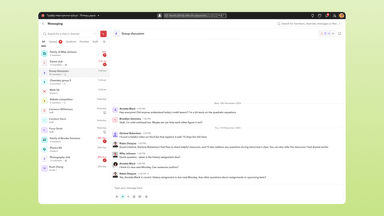
Toddle's Communications Hub centralises all school communication Including 1:1 messaging, group channels, and school-wide announcements in a single platform.
Behavior Management
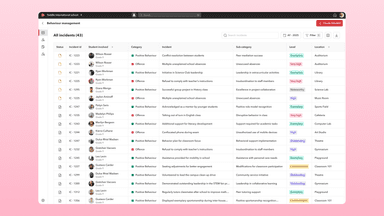
Toddle's Behavior Management module allows schools to track, log, share, and report on events related to student behavior and well-being.
Attendance, Schedules & Calendar
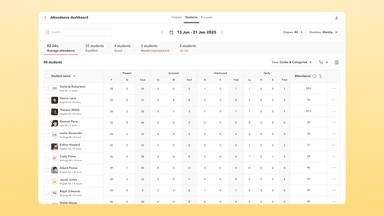
Toddle's Attendance, Schedules and Calendar module manages a school's day-to-day operations - including flexible attendance tracking, timetabling, and an integrated school calendar.
Pros And Cons of Toddle
Pros
Comprehensive all-in-one platform design
Time-saving AI-powered features
Highly collaborative curriculum planning tools
Cons
The notification system needs more clarity
Limited offline capabilities on mobile
Toddle Reviews
Total 8 reviews
5
All reviews are from verified customers
Rating Distribution
5
Stars100%
4
Stars0%
3
Stars0%
2
Stars0%
1
Stars0%
Share your experience
Caroline Clarke
Education, 11-50 employees
More than a year
“Great for the IB MYP”
Pros
It is very easy to use. Drop down menus make it easier for me to create unit planners and keep track of my IB grades.
Cons
It is expensive since we have only a small number of students who use this platform.
Rating Distribution
Ease of use
10
Value for money
9
Customer Support
10
Functionality
10
Jennifer Santi
Education, 101-500 employees
More than a year
“More than an LMS!”
Pros
With Toddle, you always have a partner to work with you and support more than the implementation- they support best practices in teaching and learning. When I need a person, there is always one there....and it's usually the same one all along.
Cons
Not sure there is anything that we've disliked!
Rating Distribution
Ease of use
9
Value for money
10
Customer Support
10
Functionality
10
Trevor Hoyt
Education, 101-500 employees
More than a year
“The most innovative LMS available”
Pros
Our teachers embarked on a journey to re-envision student assessment by moving from grades to competency-based learning in order to help students take responsibility for their own learning outcomes. The Toddle system is the tool that has made this transformation possible with its ability to help teachers collaborate on the process of curricular planning and assessments, its flexibility in the way students document their learning, and the rich reporting and communication tools that keep students and parents informed at all times. The company is constantly innovating by adding valuable new features that save teachers time and the technical support has been truly outstanding!
Cons
No complaints, we are very happy!
Rating Distribution
Ease of use
10
Value for money
10
Customer Support
10
Functionality
10
Frequently Asked Questions
What language does Toddle support?
Toddle is primarily available in English, Spanish, Turkish, French, Portuguese, and Chinese.
What types of pricing plans does Toddle offer?
The Toddle price ranges in three custom plans: Toddle Planning Pro, Toddle Essentials, and Toddle Ultimate. Request a personalized Toddle pricing quote for your business.
Does Toddle offer an API?
Yes, Toddle offers an API.
Does Toddle have a mobile app?
Yes, Toddle offers mobile apps for both Android and iOS devices.
What other apps does Toddle integrate with?
Toddle integrates with over 50 platforms, including Google Workspace, Microsoft 365, Veracross, Blackbaud, PowerSchool, Turnitin, and Clever.
Who are the typical users of Toddle?
The typical users of Toddle features include K-12 schools, public school districts, independent schools, IB world schools, and early childhood centers.
What level of support does Toddle offer?
Toddle provides support through email, live chat, video tutorials on Toddle academy, monthly webinars, and a help center.