

Last Updated

Overview
ControlBoard’s intuitive interface and powerful features make it a popular choice for contractors seeking to gain a competitive edge through efficient scheduling practices. Even though the software may require add-ons for advance functionality, the simple navigation through ControlBuild’s visual system makes it a compelling choice for professionals in service industries.
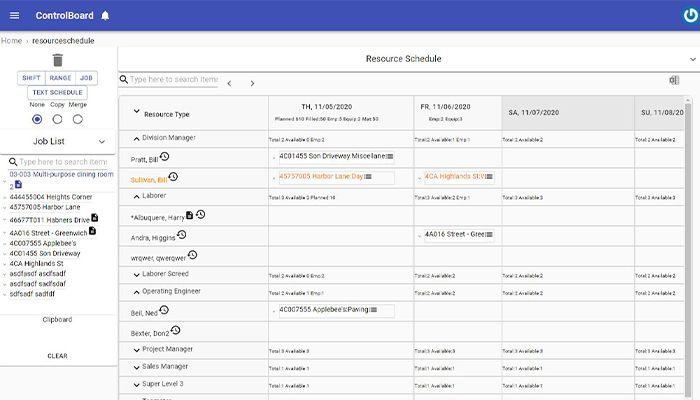
Controlboard Specifications
- Project Planning and Scheduling
- Budget Management
- Resource Allocation
- Document Management
What Is ControlBoard?
Overview
ControlBoard is a cloud-based construction scheduling software solution, empowering commercial construction companies to streamline their project workflows and optimize resource allocation. The software tackles the perennial challenge of construction scheduling – juggling crews, equipment, and subcontractors across multiple projects while ensuring projects stay on track and within budget.
ControlBoard Pricing
ControlBoard Integrations
ControlBoard integrates with a variety of software solutions, including:
- Trimble Viewpoint ProContractor
- Sage 300
- Sage 100
- AccuBuild
- Salesforce
- Intuit Quickbooks
- Procore
- Foundation
Who Is ControlBoard For?
ControlBoard caters to the following industries:
- Heavy Construction
- HVAC
- Film
- Energy
- Engineering
- Architecture
- Landscaping
Is ControlBoard Right For You?
Are you a construction company grappling with complex project schedules, resource overbooking, and communication gaps? ControlBoard can be your game-changer. ControlBoard is a recognized leader in construction scheduling software. It boasts robust security features and scales effortlessly to accommodate the growing needs of your construction business. ControlBoard offers a suite of add-on modules to cater to your specific needs, including advanced cost control, budget management, and field data collection functionalities.
Still not sure if ControlBoard is right for you? Contact our customer support team at 661-384-7070, who will help you make the best decision for your construction projects.
Controlboard Features
Drag-and-Drop Scheduling
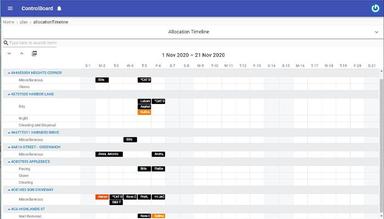
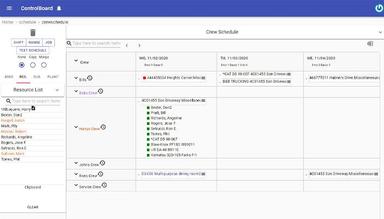
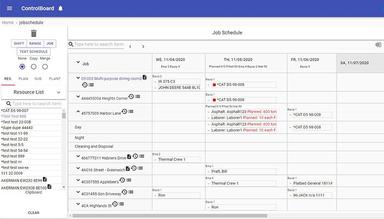
ControlBoard's intuitive drag-and-drop interface streamlines the scheduling process as one visible portal system. Users can visually allocate crew members, equipment, and subcontractors to specific tasks within the project timeline. Managers can assign employees job numbers through job numbering system, which makes it easier to allocate. This eliminates the need for cumbersome manual scheduling, facilitating quicker and more flexible project planning. Additionally, the visual representation of the schedule fosters improved communication and collaboration among project stakeholders.
Real-Time Conflict Detection
ControlBoard safeguards project timelines by proactively identifying potential resource allocation conflicts. Its real-time feature continuously monitors resource availability (crew, equipment) across multiple projects. This enables users to address scheduling discrepancies before they arise, preventing delays and ensuring that project milestones are met without resource overbooking.
Mobile Accessibility
ControlBoard empowers project managers and field personnel with on-the-go access to project schedules and updates. Its mobile application facilitates real-time communication and collaboration. Field personnel can access assigned tasks, monitor progress, and report updates directly from the job site. This promotes greater transparency and agility in project execution.
Customizable Reporting
ControlBoard empowers users with the ability to generate comprehensive reports tailored to their specific needs. This functionality extends beyond basic schedule reports and delves into in-depth project analysis. Users can generate reports on resource utilization, cost analysis, and project performance metrics. These granular insights facilitate data-driven decision-making throughout the construction lifecycle, enabling project managers to optimize workflows and resource allocation for improved project outcomes.
Integration Capabilities
ControlBoard fosters seamless integration with leading construction accounting and ERP systems. This eliminates the need for manual data entry, streamlining workflows and minimizing the risk of human error. By synchronizing project data across platforms, ControlBoard ensures data consistency and facilitates a holistic view of project finances and resource utilization. This robust integration capability empowers construction companies to leverage a centralized data repository for informed decision-making.
Pros And Cons of Controlboard
Pros
Intuitive interface simplifies project planning
Avoids crew/equipment overbooking for smoother execution
Field personnel have on-the-go access to schedules and updates
Generate reports tailored to specific project needs
Eliminates data entry with construction accounting/ERP integrations
Easy to learn for those unfamiliar with scheduling software
Cons
May require add-ons for advanced functionalities
Less intuitive way to navigate timesheets across workdays
Challenges reported with managing attachments within the software
ControlBoard reviews suggest customizing program functions might require assistance
Controlboard Reviews
Total 25 reviews
4.7
All reviews are from verified customers
Rating Distribution
5
Stars72%
4
Stars24%
3
Stars4%
2
Stars0%
1
Stars0%
Share your experience
Marco
Construction, 11-50 employees
Less than 6 months
“ControlBoard Scheduling”
Pros
Setting up multiple projects is easy for me. I can easily move crews and laborers between projects. Importing subcontractors and equipment is quick and efficient. Texting to cancel crews or send messages is really handy.
Cons
The copy function sometimes accidentally duplicates crews or workers. If I have a note for a worker and extend their duration, that same note carries over for the entire new duration I've assigned.
Rating Distribution
Ease of use
10
Value for money
10
Customer Support
10
Functionality
10
Edward
Construction, 11-50 employees
Less than 6 months
“ControlBoard Review”
Pros
Moving crews and subcontractors to different projects to handle changing schedules is simple and convenient.
Cons
We're still getting acquainted with ControlBoard, but I don't have any downsides to mention at this point.
Rating Distribution
Ease of use
10
Value for money
10
Customer Support
10
Functionality
10
Dan
Events Services, 101-500 employees
More than a year
“Easy scheduling app for Trucks and Resources”
Pros
Scheduling jobs and resources is effortless, and it cuts down on the need to communicate with multiple parties daily. Changes to schedules and notes can be easily communicated to everyone, and the mass text messaging feature makes updating on changes and issues easy.
Cons
From an operational standpoint, the job schedule can be somewhat cumbersome, and the interface feels a bit overwhelming.
Rating Distribution
Ease of use
8
Value for money
8
Customer Support
8
Functionality
8
Frequently Asked Questions
Does ControlBoard offer an API?
Yes, ControlBoard offers an API.
What language does ControlBoard support?
ControlBoard supports the English.
What other apps does ControlBoard integrate with?
ControlBoard integrates with a variety of software solutions including Trimble Viewpoint ProContractor, Sage 300, Sage 100, AccuBuild, Salesforce, Intuit Quickbooks, Procore, and Foundation.
Does ControlBoard support mobile devices?
Yes, ControlBoard offers support for mobile devices.
What types of pricing plans does ControlBoard offer?
The vendor has not disclosed any pricing information.
Who are the typical users of ControlBoard?
ControlBoard is primarily used by professionals in heavy construction, asphalt and paving, mechanical and rigging, service industries, HVAC, energy, film production, and facilities maintenance.
What level of support does ControlBoard offer?
Control Board software team offers a patient customer service through email support, phone support, and a dedicated knowledge base support.
How is ControlBoard better than the Excel Spreadsheet world?
ControlBoard's dedicated system helps users to move away from one inflexible system towards a simple visual web-based portal that establishes a direct connection between subcontractors and users. Some users cannot access Excel easily for trivial tasks. From offering a daily and weekly work update to a robust accounting system, ControlBoard makes users prioritize well. Service coordinator can import jobs and attach work packages, all in a simple visual language that is easy to access and navigate.