


kapta
Last Updated
Overview
Kapta CRM helps account teams track existing products and services in use and identify related expansion opportunities. For complex organizations with multiple subsidiaries, organizing client org charts may become harder to manage. However, its whitespace maps can pinpoint gaps across products and business units to support more focused expansion planning.
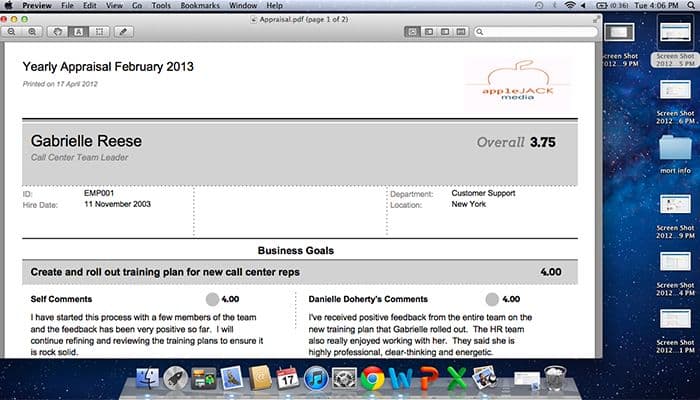
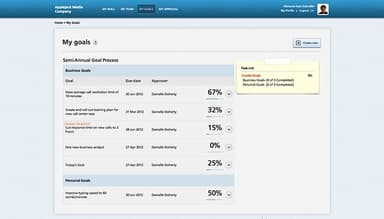
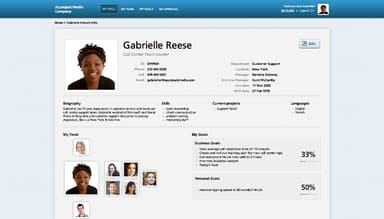
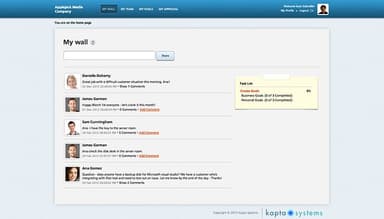
kapta Specifications
- Contact Management
- Opportunity Management
- Customer Communication Tracking
- Email Integration
kapta Features
Collaboration Hub
The CRM feature coordinates account-related work across internal teams and connects assigned activities with the wider account strategy. It also tracks deliverables against timelines, budgets, and strategic requirements, which helps teams stay aligned on account execution and reduce missed handoffs.
Customer Metrics
It monitors customer-specific milestones in real time and records progress against defined measures. The feature also tracks risks to give account teams a clearer basis for reviewing account performance and identifying areas that need attention.
Internal Metrics
This feature tracks organic account growth through measures such as renewals and increases in statements of work (SOW). By recording these commercial indicators over time, Kapta gives organizations a consistent way to evaluate revenue growth within existing accounts.
Contract And Deliverables Tracking
Deliverables Tracking monitors work associated with an account as it progresses. The functionality records whether deliverables remain on schedule, within budget, and aligned with the account strategy.
Pros And Cons of kapta
Pros
Account health insights flag retention risks
Relationship maps expose stakeholder coverage gaps
Account plans create consistent planning discipline
Voice-of-customer data strengthens account context
AI insights surface risks and opportunities
Cons
Interface may involve excessive clicks
Custom reporting might offer limited flexibility
Prospecting functionality could be too limited
kapta Reviews
Total 1 reviews
4
All reviews are from verified customers
Rating Distribution
5
Stars0%
4
Stars100%
3
Stars0%
2
Stars0%
1
Stars0%
Share your experience
Telecommunications, 51-100 employees
More than a year
“Kapta insights has helped retain vendors.”
Pros
The Account Health score by Kapta has proven crucial in customer retention, benefiting us financially. Additionally, the seamless integration services offered by the software have greatly facilitated account plan progress.
Cons
It would be more helpful if doubts and inquiries could be resolved without relying solely on the support team. Improving the help documentation would be advisable.
Rating Distribution
Ease of use
8
Value for money
8
Customer Support
6
Functionality
8
Frequently Asked Questions
What is Kapta used for?
Kapta is used for managing post-sale strategic accounts through a purpose-built CRM for account teams. It helps organizations apply account knowledge to coordinated actions and monitor account performance over time.
How quickly can teams expect to see churn-related improvements?
The vendor has not disclosed the exact timeline for reducing churn. However, it reports an average 20% increase in customer retention among companies using its key account management approach. Operational improvements, such as better account visibility and more consistent account management processes, may appear before measurable renewal or retention changes.
Does Kapta support bi-directional data syncing, or is data pulled one way from Salesforce and HubSpot?
Yes, Kapta supports bi-directional syncing with Salesforce and HubSpot. It can pull account and contact data into Kapta while sending selected activity, opportunity, and other account data back to the connected CRM.
Is Kapta easy to use?
Yes, Kapta is generally considered easy to use for strategic account management. Many users note that account health scoring and account-plan progress are straightforward to work with. However, only a few mention that reporting customization could be more flexible.
What Do Kapta’s Voice of Customer (VoC) surveys look like?
This functionality comes pre-populated with relevant Voice of Customer questions based on established account management practices. It lets teams use the existing questions, edit them as client relationships develop, or create their own templates to support more tailored strategic conversations.