



Last Updated
Overview
Uncover the potential of ACCELQ, an agile test automation platform. It turns complex testing scenarios into simple tasks. Suitable for all business sizes, ACCELQ provides a seamless, scalable, and robust answer to your testing challenges.
Overall Rating
Based on 1 users reviews
5
Rating Distribution
Positive
100%
Neutral
0%
Negative
0%
Starting Price
Customized
ACCELQ Specifications
- Time Tracking
- Task Management
- Reporting
- Budget Management
ACCELQ Features
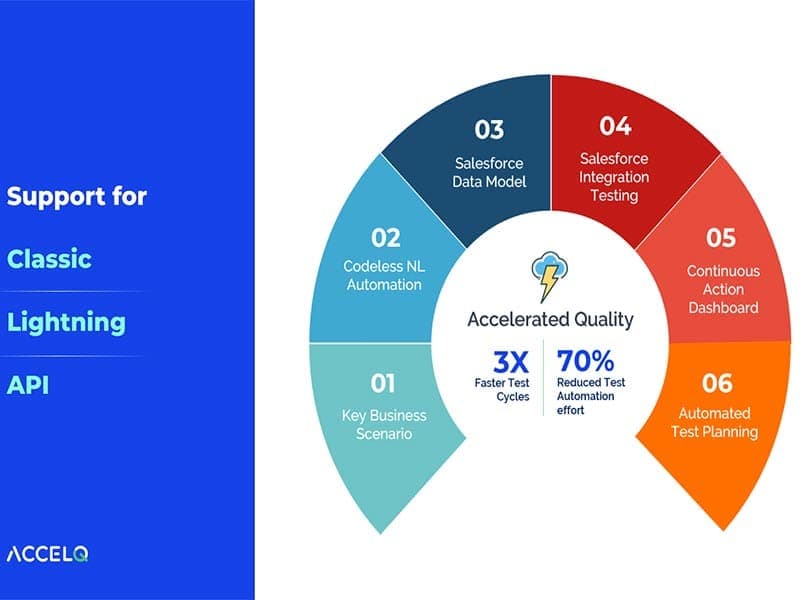
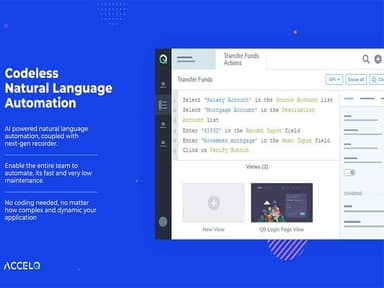
Codeless Automation
This feature allows users to automate complex test scenarios without extensive coding knowledge. This simplifies the testing process and makes it accessible to technical and non-technical users.
Analytics
The software uses predictive analytics, test automation, and change management. It also manages test assets across multiple revisions of application-under-test with the 'Smart View Analyzer'. Its integrated data designer captures the test data structure based on business semantics.
Cross-Platform Testing
ACCELQ ensures that your applications are compatible across various environments. This is crucial in today’s diverse digital landscape, where users access applications from multiple devices and browsers.
Dashboard
The software provides a visually rich format that offers quick status and historical information about the Suite. It displays the status of the last few executions of the test suite for a comparative assessment. When you hover on a particular bar, a summary of that test run is displayed and allows you to navigate to the specific detailed test report.
Visual Test Design
This feature allows you to build and manage tests using flow-chart-based logic. This visual approach makes it easier to understand and manage your test cases.
Pros And Cons of ACCELQ
Pros
Codeless automation
Seamless transition of tests, according to some ACCELQ reviews
Straightforward element identification
Cloud-based accessibility
Cons
Requires initial setup and configuration
Customer support response time can vary
Debugging can be time-consuming, according to some reviews
ACCELQ Pricing
Automate Web | Automate Mobile | Automate API | Automate Manual |
|---|---|---|---|
Customized | Customized | Customized | Customized |
|
|
|
|
Disclaimer: The pricing details were last updated on Sep 14, 2026 from the vendor's website. Please contact us for a tailored pricing list.
ACCELQ Reviews
Total 1 reviews
5
All reviews are from verified customers
Rating Distribution
5
Stars100%
4
Stars0%
3
Stars0%
2
Stars0%
1
Stars0%
Share your experience
IT, 500+ employees
Less than a year
“Best AI automation tool!”
Pros
It has been a game-changer for our automation journey. Its low-code test automation features and AI-driven approach make it my go-to tool for testing. It works great for sprint automation and gives quick feedback. I'm really impressed with how easily it sets up parallel executions, runs in headless mode and builds CI pipelines without any difficulty.
Cons
I think customer support and articles should be easy for me to find when I need them.
Rating Distribution
Ease of use
10
Value for money
10
Customer Support
8
Functionality
8
Frequently Asked Questions
What types of pricing plans does ACCELQ offer?
ACCELQ’s cost varies based on organization size and needs, with custom web, mobile, API automation, and manual testing pricing. Free versions are available for web, mobile, and API automation. Request for a custom cost of ACCELQ.
Who are the typical users of ACCELQ?
ACCELQ is used by project managers, developers, business analysts, DevOps teams, and QA engineers across various organizations.
What language does ACCELQ support?
The software supports the English language.
Does ACCELQ support mobile devices?
The software supports powered codeless AI-powered mobile testing tool on cloud platform.
Does ACCELQ offer an API?
Yes, the software has an API available for use.
What other apps does ACCELQ integrate with?
ACCELQ integrates with Bamboo, Okta, Jenkins, TeamCity, Slack, GitHub, Jira, and BrowserStack.
What level of support does ACCELQ offer?
ACCELQ provides a range of support options such as a knowledge base, email, and help desk, round-the-clock live representative assistance, chat, and FAQs and forum section.
What is API automation testing in ACCELQ?
API automation testing in ACCELQ is a part of its comprehensive test automation solution. ACCELQ offers a powerful solution for API automation testing, allowing seamless integration between API and functional testing.
How does ACCELQ use natural language programming?
ACCELQ uses an innovative natural language approach to deliver a complete automation solution without having to write any frameworks or learn a programming syntax.
How does ACCELQ enable testing for dynamic web app technologies?
ACCELQ automates API and web testing, supporting dynamic web app technologies like Angular JS. It integrates automation with the test lifecycle, covering test design, development, execution, and analysis.